
New Windows 11 Experimental (Canary) Build Brings Windows Update Improvements & More
The Build 28020.2134 is out for Windows 11 Insiders in the Experimental (26H1) channel


 2 min. read
  Published on
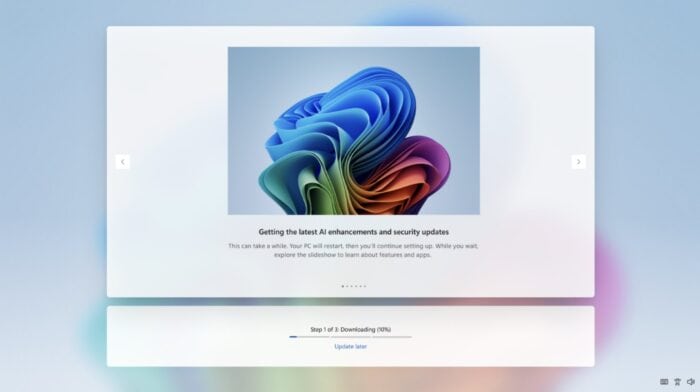
In addition to Beta Build 26220.8474 and Experimental Build 26300.8493, Microsoft also released Windows 11 Experimental (26H1) Build 28020.2134 yesterday. As a reminder, all the changes and improvements included in this build also apply to Insiders in the Canary 28000 series channel. Here’s what’s new.
Windows 11 Experimental (26H1) Build 28020.2134 rolls out Windows Update improvements and more
With the new Experimental (26H1) build, Microsoft is rolling out the latest improvements made to the Windows Update experience. After installing the Experimental (26H1) Build 28020.2134, you’ll be able to skip updates immediately during the out of box experience (OOBE).
Microsoft now allows you to extend update pauses as many times as you need, while also updating the always-available options to shut down and restart. You can read more about improved Windows Update experience here. Notably, these improvements are also rolling out for Insiders in the Experimental (Future Platforms) and Canary 29500 series channels.
As part of the new Experimental (26H1) Build 28020.2134, Microsoft has also improved the reliability of Simple Service Discovery Protocol (SSDP) notifications to help prevent the service from becoming unresponsive. Moreover, the company has confirmed a known issue in this build, as it notes: “Resetting your PC may get stuck when using ‘Reset this PC.’ To complete the reset successfully, choose the cloud download option (Cloud PBR) instead of local.”
Not to forget, Microsoft is also rolling out the Windows 11 taskbar positioning feature, the option to make the taskbar smaller, and even allowing you to resize the Start menu as part of the Experimental (Dev) Build 26300.8493.

Read our disclosure page to find out how can you help Windows Report sustain the editorial team. Read more



Improve this guide




User forum
0 messages