
Microsoft Starts Rolling Out Improvements to Windows Update Experience
You can now skip updates during initial setup, extend pauses anytime, restart or shut down without updates, and get clearer insights before installing updates


 3 min. read
  Published on

Microsoft has just addressed one of the biggest pain points for Windows 11 users, as it today announced the rollout of several improvements to the Windows Update experience. The company says that the following improvements are based on thousands of feedback from users who have been dealing with poorly timed updates and limited control.
For a lot of people, Windows updates showing up at the wrong time has been a constant annoyance. It breaks your flow, forces restart, and sometimes just gets in the way when you need your PC the most. Well, Microsoft seems to be trying to fix exactly that.
The Windows Update experience is getting more control-focused changes
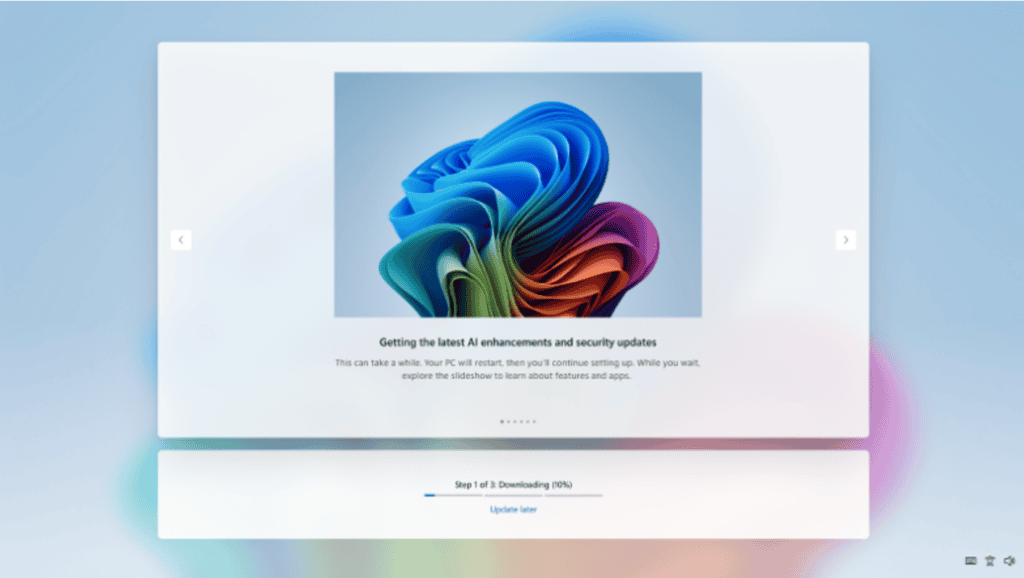
One of the biggest updates here is control during initial setup. You can now skip updates right during the out-of-box experience, which means you can get to the desktop faster and deal with updates later if you want. It’s a small change, but it could make a difference for first-time setup.
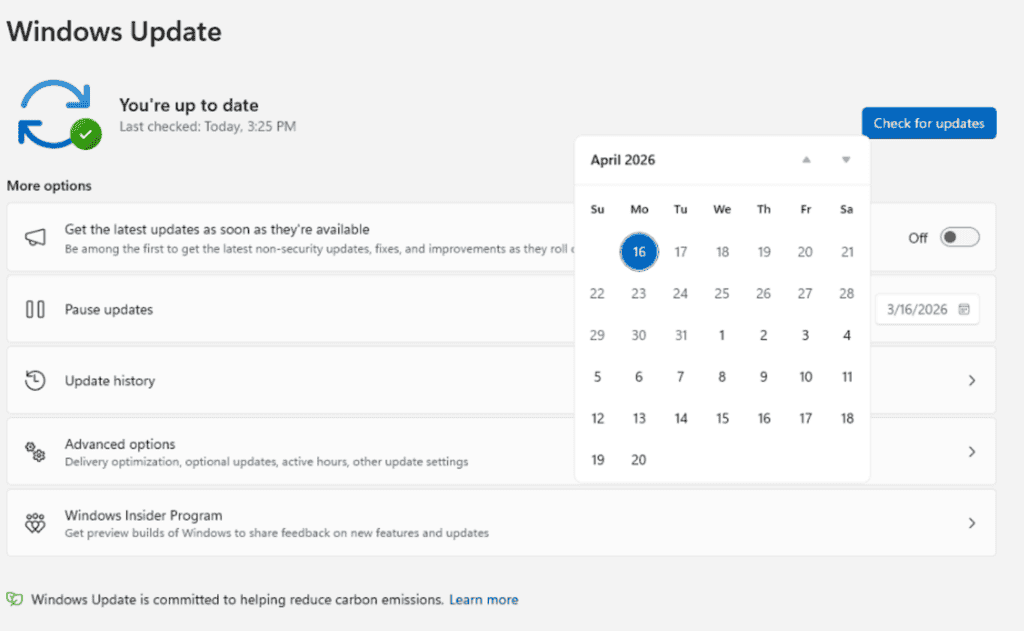
On top of that, updates pause controls are getting expanded as part of the improved experience. You can now delay updates for up to 35 days and keep extending that pause if needed. That’s useful if you’re traveling, working on something important, or just don’t want interruptions.
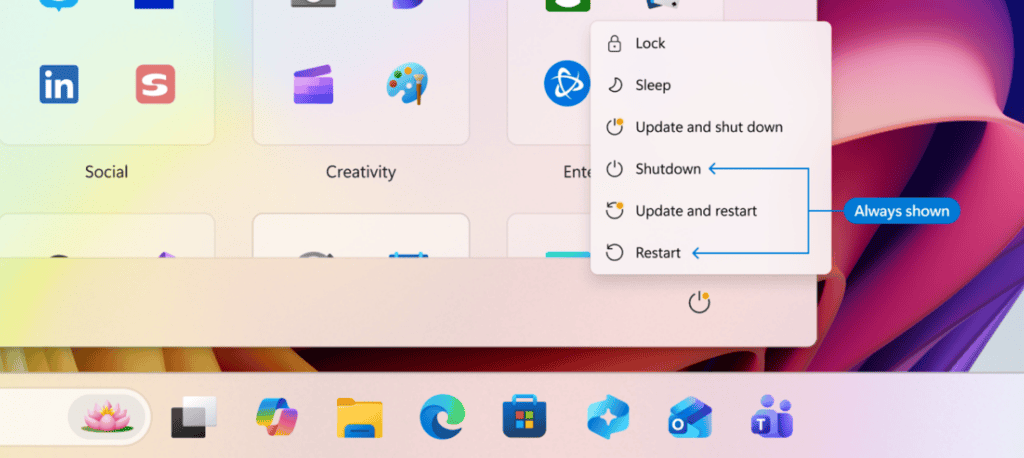
Microsoft isn’t just stopping there, as it has also tweaked the power menu. As part of the rollout, restart and shutdown options have been clearly separated from update actions, so your PC won’t suddenly decide to install updates unless you choose to. That alone might fix one of the most frustrating parts of Windows updates.
Fewer restarts and clearer update details are also part of the plan
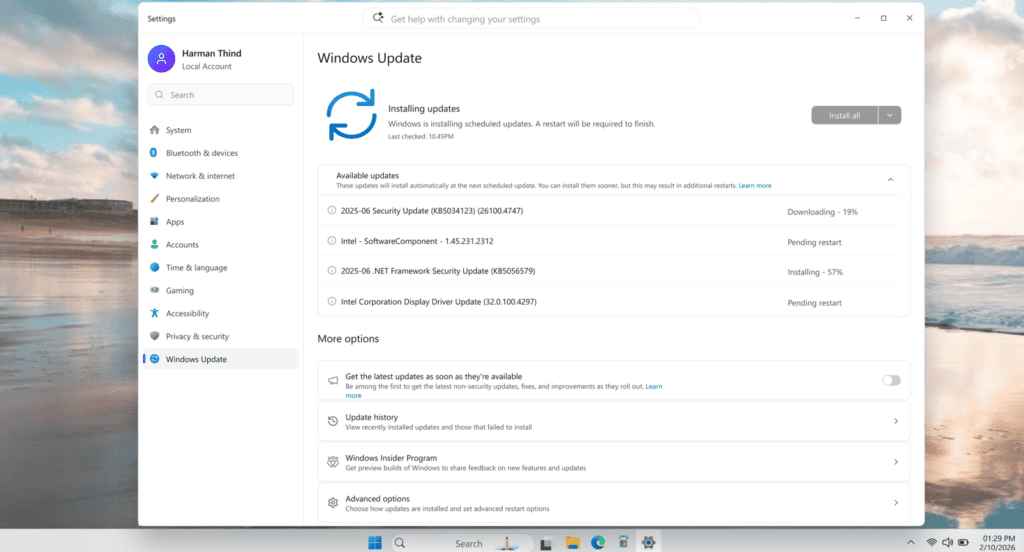
Another big focus here is reducing how often your system restarts. Microsoft says it is aligning driver, .NET, and firmware updates with monthly updates, which should cut down the number of reboots you see. There’s also better clarity around updates. Driver updates will now show more details, like whether they are for audio, display, or other components, so you actually know what’s being installed.
In addition to all that, Microsoft is also working on making updates more reliable. Updates will install in the background and even try to recover automatically if something fails, which could be helpful for slower connections.
All of this is starting to roll out to Windows Insiders, and it looks like Microsoft is finally taking a more user-first approach here.

Read our disclosure page to find out how can you help Windows Report sustain the editorial team. Read more



Improve this guide



User forum
0 messages