
You Can Now Resize Windows 11 Start Menu & Disable File Recommendations in Start
Windows 11 now lets you hide Start menu sections


 2 min. read
  Published on
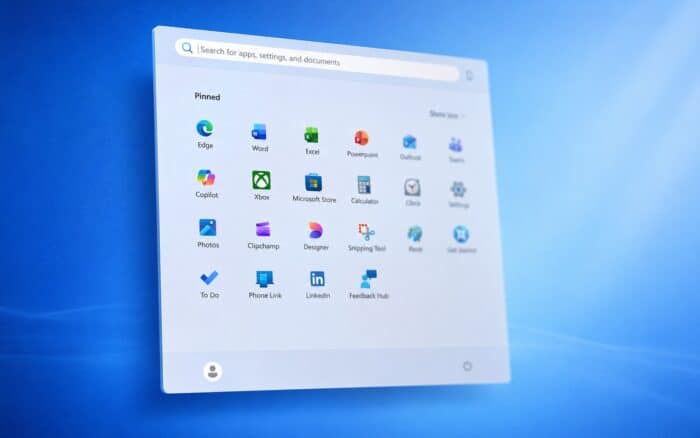
Microsoft has released Windows 11 build 26300.8493 to the Experimental channel, and this update brings a smaller Taskbar option and more. In addition to the Taskbar improvements, the build also features several Start Menu changes.
Start menu customization gets simpler
Microsoft is simplifying Start menu customization, and it allows users to hide the Pinned, Recommended, and All apps sections with a quick toggle. This makes it easier to hide individual sections and to create a minimalist Start menu layout.
Additionally, the update allows you to change the Start Menu size and toggle between small and large options with ease, instead of using a single size that adapts to your display.
Another small improvement is the ability to hide your name and profile picture from the Start menu, which should be useful when sharing screenshots or recording your screen.
Recommended settings no longer affect File Explorer
Lastly, disabling the Recommended option in Start won’t disable recent files or jump lists in File Explorer anymore. Instead, it will only disable the Recommended section from the Start menu.
In other changes, Microsoft is renaming the Recommended section to Recent, as users found the name confusing. The section already showed recent files and recently installed apps, so changing it to Recent should make its purpose clearer.
The company has clarified that it intends to keep recently installed apps visible, as it helps users discover new apps. File relevancy is being improved, which should help reduce clutter, show more useful recent files, and improve the workflow.
That’s not all from Microsoft, as the company has released another Windows 11 Experimental build that focuses on Windows Update, and another Canary build focused on audio improvements. For users who want something more stable, there’s a new Beta build available as well.

Read our disclosure page to find out how can you help Windows Report sustain the editorial team. Read more



Improve this guide




User forum
1 messages