
Windows 11 Is Getting Faster File Explorer, Movable Taskbar, and Better Start Menu Controls


 4 min. read
  Published on

Microsoft is preparing another wave of Windows improvements focused on performance, personalization, reliability, and usability. The company says it wants Windows to feel faster, cleaner, and more responsive across daily workflows.
Marcus Ash from Microsoft recently outlined several priorities for the platform, including File Explorer speed, taskbar customization, Start menu flexibility, and better driver reliability.
Microsoft Says Windows Momentum Is Centered Around Performance and Polish
Microsoft says the current Windows focus revolves around four major areas: performance, polish, personalization, and reliability.
The company is continuing work on core Windows responsiveness, especially in areas users interact with daily. File Explorer, Windows Search, and overall system responsiveness remain major priorities. According to Microsoft, architectural changes inside Windows are beginning to deliver more consistent performance improvements rather than isolated gains.
Windows Taskbar Is Getting Major Personalization Upgrades
One of the biggest upcoming changes involves the Windows taskbar. Microsoft confirmed that users will soon have more freedom over taskbar positioning, allowing it to move to any edge of the screen instead of remaining locked to the bottom.
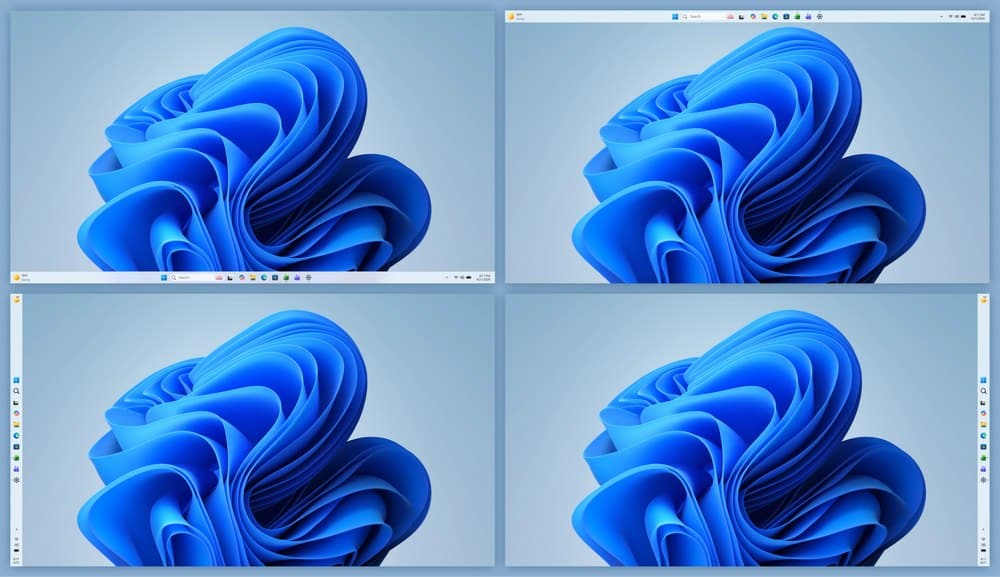
The company is also improving how icons and labels adapt depending on where the taskbar is placed. Additional updates include better icon alignment, support for app labels in every taskbar position, and a smaller taskbar mode.
Start Menu Customization Is Expanding
Microsoft is also redesigning parts of the Start menu experience to provide users with greater control. Individual sections inside Start will be able to be shown or hidden separately, including Pinned, Recent, and All apps.
The company is also adding support for resizing the Start menu. Microsoft says the Recommended section will be renamed to Recent and should provide more relevant file suggestions.
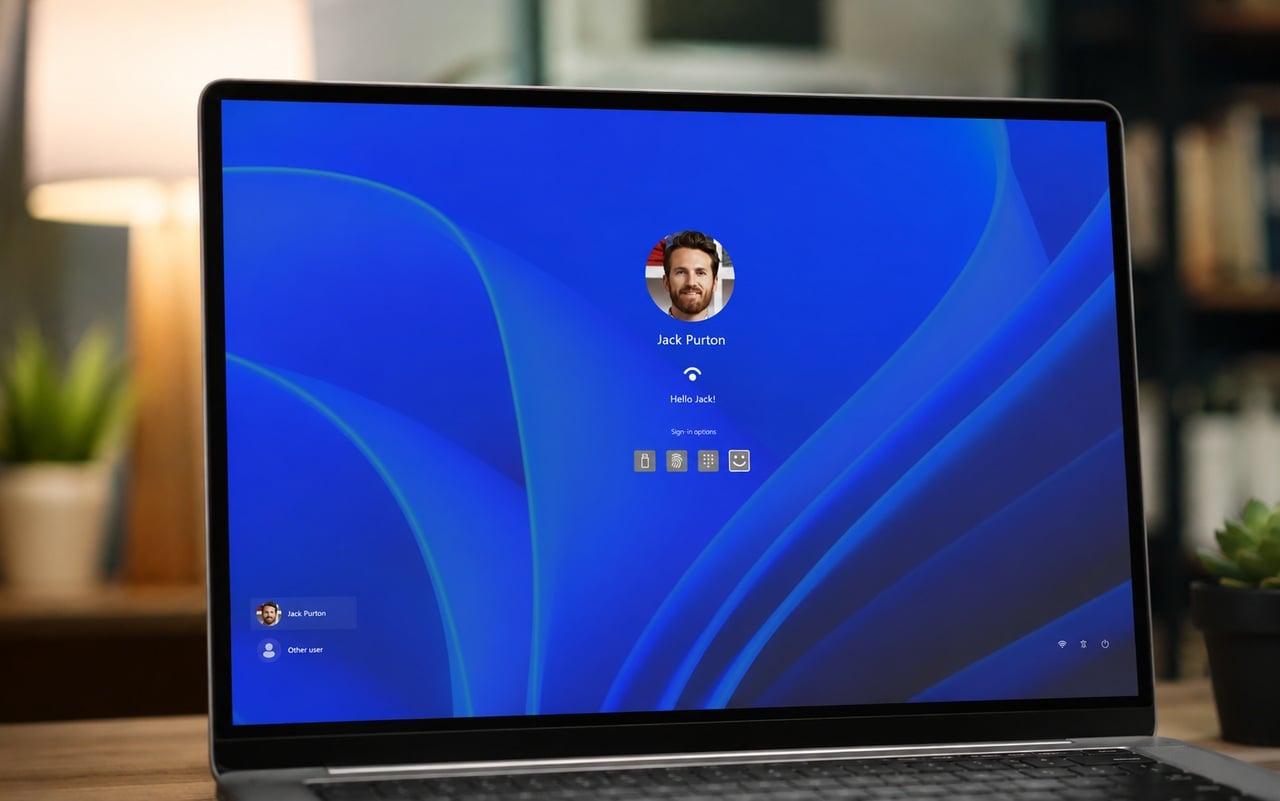
Privacy improvements are included as well, allowing users to hide their name and profile picture from Start, which could be useful during presentations, recordings, or screenshots.
File Explorer Improvements Target Usability Frustrations
Microsoft highlighted several File Explorer improvements already being tested. The File Explorer address bar now handles double backslashes and quotation marks more reliably, while suggestion popups should close more consistently after selecting an item.
Additional File Explorer updates include clearer file size labels for KB, MB, and GB measurements, improved keyboard navigation in context menus, multiple reliability fixes for file renaming, and better path handling in the address bar.
Microsoft continues to prioritize File Explorer because it remains one of the most frequently used components of Windows.
Microsoft Wants Better Driver Reliability and Safer Recovery
Driver stability remains another major focus for Windows. Microsoft says the Driver Quality Initiative is designed to improve driver quality, security, and overall reliability.
The company is also advancing Cloud Initiated Driver Recovery, a system intended to validate drivers more safely, deliver updates with fewer issues, and automatically recover systems when driver failures occur.
Driver-related crashes and update problems have long been a common complaint among Windows users, particularly after major feature updates. Microsoft also confirmed that Windows Update will soon automatically roll back broken drivers.
Accessibility and Touchpad Improvements Are Also Coming
Microsoft is preparing several accessibility updates across Windows. Voice Access is receiving improved Voice Isolation support to reduce background noise during speech recognition sessions. Magnifier improvements are also on the way, including easier zoom level controls.
New screen tint settings will allow users to adjust color and opacity for improved visibility and comfort. Precision touchpad improvements are expanding as well, with upcoming additions including automatic scrolling, gesture speed controls, accelerated scrolling, and optional single-finger scrolling.
Microsoft says these changes should provide users with greater flexibility across laptops and hybrid devices.
More Windows Developer Announcements Expected at Build
Microsoft says additional Windows developer news will arrive during next week’s Microsoft Build 2026 conference.
The company has recently increased its focus on Windows platform improvements, developer tooling, and native Windows experiences as it continues refining the future of Windows 11 and upcoming platform releases.

Read our disclosure page to find out how can you help Windows Report sustain the editorial team. Read more



Improve this guide
User forum
0 messages