
Windows 11 Search Can Now Find Apps Even When You Mistype Their Names


 3 min. read
  Published on
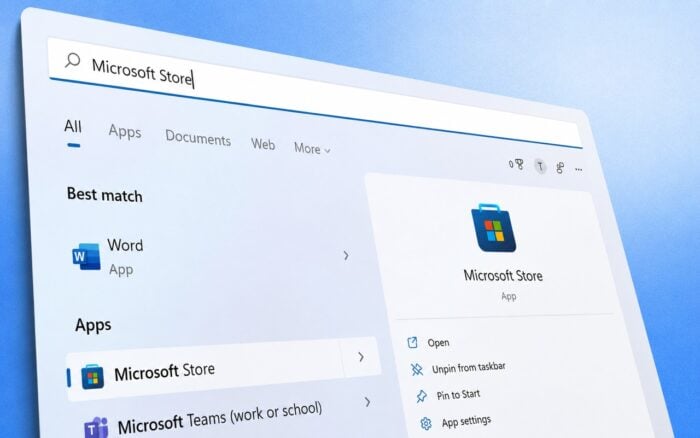
Microsoft is testing a major improvement for Windows Search in Windows 11 Insider Experimental Preview Build 26300.8687, released on June 12, 2026. As Windows Latest writes, the update focuses on making app searches more forgiving when users mistype names, add extra characters, or enter only part of an app’s name.
The change addresses a long-standing frustration with Windows Search. Previously, Search could often correct misspelled Bing web searches while failing to locate installed applications with similar typing mistakes. As a result, users frequently saw web results instead of the apps they were actually trying to launch.
Windows Search Gets Typo Tolerance for Apps
With Build 26300.8687, Microsoft has added typo tolerance to the app-search portion of Windows Search. Users can now find installed applications even when search queries contain spelling mistakes or incomplete words.
The update aims to make launching apps faster and more reliable, particularly for users who do not remember exact app names or who make typing errors.
According to Microsoft, the new behavior applies specifically to local app searches, bringing them closer to the flexibility already seen in Bing-powered web results.
Settings Search Ranking Also Improved
Microsoft is also updating how Settings results appear in Search.
The company says more relevant Settings pages should now rank higher in search results, helping users reach commonly used configuration options more quickly. This change reduces the need to browse through multiple Settings categories to find a specific option.
Local Files Receive Higher Priority
The Search improvements extend beyond apps and settings.
Microsoft’s March Rogers confirmed that local file results are receiving greater priority as part of the ongoing Search updates. The goal is to surface locally stored content more prominently when users search from the Start menu or Search interface.
This adjustment should make Windows Search more useful for finding documents, folders, and other files without competing as heavily with web-based results.
Microsoft Tests Option to Disable Bing Results
Microsoft is also testing a new setting that would allow users to disable web suggestions in Windows Search entirely.
When enabled, the option turns Search into a local-only experience by removing Bing-powered web results. Reports indicate that Microsoft Store suggestions can also be disabled separately.
If the feature reaches stable releases, it would provide an easier alternative to the Registry modifications that many users currently rely on to remove Bing integration from Windows Search.
The web-results toggle remains in testing and is not yet available in stable Windows 11 builds.
Some Search Improvements Already Available
While several features remain exclusive to Insider builds, Microsoft has already shipped some Search improvements to all Windows 11 users through the June 2026 Patch Tuesday update, KB5094126.
One notable change reduces the number of characters required before file results begin appearing. Windows Search now starts showing file matches after two characters instead of three.
This small adjustment makes it easier to locate files and folders with short names and can speed up everyday searches.
The changes suggest Microsoft is continuing to refine Windows Search by prioritizing local content and making searches more forgiving. If the remaining experimental features reach stable releases, Windows 11 users could gain significantly more control over how Search behaves and what results it displays.

Read our disclosure page to find out how can you help Windows Report sustain the editorial team. Read more



Improve this guide



User forum
0 messages