
Windows 11 Insider Experimental Preview Gets New Cloud Recovery Option


 3 min. read
  Published on
Windows 11 Insider Experimental Preview Build 26300.8772 has been released, and it introduces several new features, including a new recovery option called Cloud rebuild.
Cloud Rebuild Brings a New Windows 11 Recovery Path
Microsoft is adding Cloud rebuild as a new Windows 11 recovery option for more serious system failures.
Unlike Reset this PC, Cloud rebuild downloads both the Windows image and device drivers from Windows Update. This allows the PC to return to a clean, known-good Windows state without requiring USB installation media or a custom recovery image.
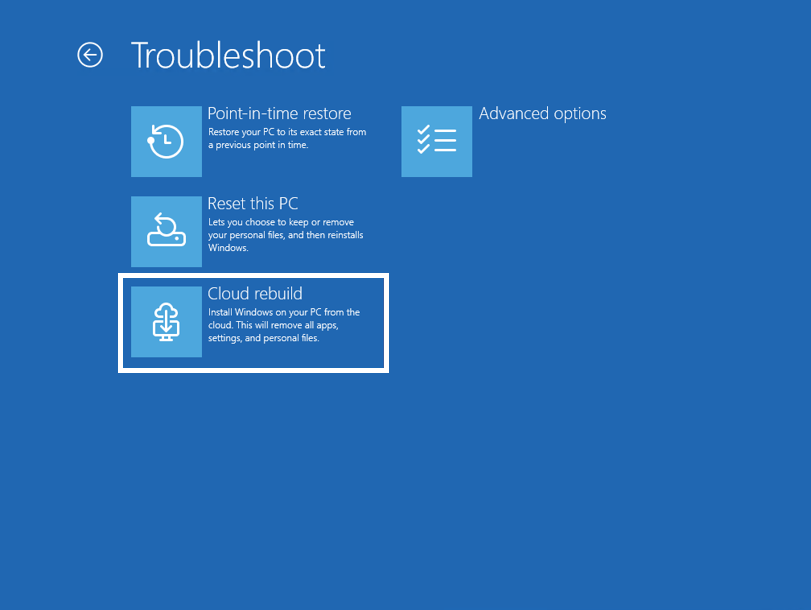
In this preview build, users can find Cloud rebuild by navigating through WinRE, then selecting Troubleshoot, followed by Recovery and uninstall, and finally choosing Cloud rebuild.
Before starting the process, users can review the target Windows build, edition, and language. This gives users a clearer view of what Windows will install before the recovery begins.
The feature should help in cases where Windows cannot boot properly, where local recovery files fail, or where users need a cleaner reinstall path.
Windows Settings Backup Will Be Enabled by Default on Some Devices
Microsoft is also changing how Windows settings backup works on managed devices.
Starting with Windows 11 version 26H2, Windows settings backup and restore will turn on by default for eligible Microsoft Entra joined or hybrid joined devices.
Windows will automatically back up user settings and the Microsoft Store app list. This should make device recovery, reimaging, or reset faster because users can return to a familiar setup with less manual work.
Admins will still control the experience. Existing policies continue to apply, and explicit admin configurations will override the new default behavior.
Restore will remain opt-in and admin-managed. Microsoft says the change should improve recovery consistency, reduce disruption, and lower setup friction across organizations.
Account Control Flyout Gets a Modern Design
Build 26300.8772 also updates the Windows 11 Account Control flyout.
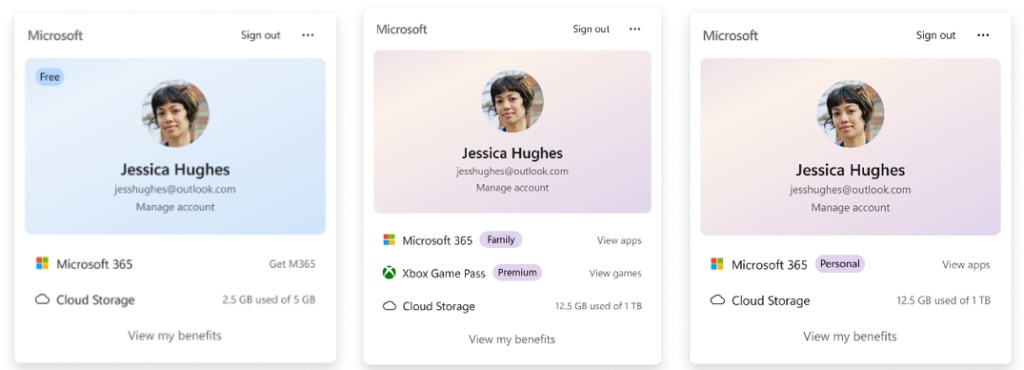
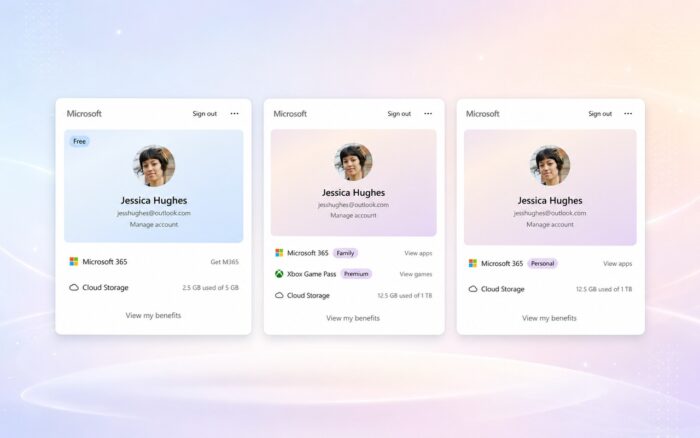
The refreshed design adds a subscription badge so users can see their account status more easily. The flyout now highlights account benefits, storage information, and upgrade options in a cleaner layout.
This change follows Microsoft’s broader push to make account and subscription details more visible across Windows 11.
Windows Search Box Gets Slightly Taller
Microsoft is increasing the height of the Windows search box by 4 pixels.
This is a small visual adjustment, but it may make the search field easier to see and interact with, especially on devices using higher scaling settings.
Bluetooth Quick Settings Adds Gamepad Navigation
The Bluetooth quick settings page now supports gamepad input.
This means users can navigate the Bluetooth quick settings experience with a controller instead of relying only on a keyboard, mouse, or touch input.
Taskbar, Run, and Font Fixes
Microsoft fixed an issue where the search icon could become invisible when users placed the taskbar vertically.
The company also improved screen reader support for the redesigned Run dialog. The update focuses on how keyboard focus gets announced, which should help users who rely on assistive technology.
Microsoft also improved Mongolian Baiti shaping and rendering. This should make Mongolian script output more accurate and consistent.
Other Fixes in Build 26300.8772
Microsoft says it has fixed last week’s issue where Outlook did not respond to the close button.
The company also improved resource usage over time for title bar tooltips, which should reduce unnecessary background impact during longer sessions.
In other Microsoft changes, the company is testing the ability to remove a PC directly from the Link to Windows mobile app.
Microsoft has also finally brought Quick Parts to the new Outlook, giving users another missing classic Outlook feature in the newer app experience.

Read our disclosure page to find out how can you help Windows Report sustain the editorial team. Read more



Improve this guide


User forum
0 messages