
Chrome AI Mode Now Lets You Search, Filter, and Attach Multiple Google Drive Files
Google Drive picker now works in Canary. Here's what you can do with it.


 2 min. read
  Published on
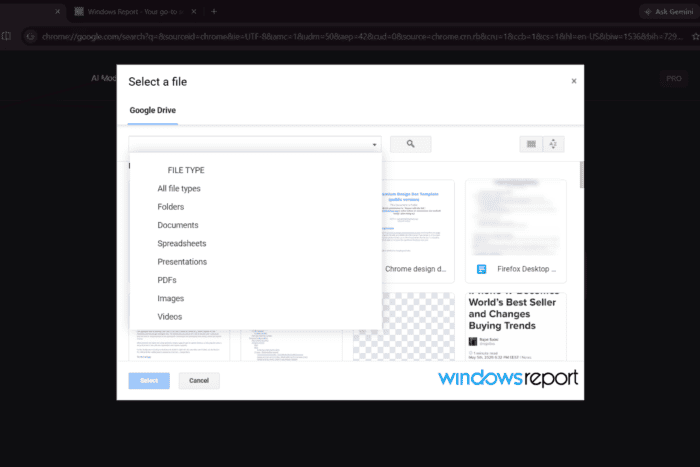
Google Drive support in Chrome’s AI Mode isn’t new. We reported on the “Add from Drive” option appearing in the attach menu some time ago. What’s new is that it now opens a fully functional Google Drive picker with search, filtering, sorting, and multi-file selection, still hidden in Chrome Canary. We also confirmed that AI Mode reads the contents of the attached files.
In Chrome Canary, clicking Add from Drive in AI Mode now opens Google’s native Drive picker, letting you find and attach files without first downloading them to your computer. Previously, the option appeared in the attach menu, but clicking it didn’t open a picker. Now it does.
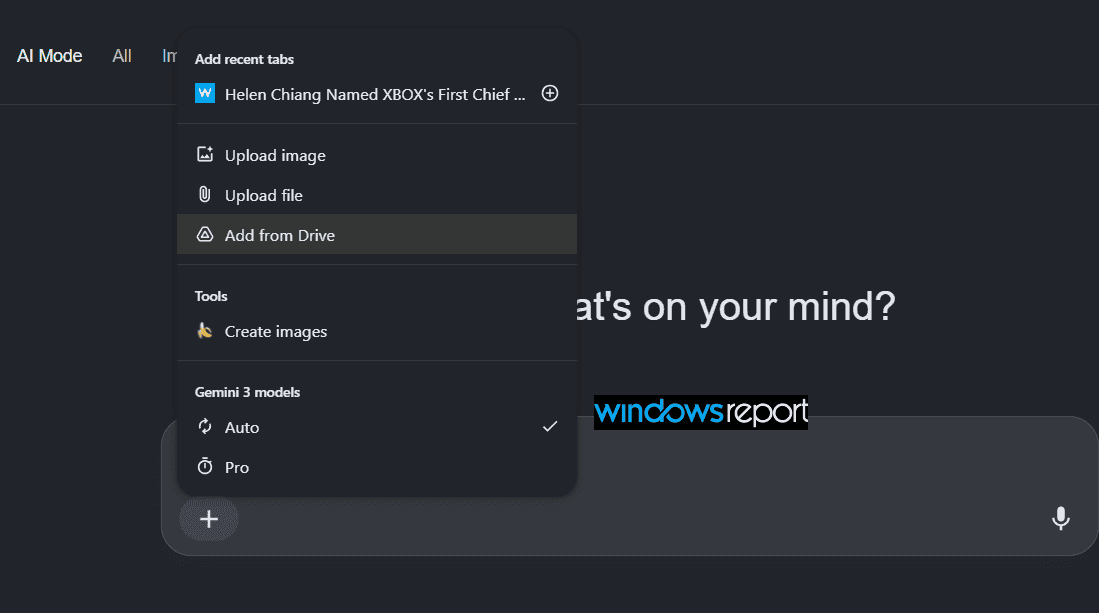
The picker goes well beyond a basic file browser. You can search your Drive, narrow results by file type, switch between grid and list views, and sort files by Name, Last modified, Last modified by me, or Last opened by me.
You can also filter by content type: Documents, Spreadsheets, Presentations, PDFs, Images, Videos, or Folders. That makes it faster to find exactly what you want to share with AI Mode instead of scrolling through everything in your Drive.
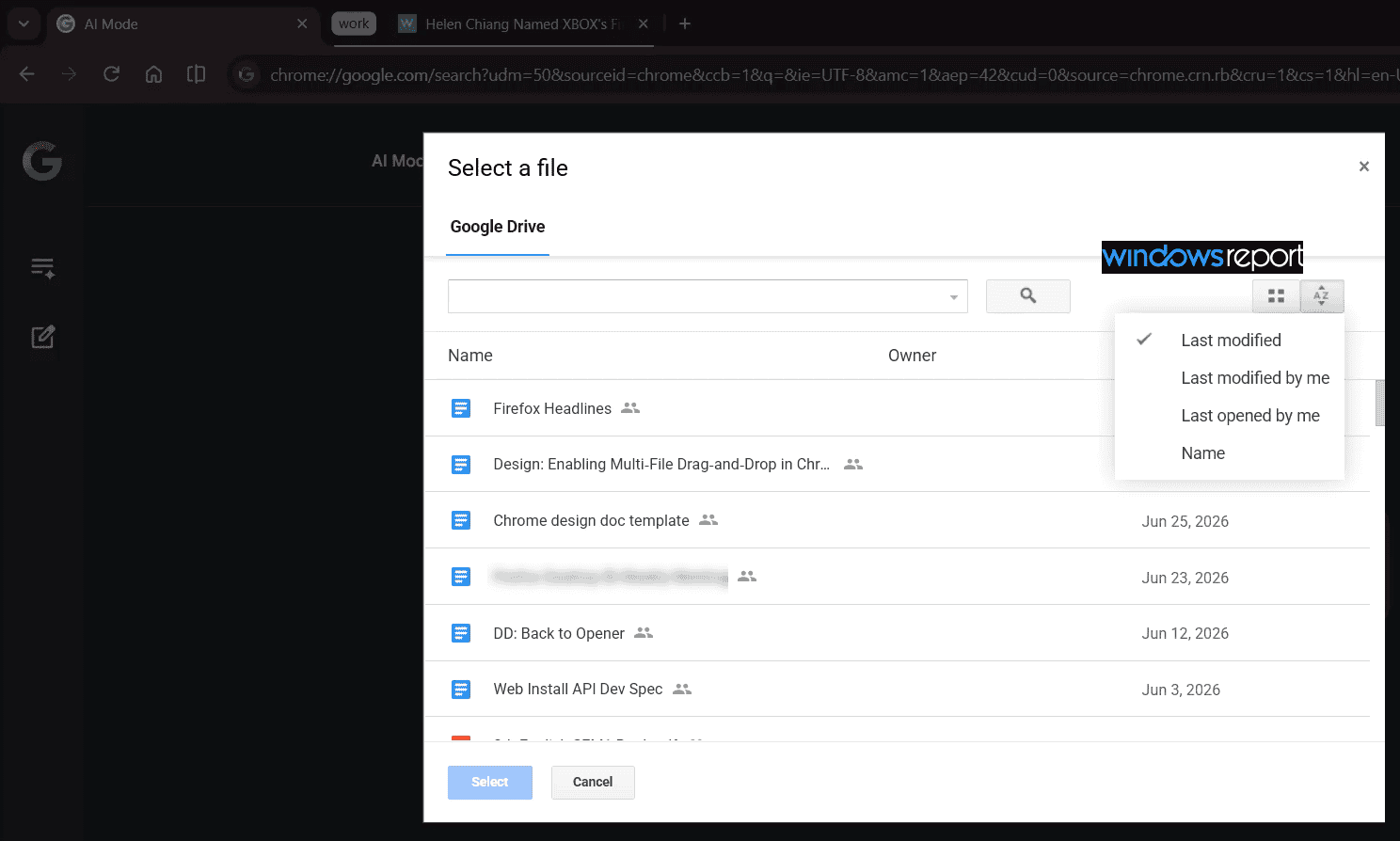
You’re not limited to one file at a time either. The picker supports multi-select, so you can grab several Drive files in a single step before adding them to your prompt.
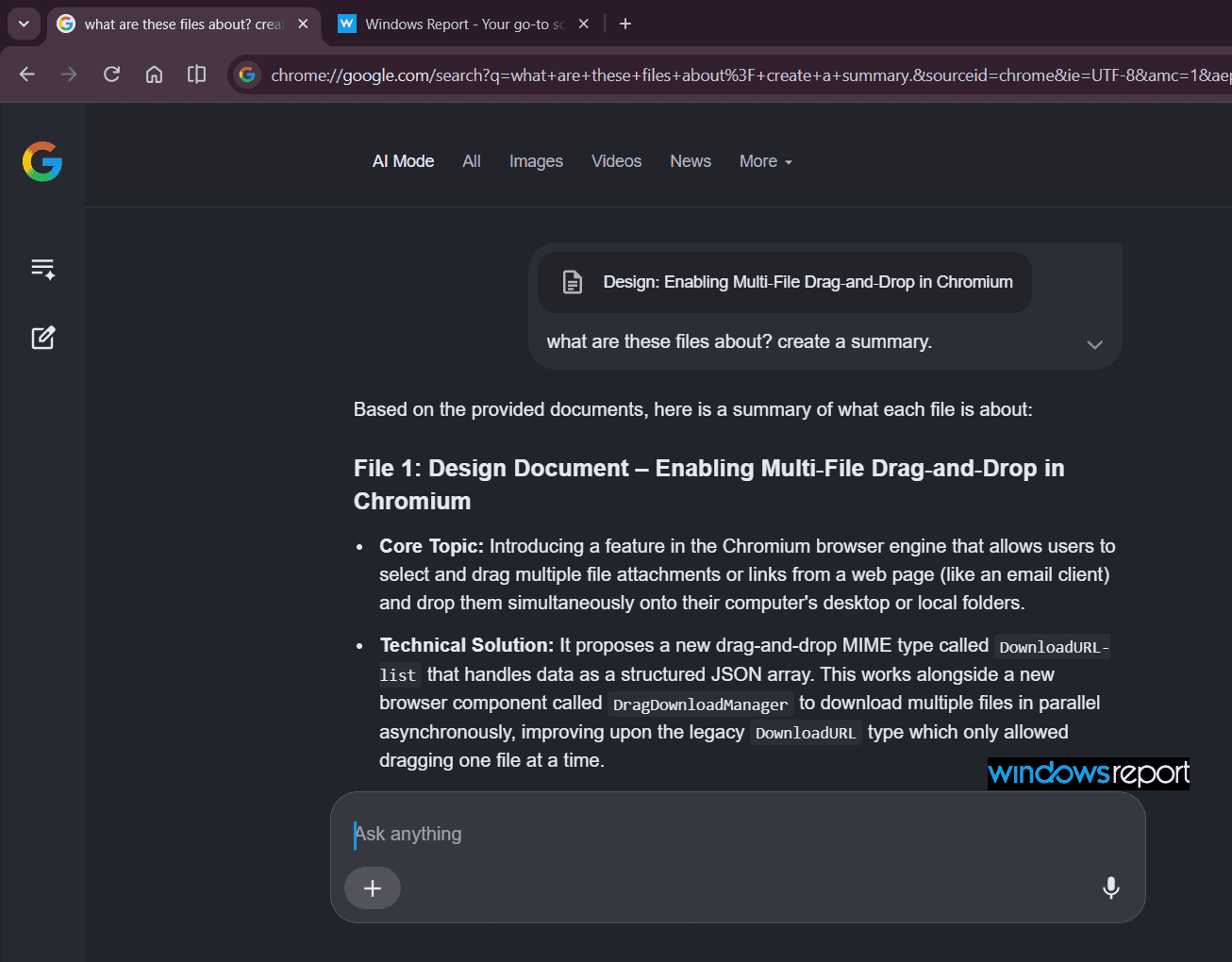
The more important part is what happens after you attach the files. We selected several and asked AI Mode to summarize them. AI Mode returned an accurate, detailed breakdown of each document, including specific technical terms pulled straight from the source. AI Mode isn’t just acknowledging that a file was attached. It’s reading what’s inside.
The Google Drive picker is still hidden in Chrome Canary and hasn’t rolled out to everyone yet.


Read our disclosure page to find out how can you help Windows Report sustain the editorial team. Read more



Improve this guide



User forum
0 messages