
OpenAI Launches ChatGPT Work for Apps, Files, and Business Tasks


 3 min. read
  Published on
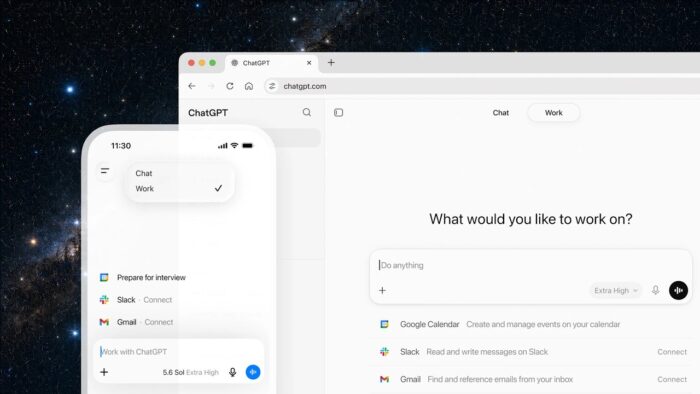
ChatGPT Work is OpenAI’s new agentic experience for handling work across apps, files, and business workflows. The feature can gather information from multiple sources, create business artifacts, and complete multi-step tasks inside ChatGPT.
OpenAI is positioning ChatGPT Work as a workspace where users can create spreadsheets, presentations, documents, dashboards, web apps, and reports without switching between multiple tools.
ChatGPT Work focuses on business workflows
ChatGPT Work runs on GPT-5.6 and can manage longer, multi-step tasks. It can also follow templates, use reference files, and apply business context from connected tools.
The feature gives ChatGPT a broader role inside workplace tasks. Instead of answering a single prompt, it can collect data, organize it, and turn it into a finished file or app.
Similar enterprise AI workspaces already exist from Anthropic, Microsoft, and Google, so OpenAI is moving deeper into the business productivity market.
Enterprise apps can connect through plugins
ChatGPT Work can connect to Slack, Microsoft Teams, Google Drive, SharePoint, email, calendars, CRMs, and project-management tools.
OpenAI handles these connections through plugins. Users can mention an app with @ inside a prompt to tell ChatGPT where to retrieve information.
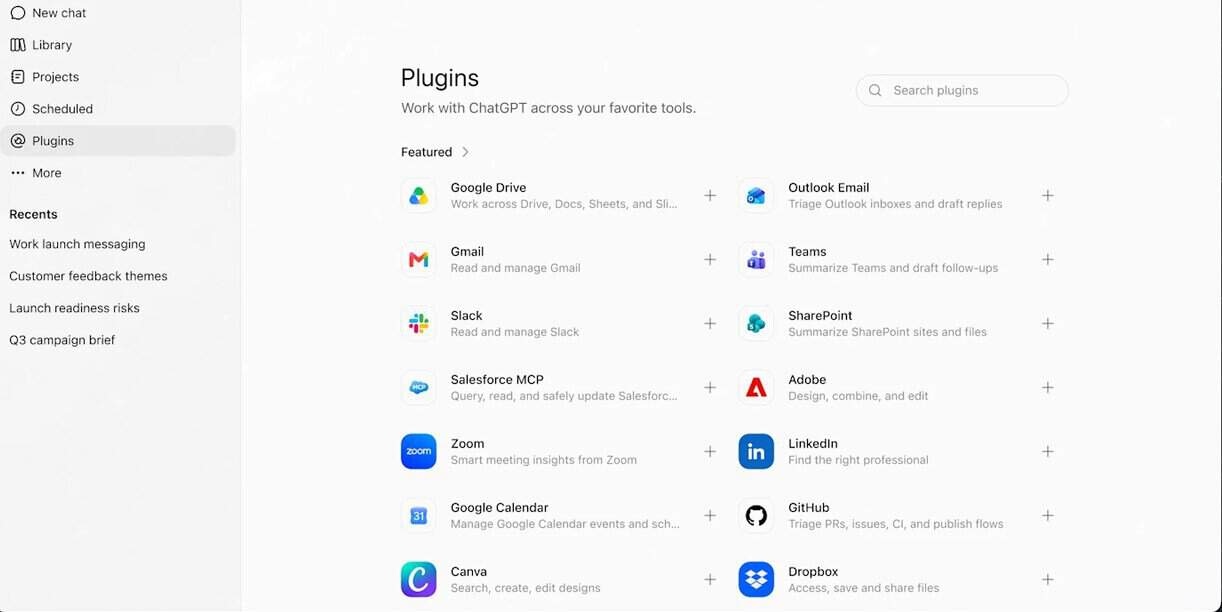
The goal is to combine information from several workplace services inside one workflow.
Sites enters public beta
OpenAI has also launched a public beta of Sites. The feature can turn information into interactive websites or web apps.
Sites can support dashboards, internal portals, project trackers, launch calendars, and reports. ChatGPT can also update these sites automatically when the underlying data changes.
This gives teams a way to create internal tools without starting from a blank development project.
ChatGPT Work availability
ChatGPT Work is rolling out to ChatGPT Pro, Enterprise, and Edu users on mobile and the web.
Plus and Business users are expected to receive access over the next few days.
OpenAI is also making its unified ChatGPT desktop app available globally for Mac and Windows. The desktop app is free for all ChatGPT users.
Codex moves into ChatGPT desktop
OpenAI is merging the standalone Codex app into the ChatGPT desktop app.
Codex will remain available as a specialized coding agent inside the broader ChatGPT experience. Existing Codex app installations will update to the new ChatGPT desktop app.
Developers can make Codex the default view and use the Codex logo as the desktop app icon.
Desktop app gains agent capabilities
The ChatGPT desktop app can use local files and applications through the Codex harness. It also includes a built-in browser for web-based tasks.
Computer Use capabilities allow ChatGPT to work across local apps, tools, files, websites, and workflows.
As part of the change, OpenAI will rename the existing ChatGPT desktop app to ChatGPT Classic.
Scheduled Tasks adds automation
Scheduled Tasks will allow ChatGPT to perform actions once, on a recurring schedule, or when an event occurs.
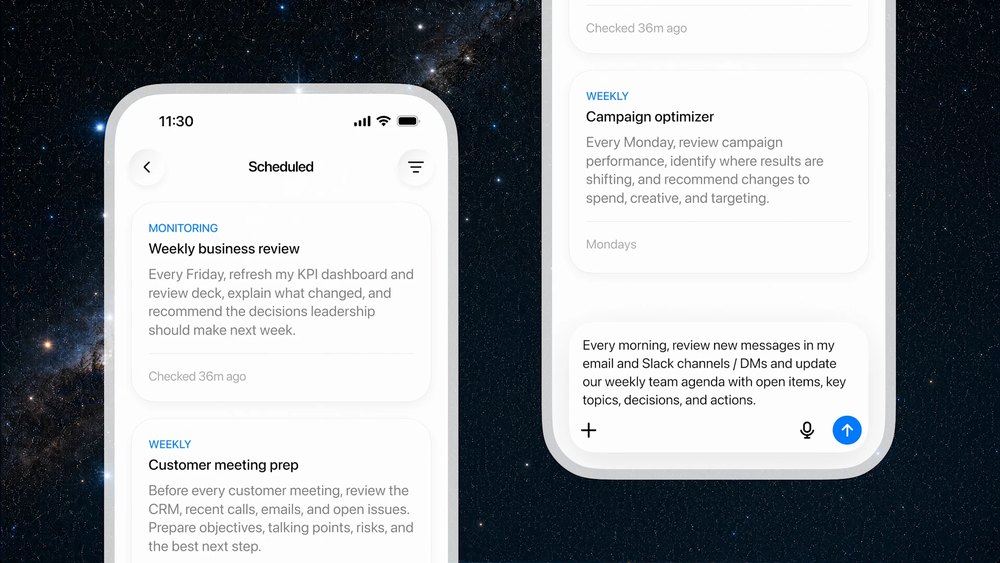
The feature can also monitor sources for changes over time. One example is summarizing customer feedback emails automatically and sending the results to the relevant teams.
This brings automation features previously linked to Codex into the unified ChatGPT desktop experience.
Chrome extension replaces Atlas browser
OpenAI is also releasing an updated Chrome extension that lets users access ChatGPT from Chrome’s sidebar.
At the same time, OpenAI is discontinuing the standalone Atlas browser. Browser-based work will instead move to the Chrome extension and ChatGPT’s built-in desktop browser.
The changes show OpenAI’s plan to consolidate its workplace, coding, browser, and automation tools around one ChatGPT experience.

Read our disclosure page to find out how can you help Windows Report sustain the editorial team. Read more



Improve this guide



User forum
0 messages