
Microsoft Adds "Ask Copilot About This File" Back to File Explorer Home, and It's Utterly Useless


 3 min. read
  Published on
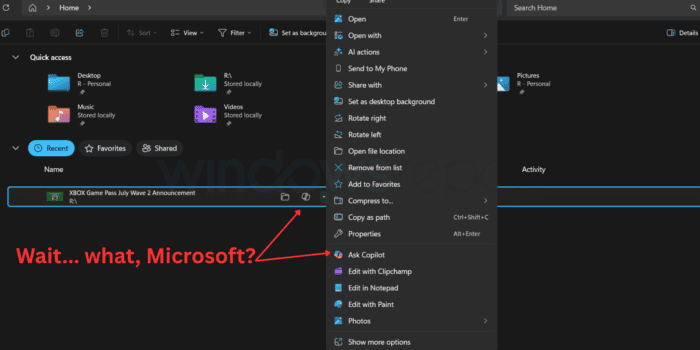
There’s no doubt that Microsoft is doing everything it can to improve Windows 11. Over the last few months, we’ve seen improvements related to taskbar positioning, Windows Search, and a few others like the performance boost feature and the ability to indefinitely pause Windows Updates.
Microsoft brings back “Ask Copilot about this file” feature that nobody asked for
But there’s one thing Microsoft doesn’t want to leave behind, and if you guessed Copilot, you’re absolutely right.
While the company has been criticized in the past for unnecessarily adding Copilot or AI features everywhere it could, that has been kept in check over the last few months.
Most of the unnecessary Copilot and AI integrations across apps, like Notepad and other Windows experiences, have been scrapped as part of the internal optimization plan.
However, Microsoft seems to have found a new way to integrate Copilot, this time into File Explorer. This isn’t the first time we’ve seen Copilot in File Explorer. We reported on a similar feature back in 2025, and now it’s making a return.
In the changelog of the latest Windows 11 Release Preview Build 28000.2597, Microsoft has mentioned that it has started rolling out a new Copilot entry inside File Explorer’s context menu.
Rather than opening a dedicated file action, the feature simply launches the Copilot app when you click it, with the file that you want to know more about attached. All you have to do is ask questions as I have, and you’ll get to know more about the file. It can be incredibly helpful for long PDFs or documents that you can’t go through in a short period. That being said, I’m still skeptical how well it will handle the queries.
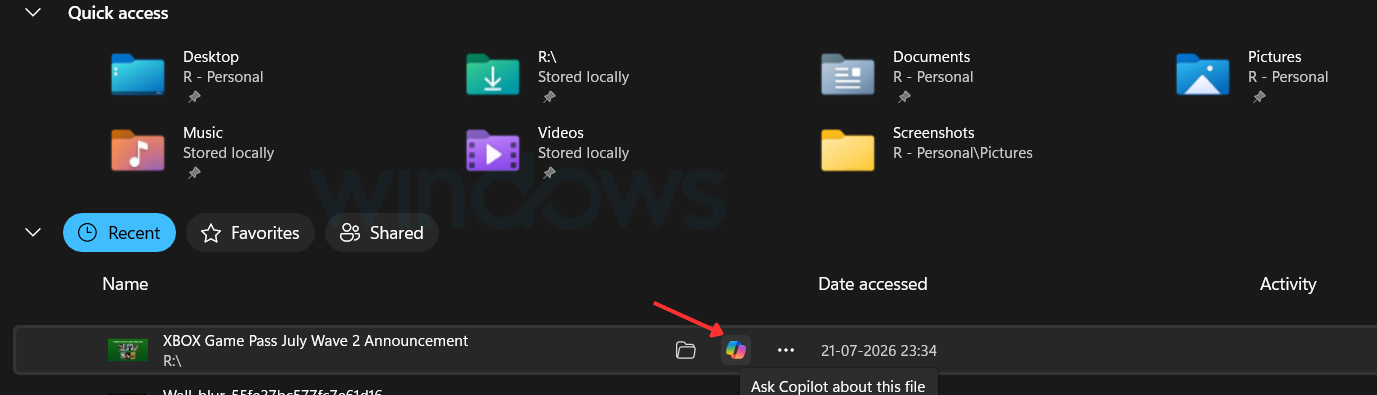
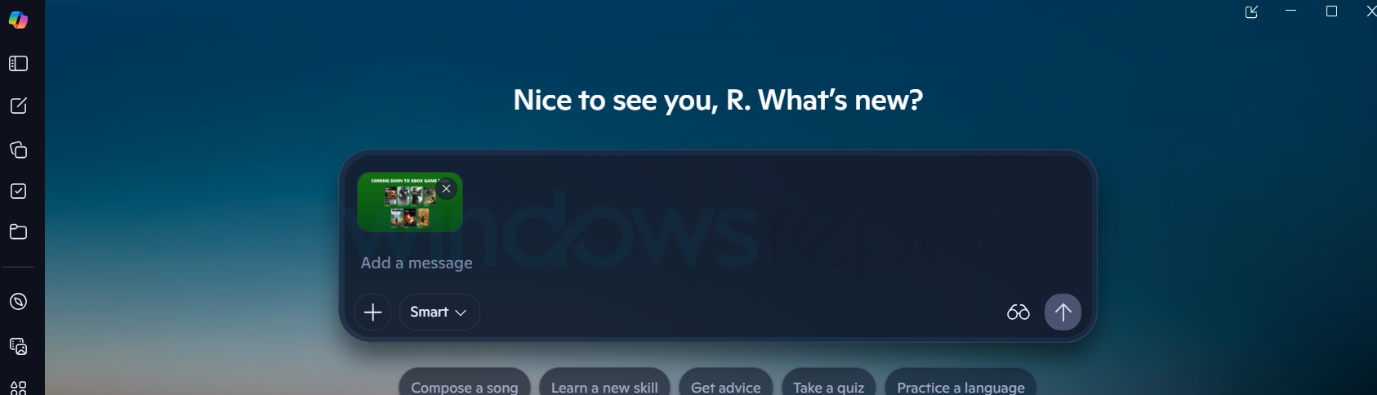
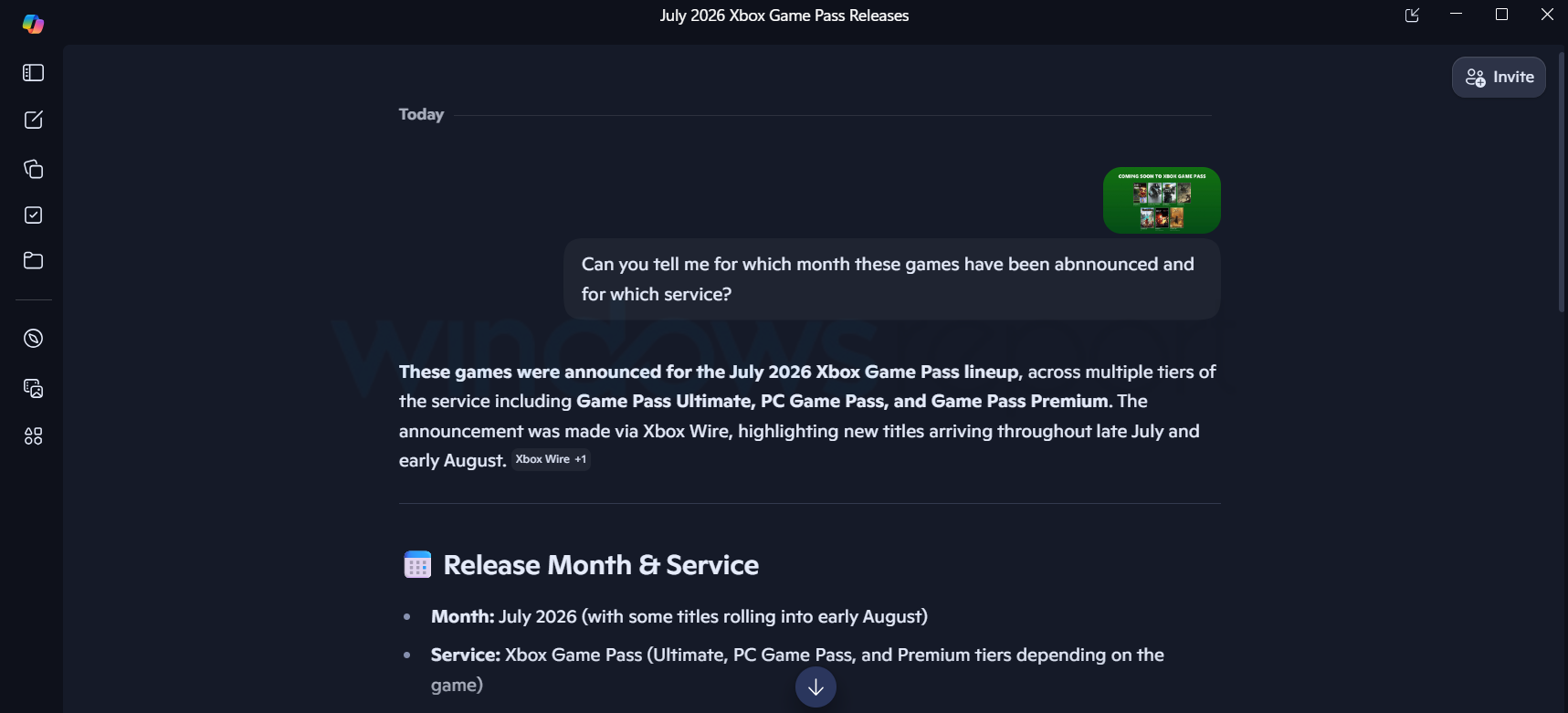
Image credit: Rishaj for WindowsReport
Two different options lead to same Copilot experience… why?
Also, I’m unhappy about the fact that the same option has been placed in the context menu. I mean, why… Microsoft?
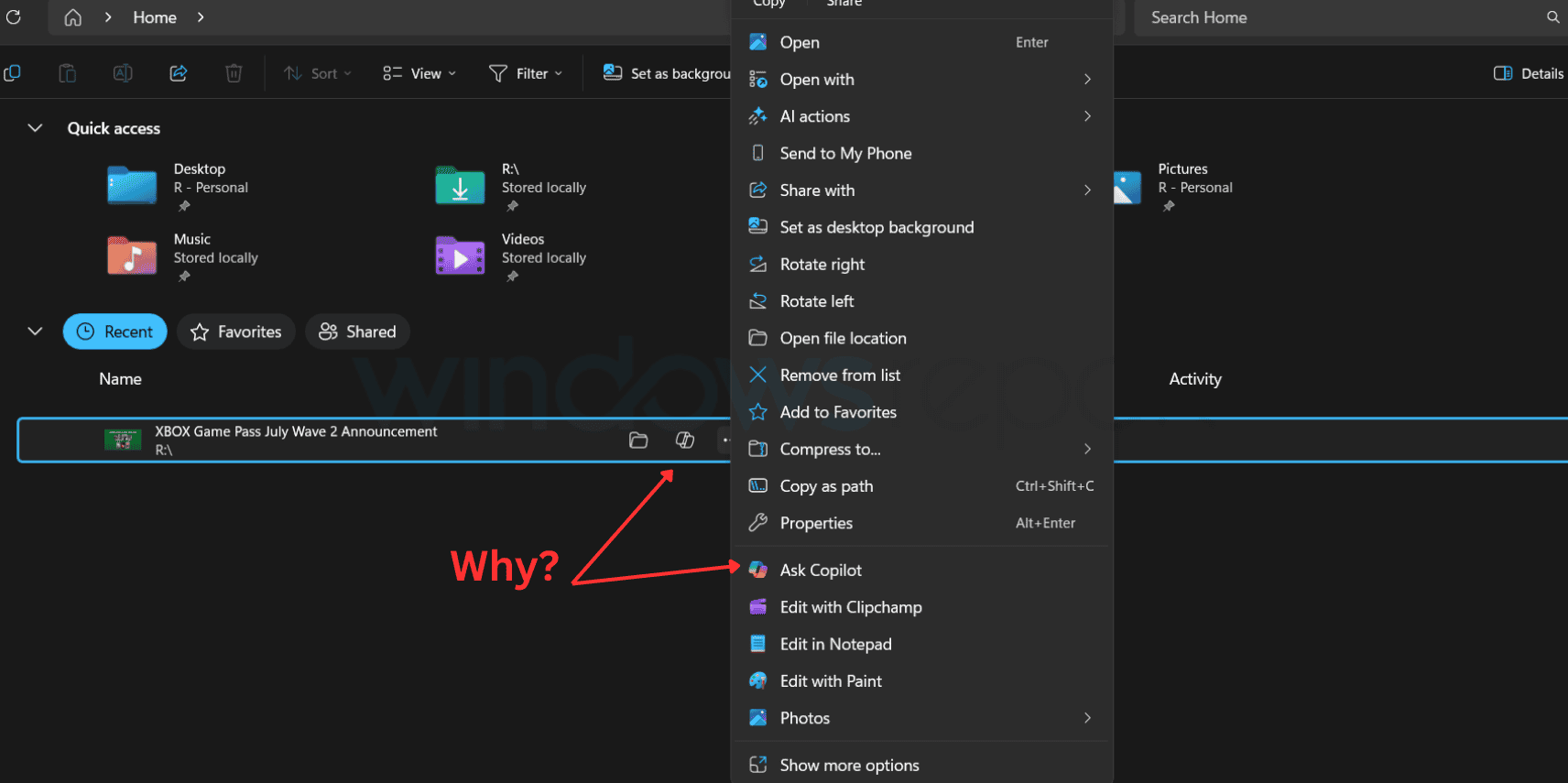
If you’d ask me whether I want this feature, well, no. I really don’t see any actual use for this feature. If it’d save me a bit of time, maybe yes. Eventually, the feature only opens the Copilot app with the file attached, and you are the one who has to ask questions about it. I can do that myself by opening the Copilot app, which is just a click away. I wish users had a simple way to completely turn the Copilot entry off.
What do you think about this feature? Let us know in the comments below.

Read our disclosure page to find out how can you help Windows Report sustain the editorial team. Read more



Improve this guide


User forum
2 messages