
How to Login to DeltaNet And Access Delta’s Employee Portal


 3 min. read
  Published on
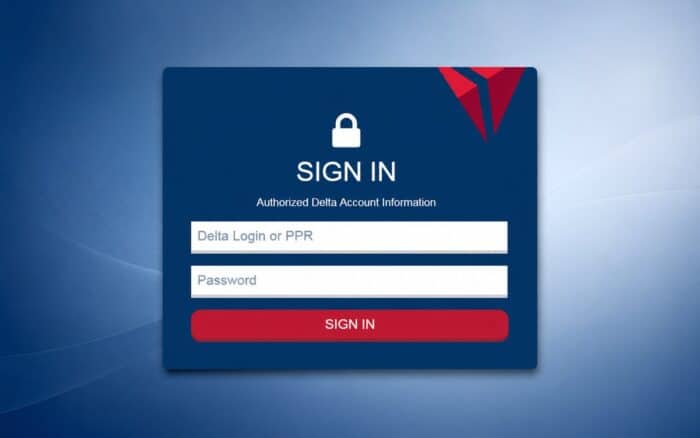
DeltaNet allows Delta Air Lines employees and authorized contractors to access internal resources, and in this guide we’re going to show you how to log in to DeltaNet on your device.
How do I log in to DeltaNet?
Use your browser
- Open Chrome, Edge, Safari, or another supported browser.
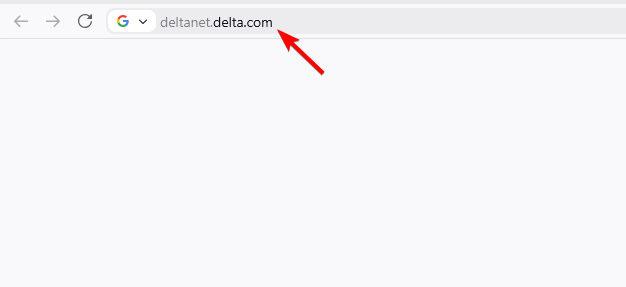
- Enter deltanet.delta.com directly in the address bar. Delta retiree guidance specifically recommends typing the address rather than relying on old bookmarks.
- Enter your Delta user ID or 9-digit PPR number and password.
- Complete any requested authentication step to finish signing in.
Tip: Be careful with search results claiming to offer a “DeltaNet login.” Use Delta’s official domain rather than an unrelated login page.
DeltaNet Login on a Phone
You can access the DeltaNet sign-in page from a mobile browser. Open your browser, manually enter deltanet.delta.com, and sign in with your Delta credentials. Official retiree instructions confirm that DeltaNet can be accessed through a browser on a mobile device or computer.
There is not a separate consumer DeltaNet app required for this login. Delta’s employee resources may have their own mobile applications, but DeltaNet itself is accessed through the web portal.
Forgot Your DeltaNet Password?
If you are registered for Multi-Factor Authentication, select “Trouble Signing In?” on the DeltaNet sign-in page. Enter your Delta Login or PPR number, complete the authentication request, and create a new password.
If you are not registered for MFA, Delta’s guidance points users toward its registration and IT support options.
Why DeltaNet May Not Open Correctly
Old bookmarks can cause problems. Delta retiree guidance specifically warns that an outdated link may produce an unexpected Microsoft login screen. Close the browser, reopen it, manually type deltanet.delta.com, and try again. Clearing cookies and cached browser data may also help.
Other common causes include an incorrect PPR number, expired password, locked account, browser problems, or an MFA issue.
When You Might Need DeltaNet
People commonly need DeltaNet when accessing employee information, returning to work after time away, managing resources after retirement, or signing into other Delta systems. Delta also provides separate portals for areas such as pass travel and IT support, so the correct login page depends on what you are trying to access.
This isn’t the only login guide, and we previously wrote guides on how to log in to Reddit and how to access Xfinity email.
Frequently Asked Questions
What is the official DeltaNet login?
The DeltaNet employee portal is deltanet.delta.com. Delta’s own guidance recommends entering that address directly.
Can retirees use DeltaNet?
Yes. Delta’s login guidance lists employees, retirees, and authorized contractors or vendors among eligible users.
What do I need to log in?
You generally need your Delta user ID or 9-digit PPR number and password.
What if I am locked out?
If MFA is registered, use “Trouble Signing In?” to recover the account. Otherwise, Delta’s IT support resources can provide additional assistance.

Read our disclosure page to find out how can you help Windows Report sustain the editorial team. Read more



Improve this guide



User forum
0 messages