
Xfinity Email Login: How to Sign In to Your Account


 3 min. read
  Published on

Whether you’re checking your Comcast.net inbox on a new laptop, reading messages on your phone, or recovering access after a long time away, signing in to Xfinity Email is straightforward once you know where to go.
How do I log in to Xfinity email?
1. Access Your Xfinity Email the Right Way
The fastest way to access your inbox is through Xfinity Connect:
- Open the Xfinity Email login page.
- Enter your Xfinity ID. This may be:
- Your Comcast.net email address
- Your personal email linked to the account
- Your mobile number
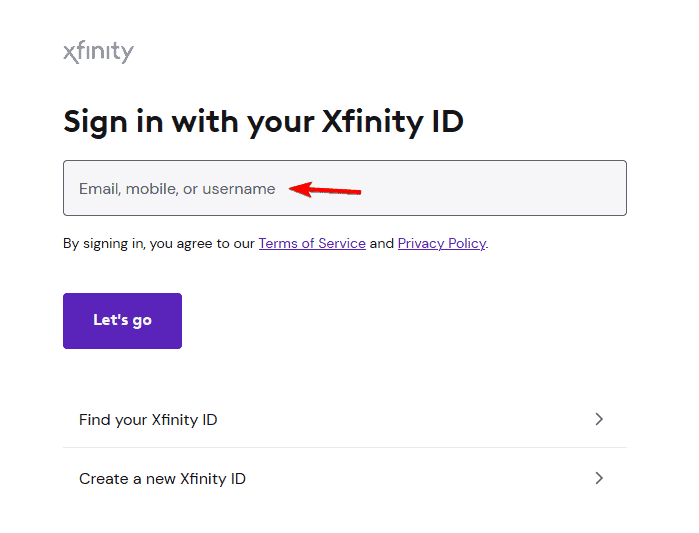
- Click Let’s go.
- Enter your password and select Sign In.
- Complete two-step verification if prompted, then you’ll be taken to your inbox.
Tip: Bookmark the official Xfinity Email page instead of searching for it each time to avoid phishing websites.
2. Sign In Using the Xfinity App
If you prefer mobile access:
- Install the official Xfinity app.
- Sign in with your Xfinity ID.
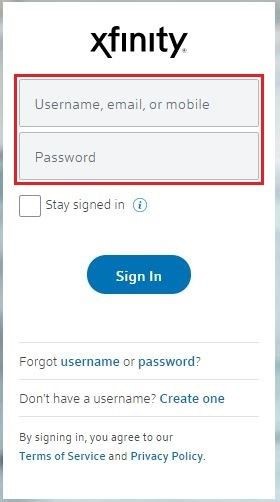
- Complete identity verification using a code, fingerprint, Face ID, or another approved method.
- Tap Check Email to open your inbox.
When You Might Need Browser Login
Many users access Xfinity Email from a browser when:
- Using a new computer
- Traveling without their usual device
- Their email app stops syncing
- They need to manage account settings
- They want to verify whether an issue is with the app or the email service
Common Xfinity Email Login Problems
Forgot your password?
Use the password recovery options to reset it using your verified personal email or mobile number.
Two-step verification isn’t working?
Check that you still have access to your registered phone or recovery email.
Login keeps looping?
Clear your browser’s cookies and cache or try signing in from a private/incognito window. Community reports suggest this often resolves session-related issues.
Can’t find your Comcast.net email?
Remember that you sign in with your Xfinity ID, which may be your Comcast email address, personal email, or mobile number.
Important Things to Know
- Since June 2024, new Xfinity Email (Comcast.net) accounts can no longer be created. Existing accounts continue to work normally.
- If you don’t access your Xfinity Email for an extended period, it may become inactive under Xfinity’s email activity policy, so it’s a good idea to sign in occasionally if you want to keep the account active.
Do keep in mind that issues with Xfinity can occur, and first thing you should do if that happens is to check Xfinity’s status.
If you’re using a different webmail, we also have guides on how to log in to Outlook or Gmail, so don’t miss them.
Frequently Asked Questions
1. How do I log into my Comcast.net email?
Visit the official Xfinity Email login page, enter your Xfinity ID and password, then complete any required verification to access your inbox.
2. Can I access Xfinity Email on my phone?
Yes. You can use either the Xfinity app, a mobile browser, or configure your account in a compatible email app.
3. Why can’t I sign in to my Xfinity Email?
Common causes include an incorrect password, failed two-factor authentication, browser cookie issues, or an inactive account.
4. Can I create a new Comcast.net email address?
No. Xfinity no longer allows customers to create new Xfinity Email accounts, although existing email addresses remain supported.

Read our disclosure page to find out how can you help Windows Report sustain the editorial team. Read more



Improve this guide



User forum
0 messages