
Target app not working? 7 fixes for loading, login & checkout issues


 3 min. read
  Updated on
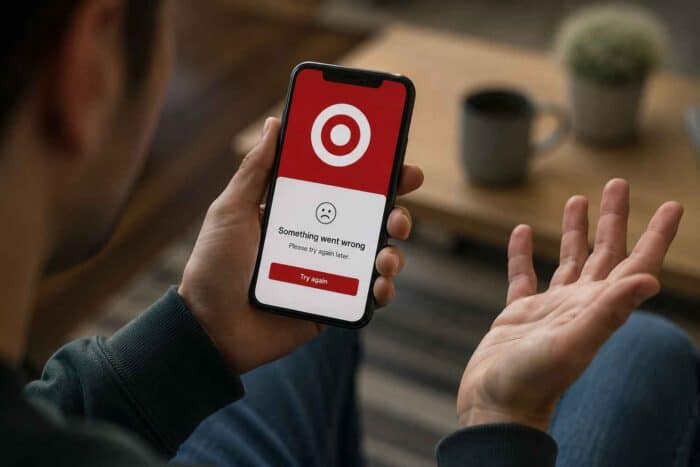
If your Target app not working problem is standing between you and your online shopping trip, we understand it’s frustrating. Nothing ruins a store run faster than a broken checkout screen or a spinning loading wheel right when you need your deals. Fortunately, most Target app issues have simple fixes that will get you back to saving in no time.
What to do when Target app login and checkout isn’t working
1. Force close and reopen Target
Before changing anything major, try the simplest fix. If [Insert link to: how to force close an app], then reopen Target and test the same feature.
- Close Target completely.
- Open it again.
- Try loading your cart, Wallet or account.
2. Switch between Wi-Fi and cellular data
Target specifically recommends switching networks when loading problems continue.
- Turn off Wi-Fi.
- Enable cellular data.
- Reopen Target.
- If you’re inside a store, try Target Guest Wi-Fi.
3. Update the Target app
An outdated version can cause Target Circle, login and loading problems.
- Open your phone’s app store.
- Search for Target.
- Install any available update.
- Restart the app.
4. Disable VPN or ad blockers
Target says VPNs, privacy tools and network proxy software can interfere with its automatic security checks. Temporarily disable them, then retry.
5. Clear browser data
If login is failing, clear your browser cache and cookies. Target also recommends checking that cookies and JavaScript are enabled.
6. Restart your phone
A full restart can clear temporary network or app-state problems. Target recommends restarting the device for some Target Circle issues.
7. Wait if Target is having problems
If the website and app fail at the same time, repeatedly refreshing may not help. Head to outage tracking sites like Downsetector or check
Why is the Target app not working?
The most common reasons why the Target app isn’t working include an outdated app, unstable Wi-Fi, corrupted browser data, VPN or privacy interference, and temporary Target server problems.
FAQs related to Target app issues
1. Is Target currently down, or is it just me?
If Target fails across multiple devices or networks, it may be a broader outage.
2. Will clearing data delete my Target account?
No. Clearing temporary app or browser data does not normally delete your Target account.
3. Why does Target work on cellular but not Wi-Fi?
Your Wi-Fi network may be blocking or interfering with Target’s connection.
4. How long do Target server problems take to fix?
There is no guaranteed timeframe as to when the server issues might resolve. Temporary issues may get fixed once Target restores affected services.
Summing up
That’s all we have for fixing Target app not working problems. If the issue started suddenly today, it may be worth waiting briefly rather than repeatedly reinstalling the app. In case you are having issues with Target website, check our dedicated guide here.

Read our disclosure page to find out how can you help Windows Report sustain the editorial team. Read more



Improve this guide
User forum
0 messages