
Canvas Students Login: How to Access Your Account


 4 min. read
  Published on

Canvas lets you access your courses, assignments, grades, messages, and other learning resources. In this guide, we’re going to show you how to log in to Canvas as a student, so let’s get started.
How to log in to Canvas as a student?
1. Use a web browser
You can access Canvas from any modern web browser using your school’s login page.
- Go to the Canvas login page.
- Select Students & Educators.
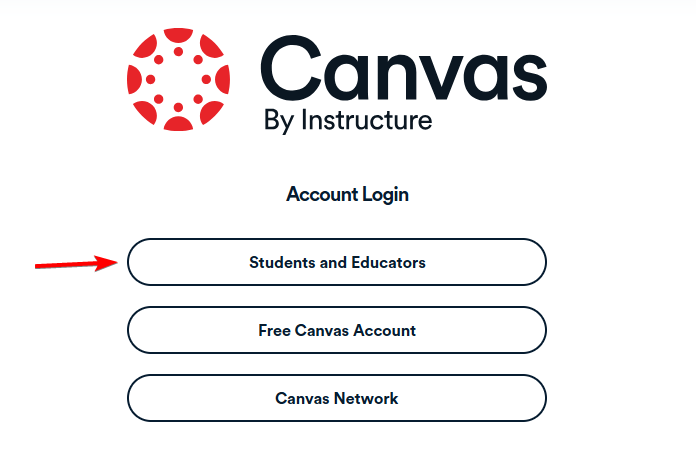
- Enter the name of your school, university, college, or district.
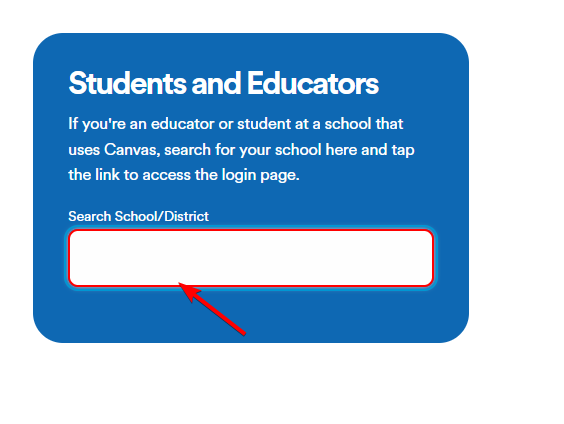
- Select your institution from the results.
- Enter your username, email address, or student ID.
- Enter your password.
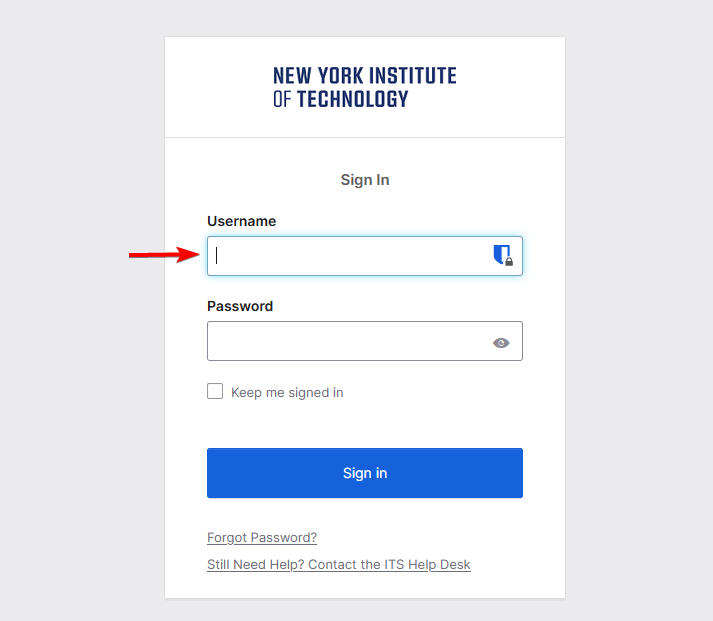
- Select Log In to access your Canvas dashboard.
If your school uses Single Sign-On (SSO), Canvas may redirect you to your school’s Microsoft, Google, or institutional login page.
2. Use the Canvas Student app
The Canvas Student app gives you quick access to your courses from a phone or tablet.
- Open the Canvas Student app on your phone or tablet.
- Select Find My School.
- Enter your school or district name.
- Select your institution from the results.
- Enter your school credentials.
- Complete the SSO login if your institution requires it.
Your courses should appear once Canvas verifies your account.
How to find your school Canvas login page
You can locate your school’s Canvas page through Canvas itself or your institution’s website.
- Go to the official Canvas login page.
- Search for your school, college, university, or district.
- Check your school website for a Canvas, Student Portal, or Learning Management System link.
- Check emails or instructions your school or teacher provided.
- Contact your school’s IT department if you still cannot find the correct login page.
Canvas does not use one universal login address for every student. Many schools use their own Canvas URL or connect Canvas to an existing student portal.
What to do if Canvas students login is not working
- Check your school URL – Make sure you selected the correct institution and search using your school’s full official name if necessary.
- Check your username and password – Re-enter your credentials, check for typing errors and Caps Lock, and try your student ID or school email if needed.
- Reset your Canvas password – Select Forgot Password on the login page and follow the password reset instructions. If your school uses SSO, reset the password through your school account instead.
- Contact your school – Ask your school’s IT department or Canvas administrator to verify your login details and confirm that your account is active.
We hope you managed to log in to Canvas as a student by following our steps. If you need more tools for your studies, check out our guides to the best online school management software, best student management systems, and Microsoft Office for students.
FAQs
What is the Canvas students login page?
The official Canvas login page lets students search for their school and open their institution-specific login page.
Can I log in to Canvas without my school URL?
Yes. Go to the official Canvas login page, search for your institution, and select it from the results.
Why does my Canvas login redirect to another website?
Your school may use Single Sign-On. Canvas redirects you to your institution’s authentication page so you can sign in with your school account.
What should I do if I forgot my Canvas password?
Select Forgot Password on your Canvas login page. If your school uses SSO, reset your password through your school account instead.
Why can’t I find my school on Canvas?
Search using your school’s full name, district name, abbreviation, or another official name. You can also check your school website for a direct Canvas link.
Can I access Canvas from my phone?
Yes. Use the Canvas Student app or open your school’s Canvas login page in a mobile browser.

Read our disclosure page to find out how can you help Windows Report sustain the editorial team. Read more



Improve this guide




User forum
0 messages