
Chrome Canary Can Now Translate PDFs Automatically via Reading Mode
Chrome Canary can now translate PDF text in Reading mode, bringing Google's translation experience directly into Chrome.


 2 min. read
  Published on
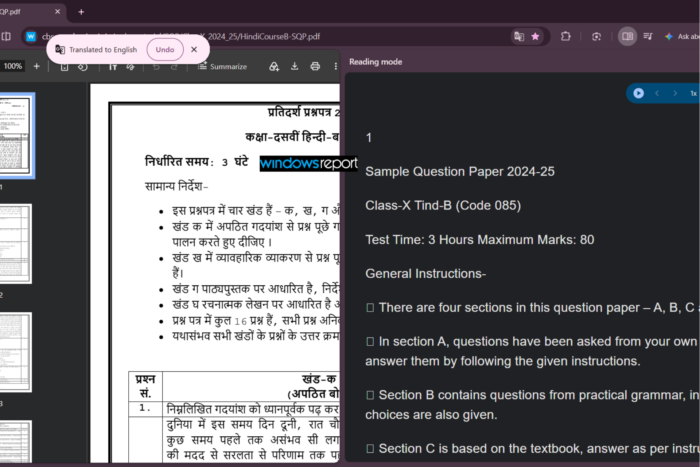
Google is testing native PDF translation in Chrome, allowing users to translate PDF documents directly in the browser through Reading mode. When the experimental feature is enabled, opening a PDF can automatically trigger Chrome’s Reading mode side panel, where Chrome translates the document’s text.
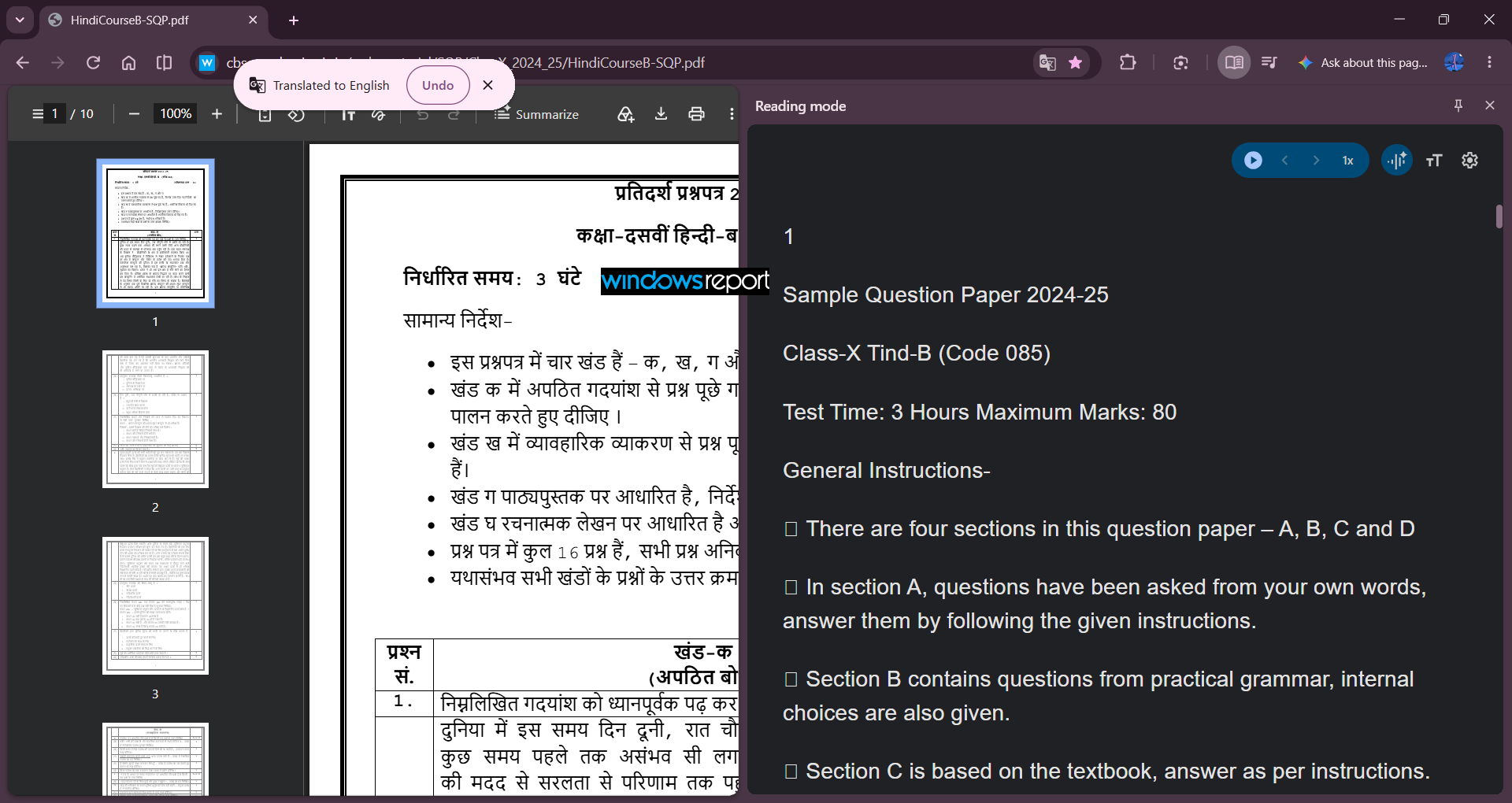
We tested the feature with a Hindi PDF. Chrome opened the document in its regular PDF viewer and automatically displayed the Reading mode side panel alongside it. The panel showed the PDF’s text translated into English, with a “Translated to English” notification and an option to undo the translation.
The original PDF remains unchanged. Chrome translates the extracted text that appears in the Reading mode panel, which you can select and copy elsewhere.
Google Translate Powers PDF Translation in Chrome
While Chrome presents the translated PDF text directly in its Reading mode side panel, Google Translate handles the actual translation in the background.
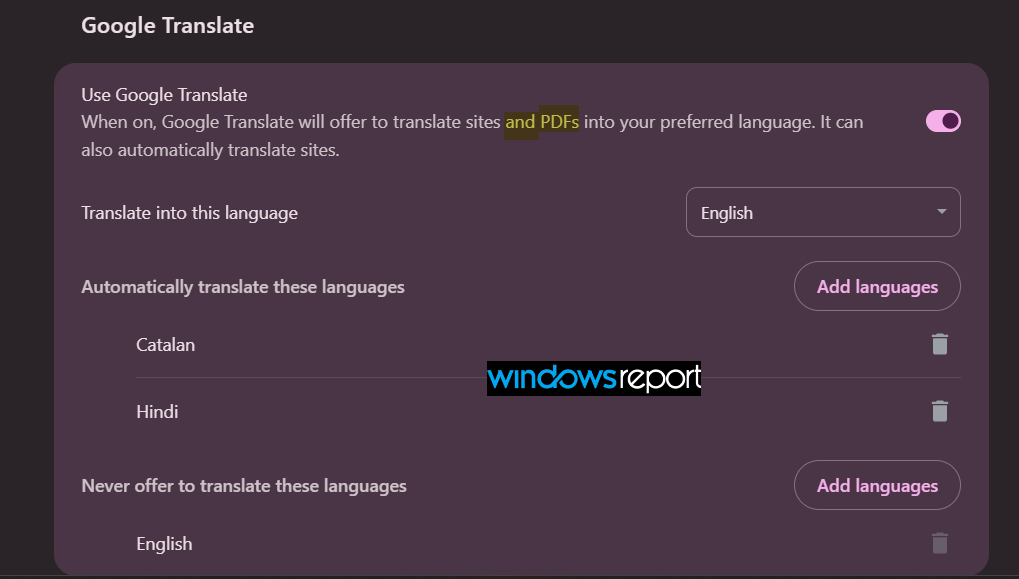
Google has also updated the Languages settings wording for Google Translate in Chrome Canary to reflect that Google Translate can offer to translate “sites and PDFs” into a user’s preferred language.
“Use Google Translate
When on, Google Translate will offer to translate sites and PDFs into your preferred language. It can also automatically translate sites.”
You need to enable the “Enable Translate PDF” flag in Chrome Canary for the feature to work. The feature does not currently add a conventional Translate button to the PDF viewer. Instead, the translation experience appears through Reading mode when the flag is enabled.
Google already supports translating PDF documents through the Google Translate website, where users can upload a PDF through the Documents section. Chrome’s experiment takes a different approach by translating the PDF from within its own viewing experience.
How to Enable PDF Translation in Chrome Canary
You can test the experimental native PDF translation feature in the latest Chrome Canary build:
- Open chrome://flags in Chrome Canary.
- Search for “Enable Translate PDF”.
- Set the flag to Enabled.
- Relaunch Chrome.
- Open a PDF in a language different from your preferred language.

Once enabled, Chrome Canary can automatically open the Reading mode side panel and translate supported PDF text.
Google has not announced when the native PDF translation feature will be available to all Chrome users.


Read our disclosure page to find out how can you help Windows Report sustain the editorial team. Read more



Improve this guide




User forum
0 messages