
Chrome Beta now lets you summarize PDFs with Gemini
The feature opens Gemini in the side panel and helps users review long documents without leaving the browser.


 2 min. read
  Published on
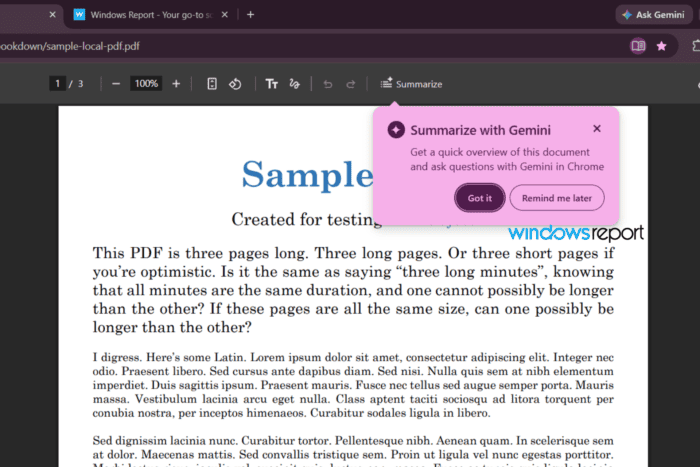
Google seems to be rolling out a new Summarize button for PDFs in Chrome Beta, with Gemini handling summaries inside Chrome’s built-in PDF viewer. The button opens Gemini in the side panel and sends the current PDF over for analysis. Gemini then generates a summary and lets you ask follow-up questions without leaving the browser.
Gemini has supported PDF analysis for some time in Google Drive, where users can upload documents and ask questions about their contents. Google is now bringing that experience into Chrome so users can summarize PDFs without uploading the file separately.
Gemini in Chrome now summarizes PDFs and answers questions in Beta
We spotted Google testing this in Chrome Canary back in February, and the feature now seems to be making its way into Beta. In our testing, the Summarize button appeared in a dedicated spot on Chrome’s PDF toolbar, making it easy to open Gemini without leaving the document. Clicking it opened Gemini’s sidebar with a summary request, and the answer appeared within seconds.
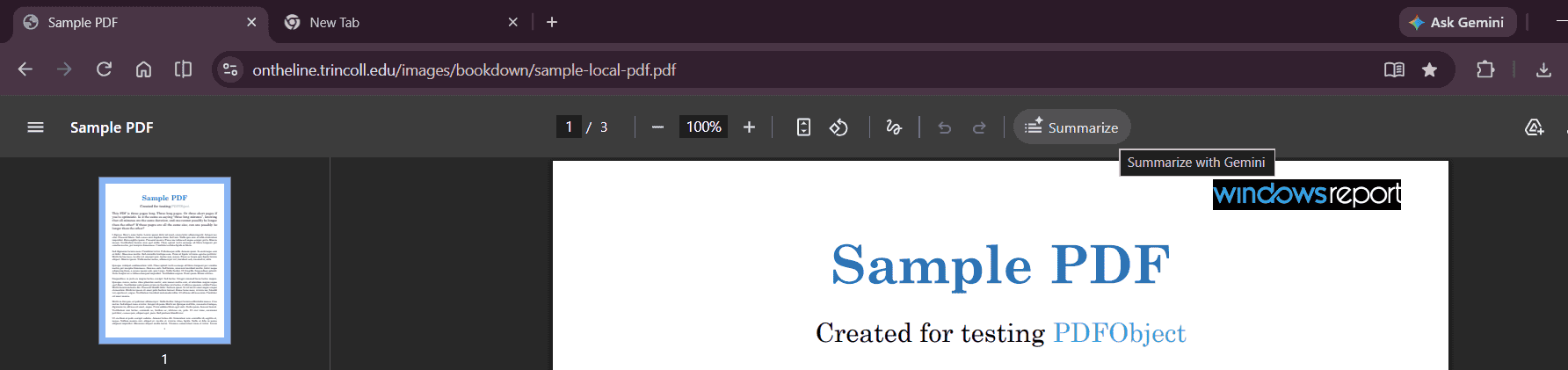
That makes the feature genuinely useful for anyone working through long reports, whitepapers, or manuals. Instead of downloading a PDF or opening Gemini separately, you can just click once and get the summary right there in Chrome.
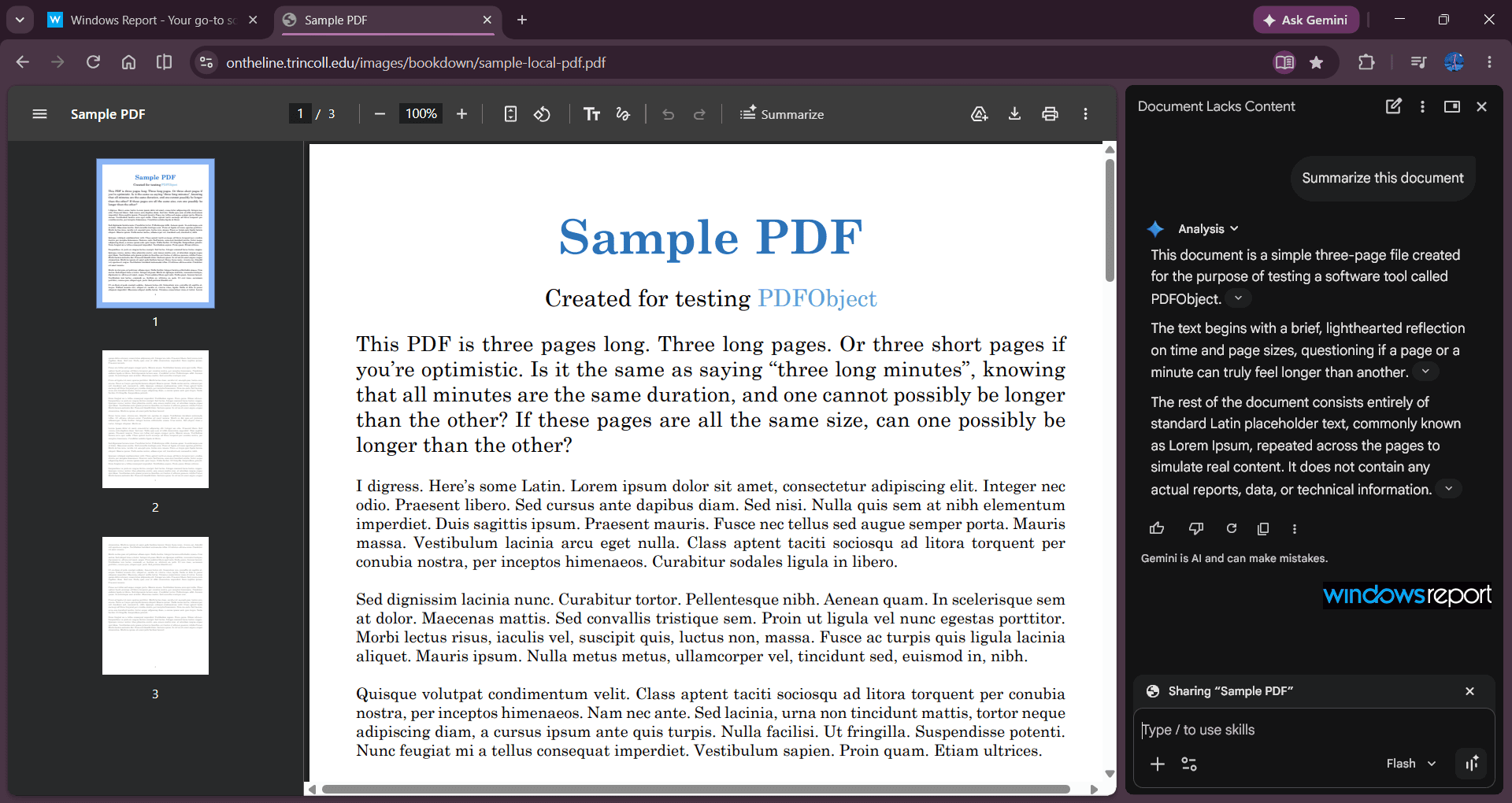
Google has been adding Gemini to more parts of Chrome for a while now, and this is another step in that push. With page analysis, contextual help, and now PDF summaries, Gemini in Chrome is becoming a more useful AI assistant for reading and research inside the browser.
The feature is still in Chrome Beta, so availability may depend on account, region, or Gemini in Chrome settings. If it’s available, the workflow is simple: open a PDF, hit Summarize, and let Gemini handle the first pass.
If you don’t see it yet in Chrome Beta and want to try it sooner, you can enable the PDF summarization flag in Chrome’s experimental features and restart Chrome. In our case, the feature was available out of the box, without needing to toggle any flags.
PDF summaries are one of several features currently in development for Chrome. Google is also testing a Gemini shortcut for selected text, alongside security improvements such as session encryption and process isolation on Windows.


Read our disclosure page to find out how can you help Windows Report sustain the editorial team. Read more



Improve this guide




User forum
0 messages