
Windows 11 is Getting a New Battery Status Widget to Track Power of All Your Devices


 2 min. read
  Published on
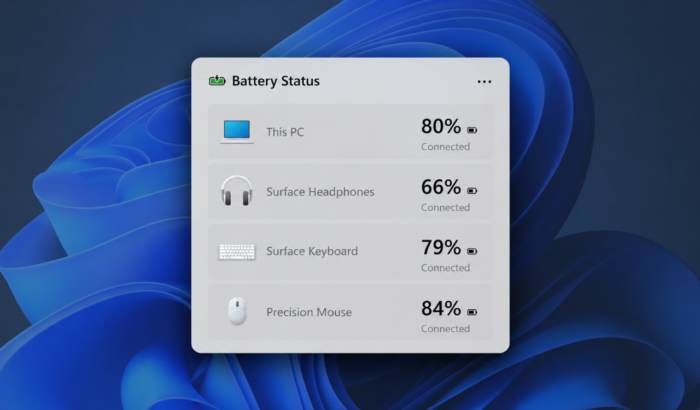
As reported last month, Microsoft has finally rolled out the new Battery Status widget for Windows 11 Insiders via latest Experimental Build 26340.9616. The addition brings battery levels for your PC and connected peripherals into one place, saving you from checking multiple settings pages.
Windows 11 Battery Status widget shows power levels in one place
If you use multiple wireless peripherals with your Windows 11 PC, checking their battery levels can get annoying. Speaking of which, Microsoft is introducing a new Battery Status widget to make things easier.
As part of its continued effort to improve Widgets, the company says the new addition provides a unified view of battery levels across your PC and peripheral devices. This means you can quickly check their power status without hunting through different UI locations.
Notably, Microsoft is rolling out the widget to Windows Insiders running newer builds. The company has not specified which peripheral devices are supported in the announcement, so the full compatibility list remains unclear.
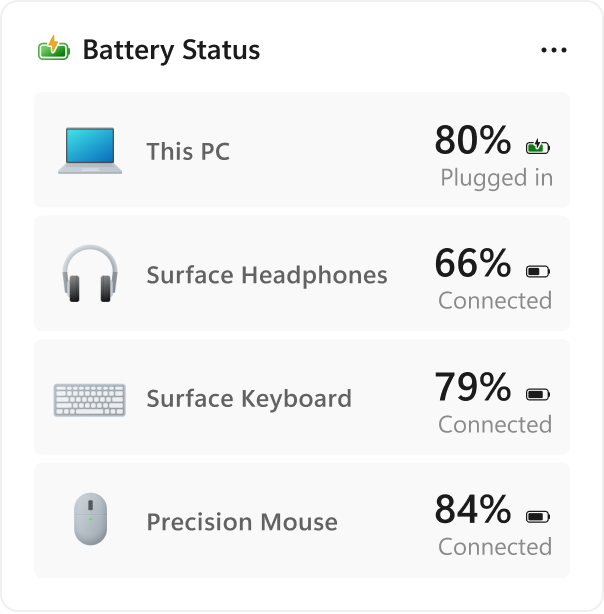
How to add the new Battery Status widget
Getting started with the new widget is pretty straightforward. Microsoft has provided a dedicated option in the Widgets board. Therefore, you don’t have dig through Windows Settings to add it.
First, open the Widgets board, select Add widgets, and choose Battery Status. Once added, the widget provides a central place to check battery levels for your PC and connected devices.
The feature should be handy for users who regularly switch between wireless accessories and want a quicker way to monitor their remaining battery life. As of now, Microsoft has not shared a wider public release date for the Battery Status widget.

Read our disclosure page to find out how can you help Windows Report sustain the editorial team. Read more



Improve this guide




User forum
0 messages