
Windows 11 26H1 Preview Build KB5127653 Adds Copilot Key Remapping and Touchpad Gestures


 3 min. read
  Published on
Microsoft has released Windows 11 Insider Preview Build 28000.3351 (KB5127653) to the Release Preview Channel for Windows 11 version 26H1, introducing new customization options, accessibility improvements, and bug fixes.
The release follows the Windows 11 Release Preview Update KB5127936, which introduced customizable right-click menus and cloud recovery improvements.
Copilot key remapping, new touchpad gestures, and Emoji 17.0
One of the biggest changes allows users to remap the Copilot key to work as either the Right Ctrl or Context Menu key, offering more flexibility for keyboards with a dedicated Copilot button.
Microsoft is also expanding touchpad functionality with single-finger scrolling from the edges and automatic scrolling when users move their fingers near an edge.
The update introduces Emoji 17.0, adding new characters such as the distorted face, fight cloud, and hairy creature.
File Explorer receives several improvements, including a new Preview anyway button for downloaded HTML files, automatic previews for supported files such as PDFs, and more reliable cloud file thumbnails.
Microsoft is also introducing an Open apps maximized accessibility setting, which automatically maximizes application windows when users launch them.
Other additions include a Camera Roll Backup option that lets eligible users configure OneDrive photo backup through a QR code in Windows Settings, a new Tips widget that can appear on the lock screen, and updated Magnifier toolbar icons.
Bluetooth, BitLocker, and Windows Recovery improvements
Beyond the new features, KB5127653 addresses several issues affecting Windows 11.
Microsoft has improved Bluetooth audio stability, device connectivity, microphone compatibility, and LE Audio performance.
The update also brings improvements to Windows personalization, including more reliable wallpaper behavior, support for DIB images, and slideshow backgrounds across multiple desktops.
Windows Recovery Environment (WinRE) can now automatically reuse eligible saved Wi-Fi profiles during recovery, reducing the need to reconnect manually.
Other fixes and improvements include:
- Settings: Packaged applications now display their version numbers directly in the Installed apps list.
- Remote Desktop: Fixes connection failures for non-admin users when Administrator protection is enabled.
- BitLocker: Improves PIN retry handling to prevent unintended TPM lockouts.
- Power and battery: Fixes an issue that caused certain laptops to incorrectly detect a switch from AC power to battery.
Microsoft is delivering some features through a gradual rollout, meaning not every Insider will receive them immediately. Other fixes follow the normal rollout process.
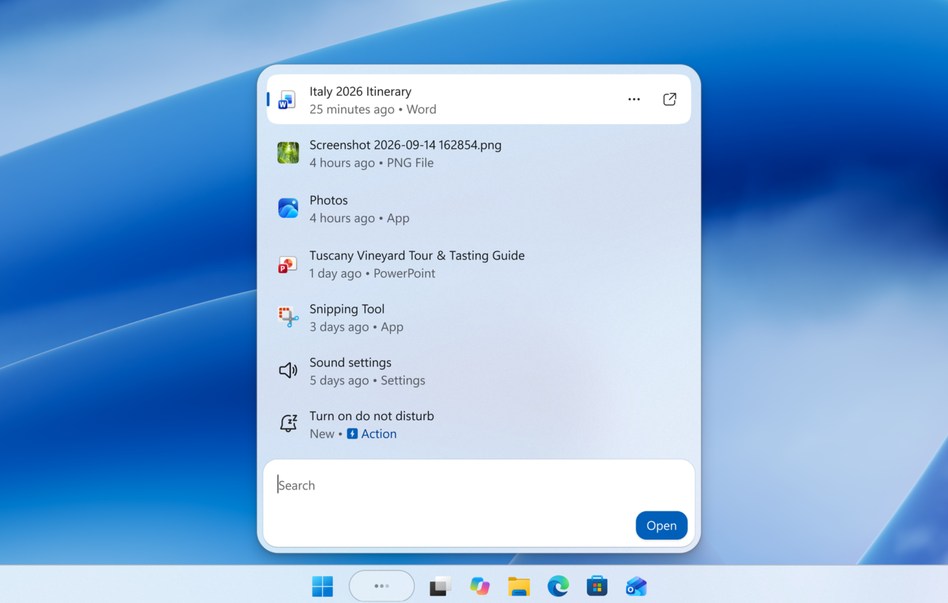
The company has also been testing additional Windows 11 26H1 improvements. A new experimental build introduced Search improvements, Live Captions updates, and a pointer indicator accessibility setting.
Meanwhile, the latest Windows 11 Beta build addressed app and game crashes linked to msmpeg2ac3dec.dll.

Read our disclosure page to find out how can you help Windows Report sustain the editorial team. Read more



Improve this guide

User forum
0 messages