
New Windows 11 Experimental build upgrades Search with new actions and phone controls
The Experimental Build 26340.9843 also adds Quick Settings to Gaming Task View navigation bar in Xbox mode


 2 min. read
  Published on
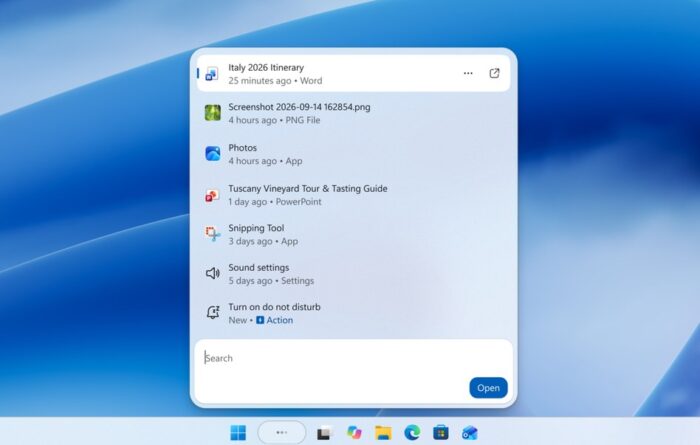
Microsoft has just released Windows 11 Insider Experimental Preview Build 26340.9843. The update expands Windows Search with new actions, richer results, and phone controls. It also brings Xbox mode improvements and adds Microsoft 365 subscription management directly to Settings.
Windows 11 Search gets more powerful
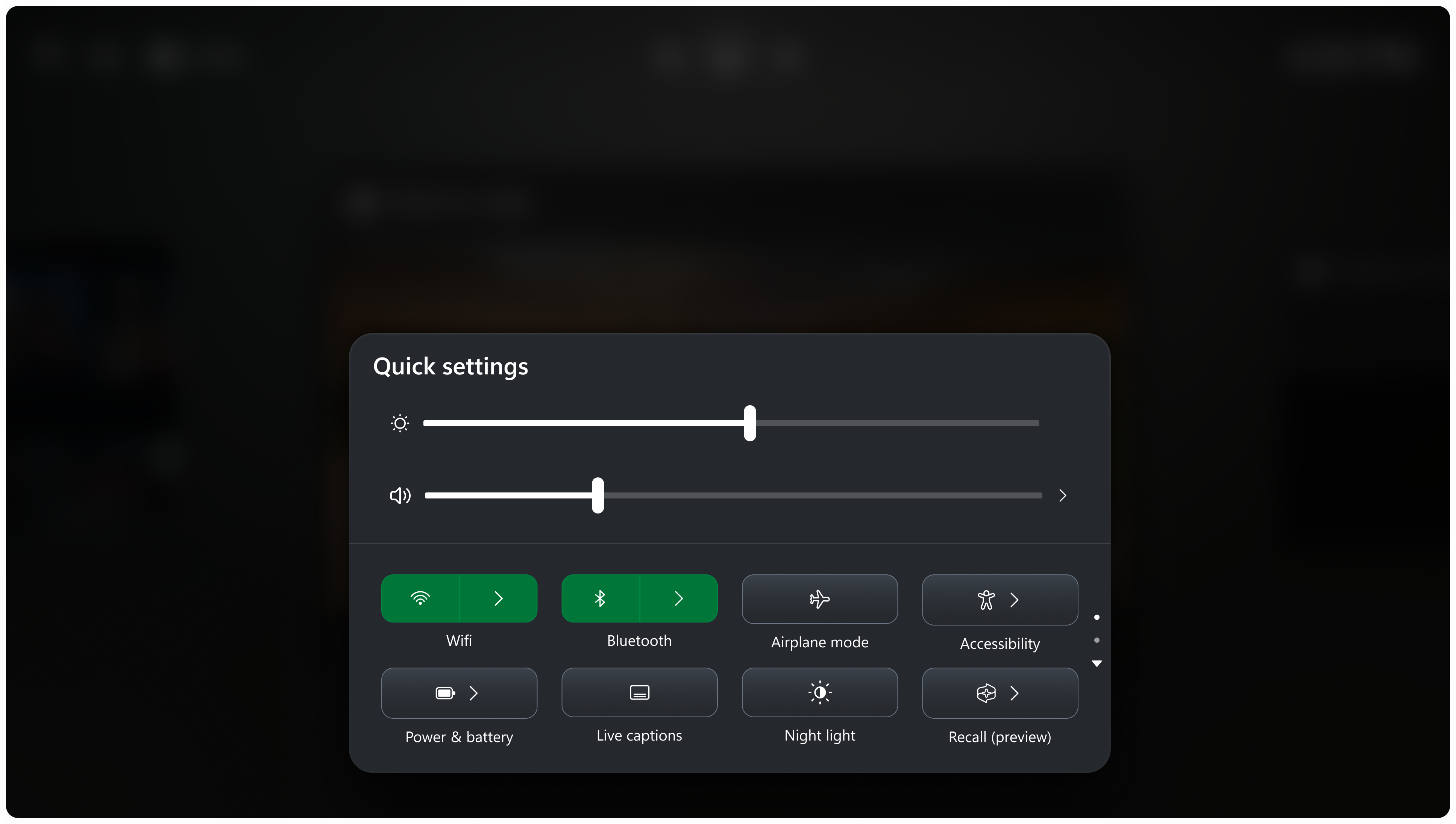
The latest build expands Windows 11’s redesigned Search experience with several useful features. Users can now adjust volume, screen brightness, and cursor size through sliders directly inside Search.
With a supported phone connected through Phone Link, users can also make calls, send texts, and enable Do Not Disturb. Android support is available now, while iPhone support is expected early next year. Search results are also getting richer previews and additional details. Users can see information such as file locations, modification dates, and authors without opening files first.
Microsoft is also adding web answers for weather, stocks, and general facts. Users can discover Microsoft Store apps and games, filter results by category, and remove recent items before typing. Interestingly, these changes look to make Search useful for completing tasks rather than simply finding files. The redesigned interface currently opens at the bottom center of the screen.
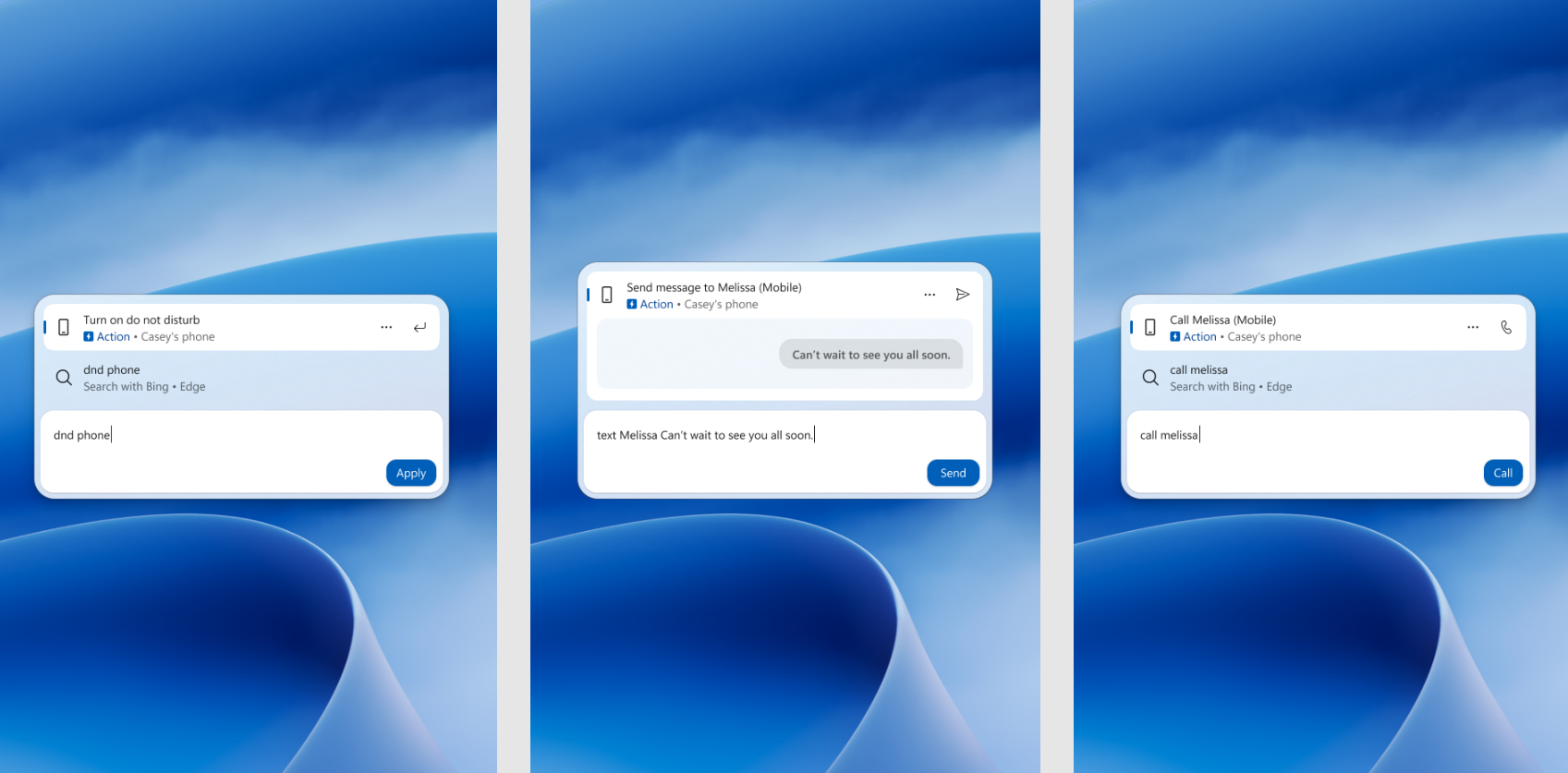
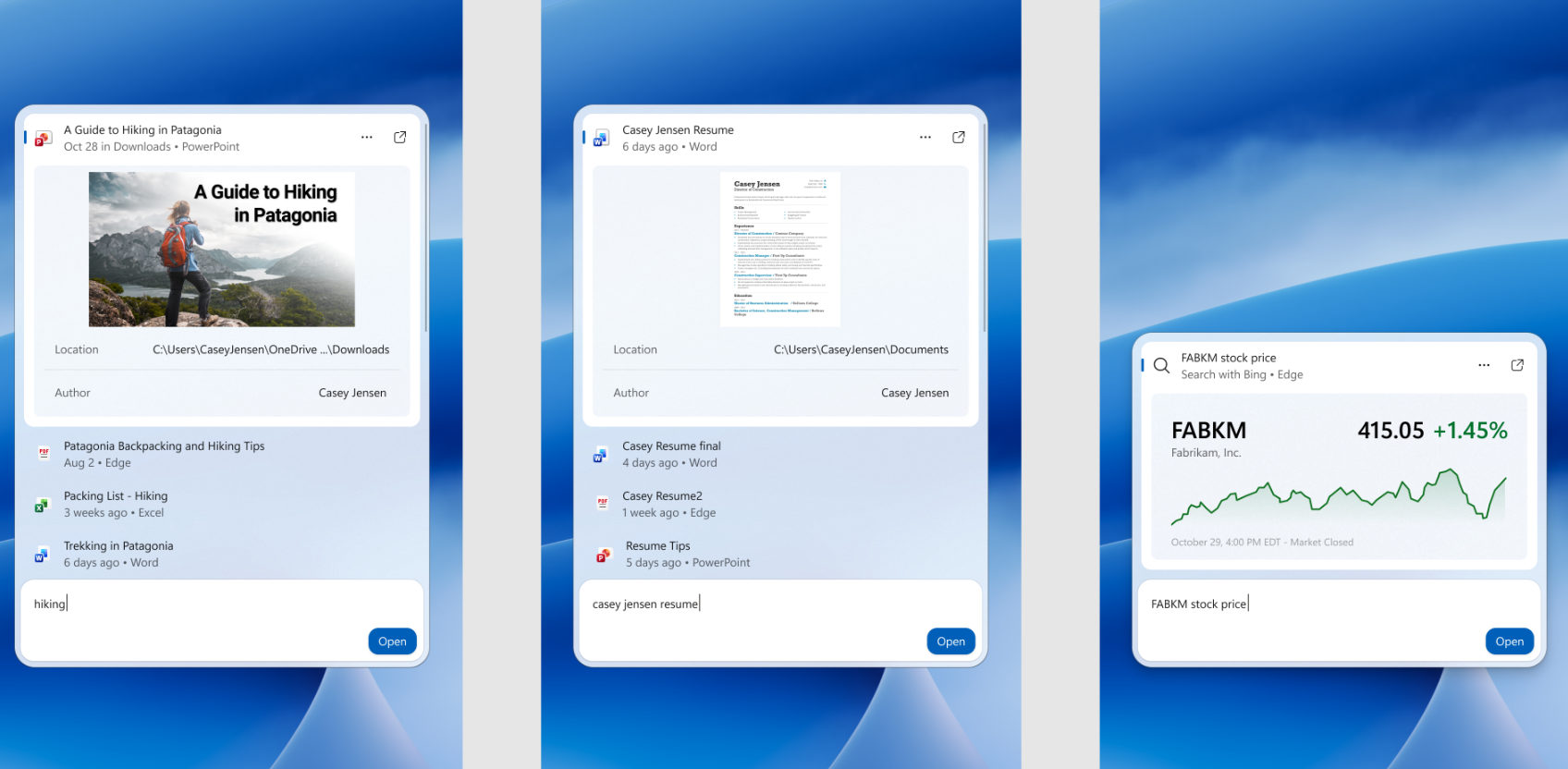
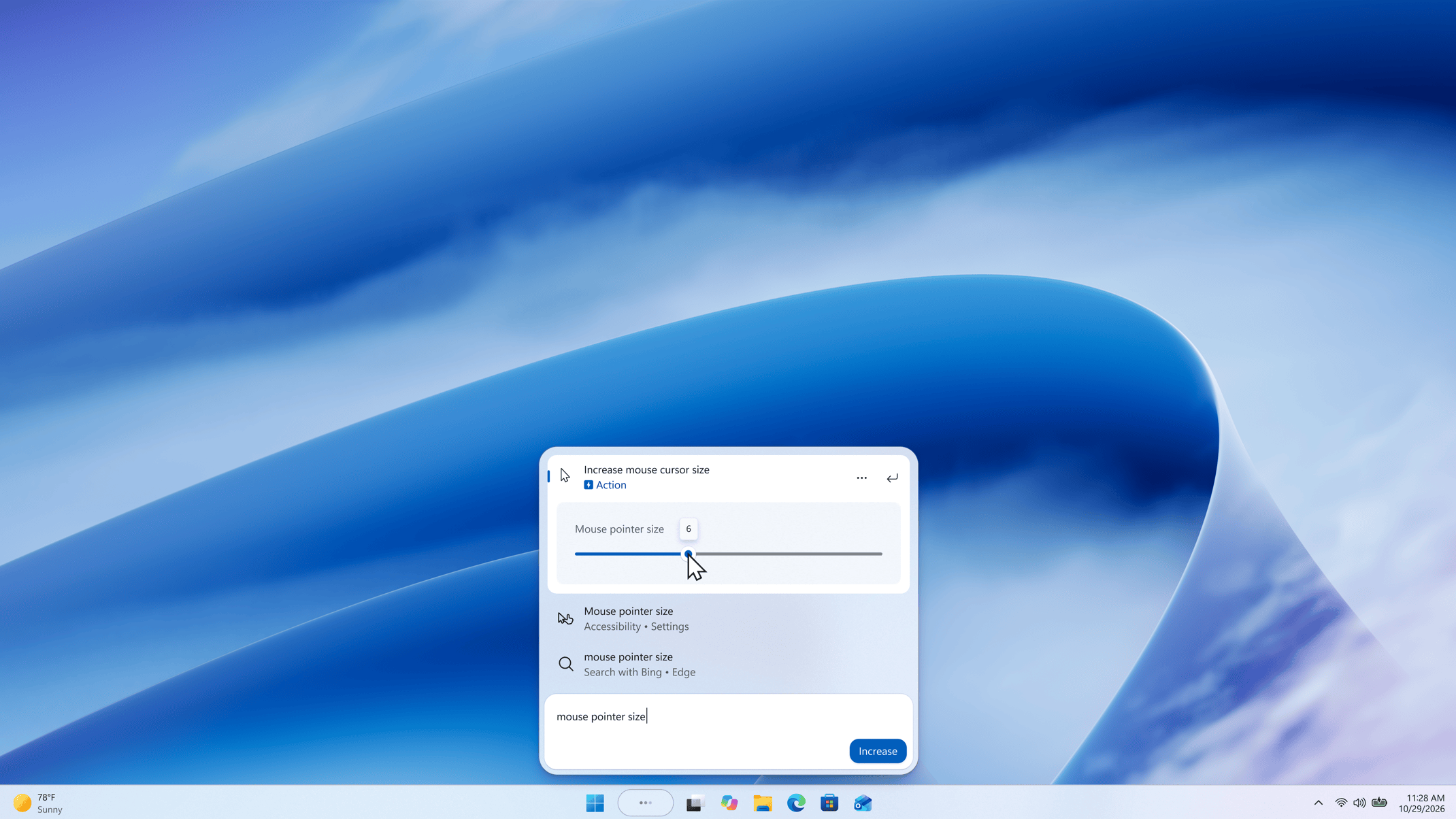
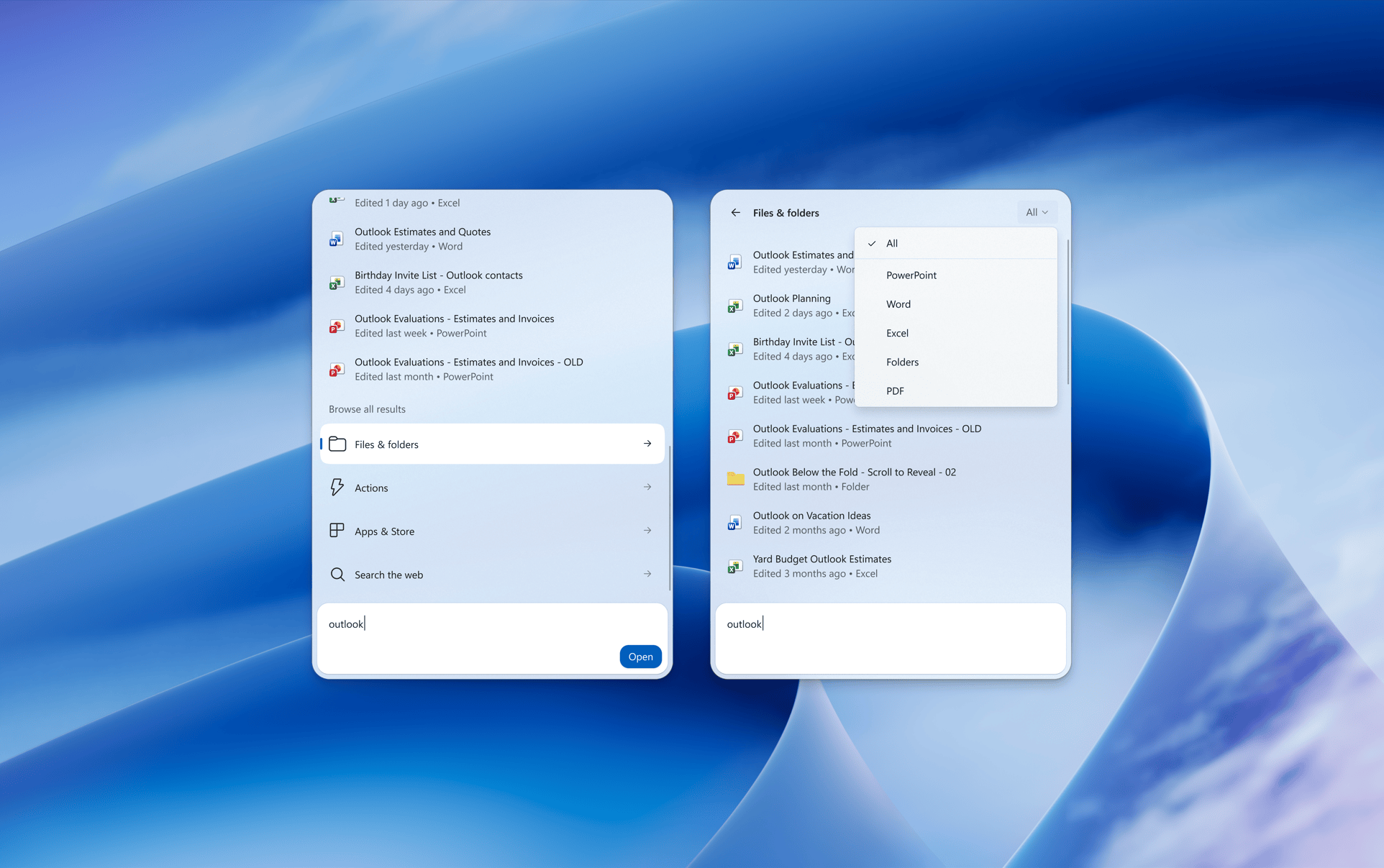
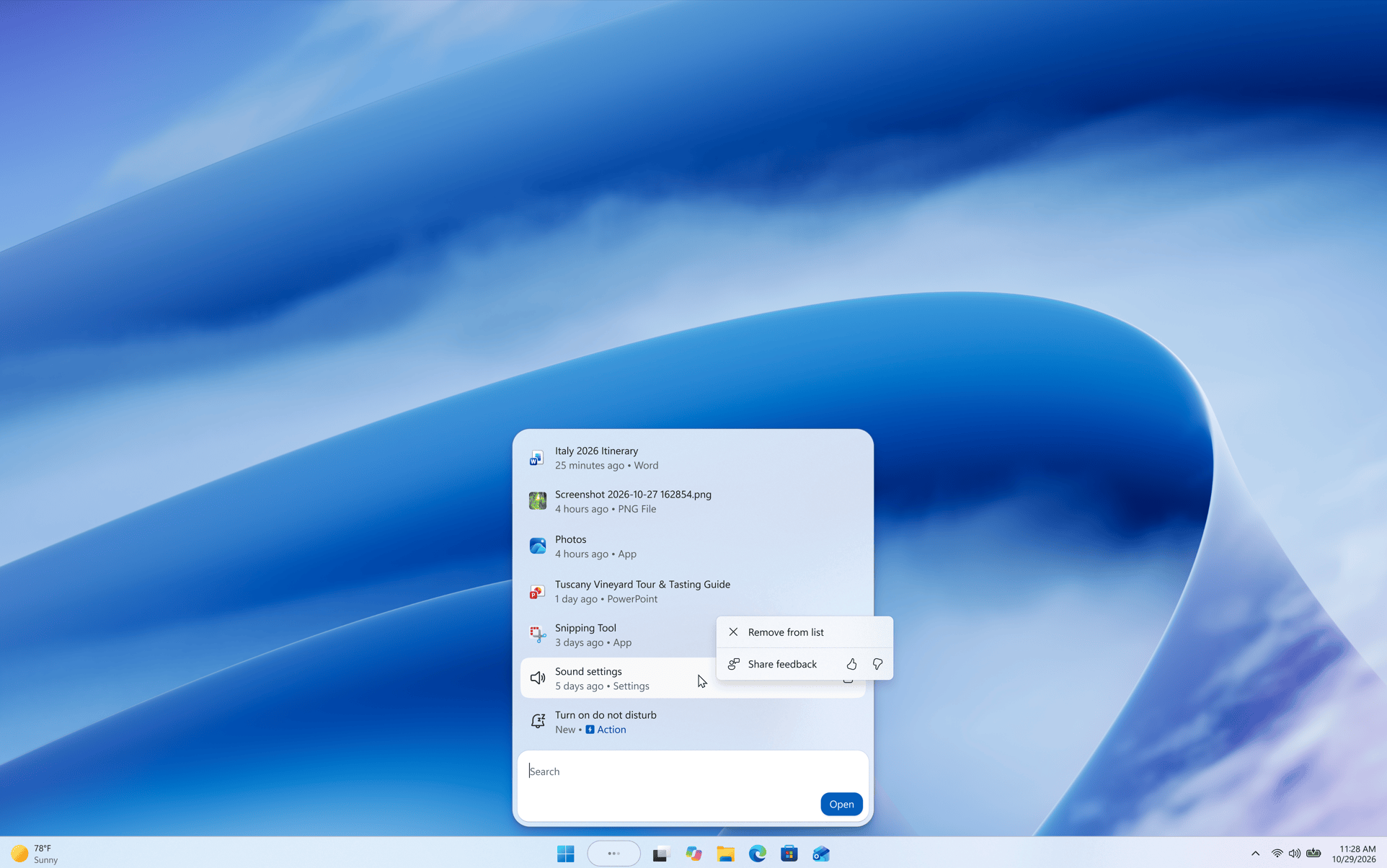
Image credit: Microsoft
Xbox gaming and Microsoft 365 get useful changes
Microsoft is bringing Quick Settings to the Gaming Task View navigation bar in Xbox mode. This lets players access Windows taskbar settings without leaving the gaming interface.
The update also introduces Microsoft 365 storage visibility inside Windows Settings. Eligible Family subscribers can check shared cloud storage usage under Settings, Accounts, and Cloud storage.
Microsoft says a breakdown for individual family members is coming later. Subscription eligibility depends on when the Microsoft 365 plan was purchased and renewed. Meanwhile, eligible subscribers can now explore Microsoft 365 upgrade options directly through Settings. The integrated dialog removes the need to open a separate browser.
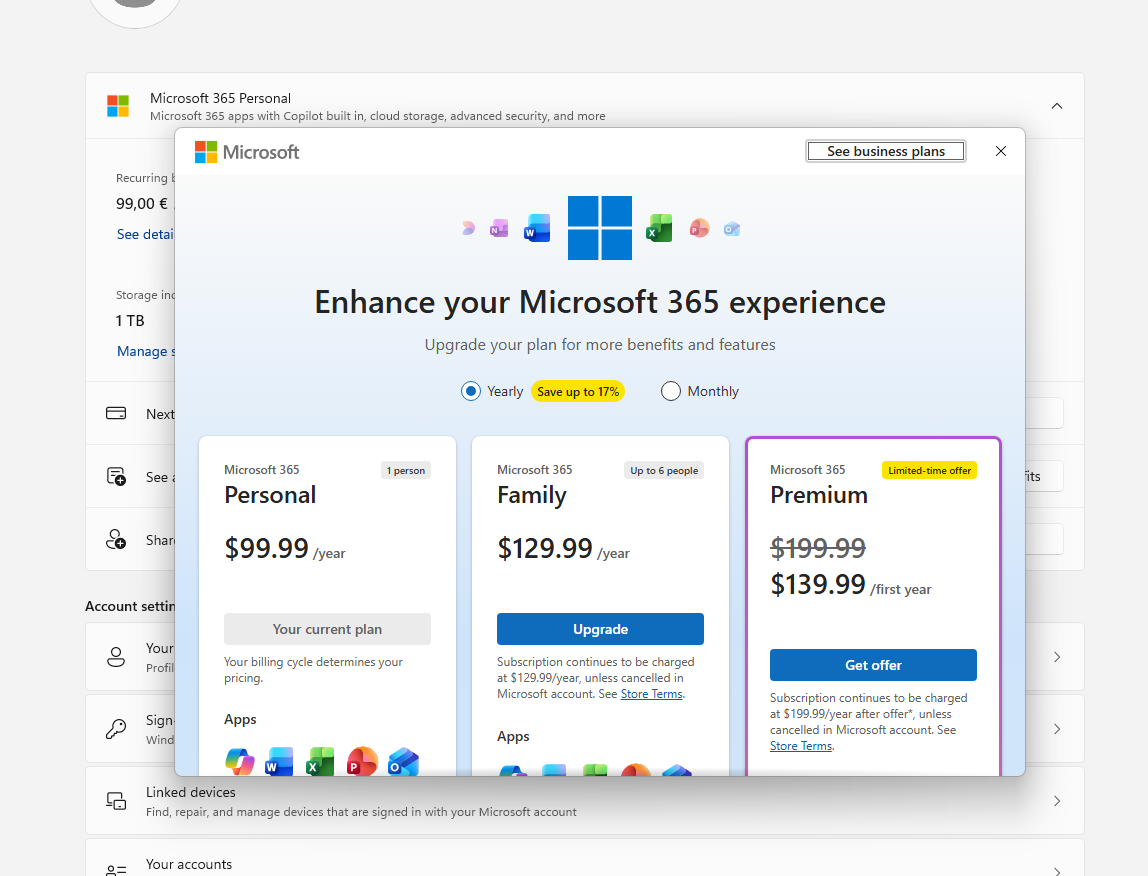
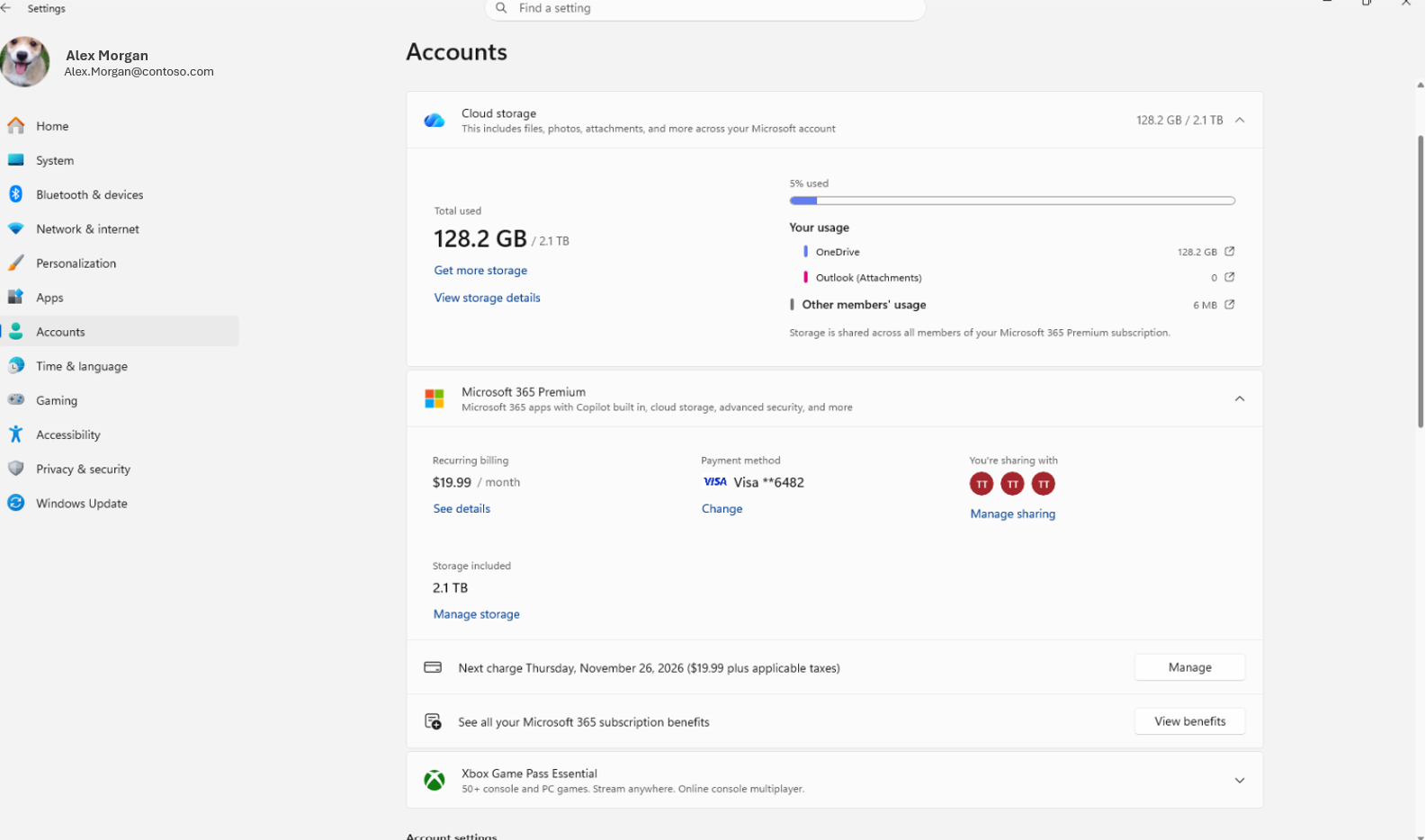
Image credit: Microsoft
That’s not all; Microsoft is temporarily rolling back its newer solid spinner animations while fixing a bug. It should also be noted that the company is also investigating reports that Task Manager no longer updates CPU speed after recent Insider builds. In addition to this build, the company has also released Build 26220.9836 and 28020.3382 for Windows 11 Insiders in the Beta and Beta (26H1) channels, respectively.
For more updates on Windows 11 builds, check out Build 28120.3393 (26H1), which improves Search, Xbox Mode, and AutoPlay. You can also explore Build 29698.1000 (Future Platforms), which introduces privacy and File Explorer improvements.

Read our disclosure page to find out how can you help Windows Report sustain the editorial team. Read more



Improve this guide




User forum
0 messages