
Windows 11 KB5127936 Fixes Smart App Control Bug Triggered by October 2026 KB5127648 Patch


 2 min. read
 Published on
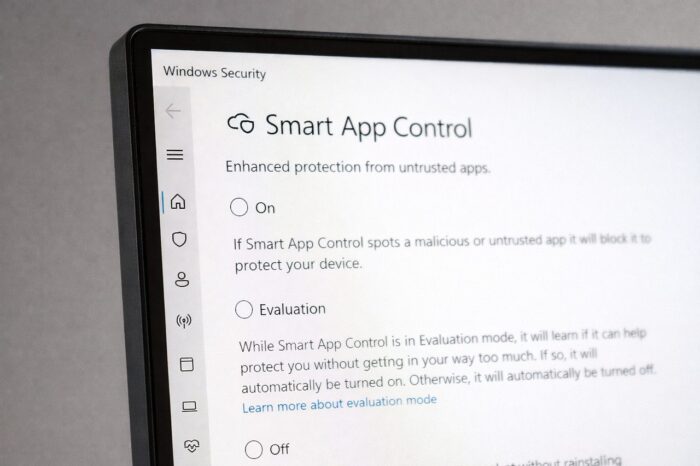
In addition to fixing the Always ON VPN bug, Microsoft has also resolved the Windows 11 security issue that prevented users from enabling Smart App Control. The issue stemmed after installing the October 2026 Patch Tuesday update, KB5127648, which left the feature’s activation option grayed out in Windows Security. Microsoft has now confirmed that the KB5127936 preview update released last week fixes the Smart App Control bug on Windows 11 systems running version 25H2 and 26H2.
Windows 11 KB5127648 broke Smart App Control
Microsoft confirmed the problem after reports surfaced following the release of KB5127648. For those unaware, Smart App Control is a Windows security feature designed to block potentially untrusted or malicious applications before they can run.
On affected devices, users could no longer turn the feature back on after disabling it. The option appeared grayed out in Windows Security, preventing users from reactivating the protection. However, Microsoft clarified that devices with Smart App Control already enabled were not affected. Those systems continued receiving protection as usual. At the time, Microsoft shared the workaround, which included registry changes and Group Policy packages to temporarily fix the bug.
KB5127936 finally resolves the Smart App Control issue
Microsoft has now marked the issue as fixed in its KB5127936 release preview’s official changelog. The update also brings several other changes, including a customizable File Explorer context menu, improved accessibility tools, and fixes Remote Desktop error 0xC000000D.
Users who install KB5127936 or a later update no longer need to apply the Smart App Control workaround. Microsoft recommends installing the latest update available for the device. That being said, Windows 11 version 24H2 isn’t receiving fix through KB5127936. Users on that version should check workaround shared by Microsoft. For affected 25H2 and 26H2 users, the fix removes the need for a manual workaround.

Read our disclosure page to find out how can you help Windows Report sustain the editorial team. Read more


Improve this guide




User forum
0 messages