
K12 OLS Login: How to Access Your Account in Minutes


 2 min. read
 Published on
The K12 OLS login page allows students and Learning Coaches to access online classes, assignments, grades, and school resources. You can sign in using your K12 School (OLS) username and password.
How do I log in to K12 OLS?
Use the official website
Follow these steps to access your K12 Online School account.
- Open the official K12 OLS login page.
- Enter your username.
- Type your password.
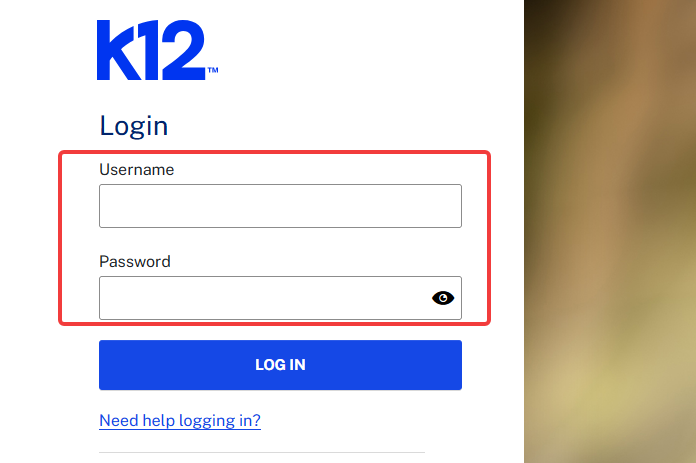
- Click Log In to access your account.
- Open your dashboard to view courses, assignments, and other school resources.
Students and Learning Coaches must use their own login credentials.
How to fix K12 OLS login problems
If you cannot access your account, try these solutions.
- Check your credentials – Make sure your username and password are correct.
- Disable Caps Lock – Passwords are case-sensitive.
- Clear browser data – Delete cached files and cookies, then reload the login page.
- Try another browser – Use the latest version of Google Chrome.
- Reset your password – Use the password recovery option if your credentials do not work.
- Check for outages – Visit the K12 Help Center to check for system issues.
- Contact support – Call K12 Technical Support at 1-866-512-2273 if the problem continues.
Once you log in to K12 OLS, you can access your courses, assignments, and school resources. If you use other education platforms, check our guides on Frontline login and PowerSchool login. Students preparing for college can also follow our FAFSA login guide to access their federal student aid accounts.
FAQs
Can students and parents use the same K12 OLS login?
No. Students and Learning Coaches need separate accounts. Each student should use their own credentials to ensure the system records coursework and grades correctly.
Why is my K12 OLS login not working?
Incorrect credentials, browser issues, system maintenance, or an account setup problem can prevent access. Reset your password or clear your browser cache before contacting support.
How do I access my K12 OLS dashboard?
Sign in at the official K12 OLS login page. After logging in, you can access your courses, assignments, calendar, and other available school resources.
Can I access K12 OLS on my phone?
You can try accessing K12 OLS through a mobile browser, but some coursework and features may work better on a computer.

Read our disclosure page to find out how can you help Windows Report sustain the editorial team. Read more


Improve this guide

User forum
0 messages