
Chegg Login Guide: Access Your Account Quickly


 3 min. read
  Published on

Chegg gives you access to your account, study tools, saved content, and other services. If you plan to use this service, in this guide we’re going to show you how to log in to Chegg properly.
How do I log in to Chegg?
Use the web browser
You can access your Chegg account directly from the official website.
- Go to the Chegg website.
- Click Sign in in the upper-right corner.

- Enter the email address associated with your Chegg account.
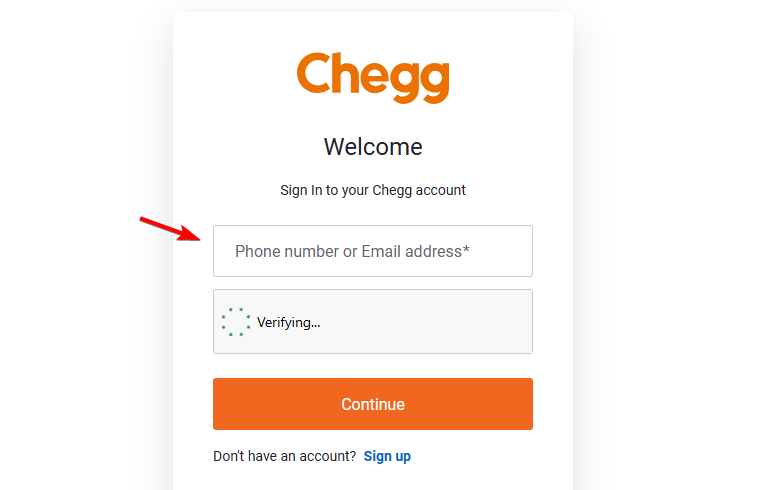
- Enter your password.
- Click Sign in to access your account.
Once you sign in, Chegg should take you to your account or the page you were trying to access.
What to do if Chegg login is not working
Login problems can come from incorrect credentials, browser data, extensions, or temporary connection problems.
- Check your email address – Make sure you use the same email address you used when creating your Chegg account.
- Re-enter your password – Check for spelling mistakes and make sure Caps Lock is disabled.
- Reset your password – Use the password recovery option if Chegg does not accept your current password.
- Clear your browser cache – Old cookies and cached data can sometimes interfere with the sign-in page.
- Try another browser – Open Chegg in Chrome, Edge, Firefox, or Safari to determine whether the problem affects one browser.
- Disable extensions temporarily – Ad blockers, privacy extensions, and script blockers can interfere with some website functions.
- Try a private window – An Incognito or InPrivate window can help determine whether stored browser data causes the issue.
- Check your connection – Switch networks or restart your router if the Chegg website does not load correctly.
The Chegg login process should only require your account email and password. If you cannot access your account, resetting your password and checking your browser usually resolves common sign-in problems.
If you’re having trouble signing in to other services, we also have guides that explain how to log in to Asana, sign in to Gimkit and join games, and access Zoom on web, desktop, and mobile.
FAQs
Why can’t I log in to my Chegg account?
Incorrect login details, outdated browser data, extensions, or connection problems can prevent you from signing in. Reset your password if Chegg does not accept your credentials.
What should I do if I forgot my Chegg password?
Use the Forgot password option on the Chegg login page. Chegg will send password recovery instructions to the email address associated with your account.
Why am I not receiving a Chegg password reset email?
Check your spam and junk folders first. Also confirm that you entered the email address associated with your Chegg account.
Can I log in to Chegg on another computer?
Yes. Open the Chegg website on the other computer and sign in with the credentials associated with your account.
How do I stay signed in to Chegg?
Your browser may keep your Chegg session active using stored cookies. Avoid clearing Chegg cookies if you want the browser to retain your current session.

Read our disclosure page to find out how can you help Windows Report sustain the editorial team. Read more



Improve this guide



User forum
0 messages