
Gimkit Login: How to Sign In and Join Games on Any Device


 3 min. read
  Updated on
Are you looking to log in to Gimkit on your device? It’s simpler than you think, and this guide will show you how to do it.
How can I log in to Gimkit?
How to Sign In to Gimkit on Desktop
- Open the official Gimkit login page in Chrome, Edge, Safari, or another supported browser.
- Enter the email address connected to your Gimkit account.
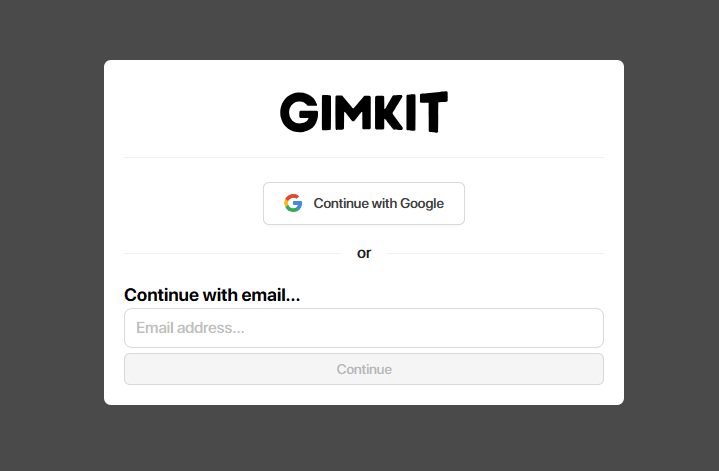
- Enter your password and sign in. If you created your account through Google, choose the Google sign-in option instead.
- After signing in, Gimkit should open your dashboard, where you can manage kits, classes, assignments, and games.
Gimkit offers Educator and Student accounts. Educators need an account to create kits and host games, while students can join many live games without creating an account.
Tip: Always confirm that you are on the official gimkit.com website before entering your login credentials.
Gimkit Login on Phone or Tablet
You can access Gimkit through a mobile browser. Open Chrome on Android or Safari on iPhone, visit the official login page, and follow the same email or Google sign-in process.
If you only want to join a teacher’s live game, you may not need an account. Visit Gimkit Join, enter the game code provided by your teacher, and choose your name.
Forgot Your Gimkit Password and Can’t Log In?
- Open the Gimkit login page.
- Enter the email address associated with your account.
- Select Forgot Password?
- Submit the request and check your inbox for the password reset email.
- Check your spam or junk folder if you do not receive the message.
School network or email settings can sometimes prevent account emails from reaching your inbox.
Why Is Gimkit Login Not Working?
A failed Gimkit login does not always mean your password is incorrect. Refresh the page, try another browser, clear your browser’s cached site data, or sign in from another device.
School network restrictions can also interfere with Gimkit access. If you use a school-managed Google account, your school’s Google Workspace settings may prevent Gimkit from authenticating your account.
If the login page remains blank or repeatedly fails, try another browser or network to determine whether the problem comes from your device or school connection.
If you’re a teacher, you might be interested in additional education software or education apps.
FAQs About Gimkit Login
How do I log into Gimkit?
Visit the official Gimkit login page, enter your email address and password, and sign in. If you created your account with Google, choose the Google sign-in option.
Can I play Gimkit without logging in?
Yes. Students can often join live games without an account by visiting gimkit.com/join and entering the game code provided by their teacher.
How do I reset my Gimkit password?
Select Forgot Password? on the Gimkit login page, enter your account email, and follow the password reset instructions sent to your inbox.
Why can’t I sign into Gimkit with my school Google account?
Your school’s Google Workspace settings may restrict Gimkit access. A school administrator may need to allow or trust Gimkit before you can sign in with a managed Google account.

Read our disclosure page to find out how can you help Windows Report sustain the editorial team. Read more



Improve this guide




User forum
1 messages