
Chrome Extends Windows 11 Mica Titlebar Flag Until Version 160
Chrome brings back the Windows 11 Mica title bar flag in Canary, and Google plans to keep it available until Chrome 160


 2 min. read
  Published on
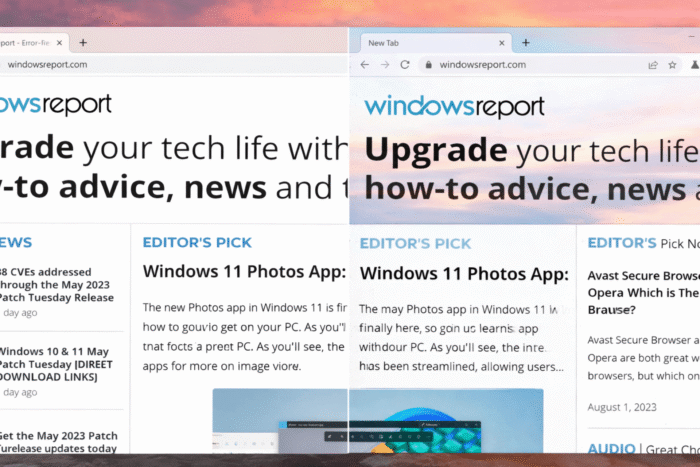
Google is once again testing the Windows 11 Mica title bar in Chrome Canary. The flag is now available again in Canary, and Google has extended its lifespan until Chrome version 160. That confirms the feature is active and not abandoned. It uses the native Windows 11 system-drawn Mica title bar on version 22H2 and newer.
Mica is a design material used across Windows 11. It adds a soft, translucent effect to surfaces like app title bars and system panels. The background lightly reflects the desktop wallpaper and surroundings, which helps apps feel more consistent with the Windows 11 look.
Chrome has offered a Mica title bar option through an experimental flag in the past. Google never shipped it as the default design, and it stayed hidden inside flags for years.
One reason could be Chrome’s heavy use of a custom window frame. Switching to the system-drawn title bar affects window controls, themes, and layout across many devices. That change needs long testing across Windows versions and hardware types.
Because of this, the feature stayed experimental and was recently removed from Chrome 143. The flag is now available again in Chrome Canary. Here is how you can enable it.
Enable Windows 11 Mica title bar for Chrome
- Launch Chrome Canary
- Visit chrome://flags
- Find and enable “Windows 11 Mica title bar”
- Relaunch Chrome to see the possible change in the title bar on Windows 11 with the Mica effect

We noticed that Google recently changed the flag’s internal expiry milestone to Chrome 160.
This means the flag will stay available across many future versions instead of being removed soon.
Google could extend this timeline again, or the team could take a final call closer to that milestone.
That’s not all. Chrome prompts users to try AI extensions with a “Supercharge your browser” message and could soon add a Global Privacy Control signal.


Read our disclosure page to find out how can you help Windows Report sustain the editorial team. Read more



Improve this guide




User forum
0 messages