
Chrome nudges users to try AI extensions with a "supercharge your browser" popup
Chrome shows an in-browser notification that introduces AI, productivity, and theme categories to users without extensions.


 2 min. read
  Published on

Google is testing a new way to introduce Chrome extensions to users who have not installed any add-ons yet. Chrome shows a popup that encourages users to explore extensions, with AI tools placed front and center.
The message appears inside the browser and uses the phrase “supercharge your browser.” It is not tied to a website and does not appear as part of a web page.
We observed this popup on a Chrome profile with no extensions installed. Profiles that already have one or more extensions do not appear to see the message, which suggests the notification is aimed at first-time or extension-free users. This makes the popup feel more like an onboarding prompt than a general promotion.
AI extensions take priority
The popup includes several action buttons, such as “Enhance with AI,” “Boost productivity,” and “Find coupons.” Clicking any of these options opens the Chrome Web Store with the relevant extension category already selected.
For instance, choosing “Enhance with AI” takes users directly to the AI category, which lists extensions focused on writing help, summaries, search tools, and browsing assistance. Instead of promoting a single extension, Chrome highlights entire categories.
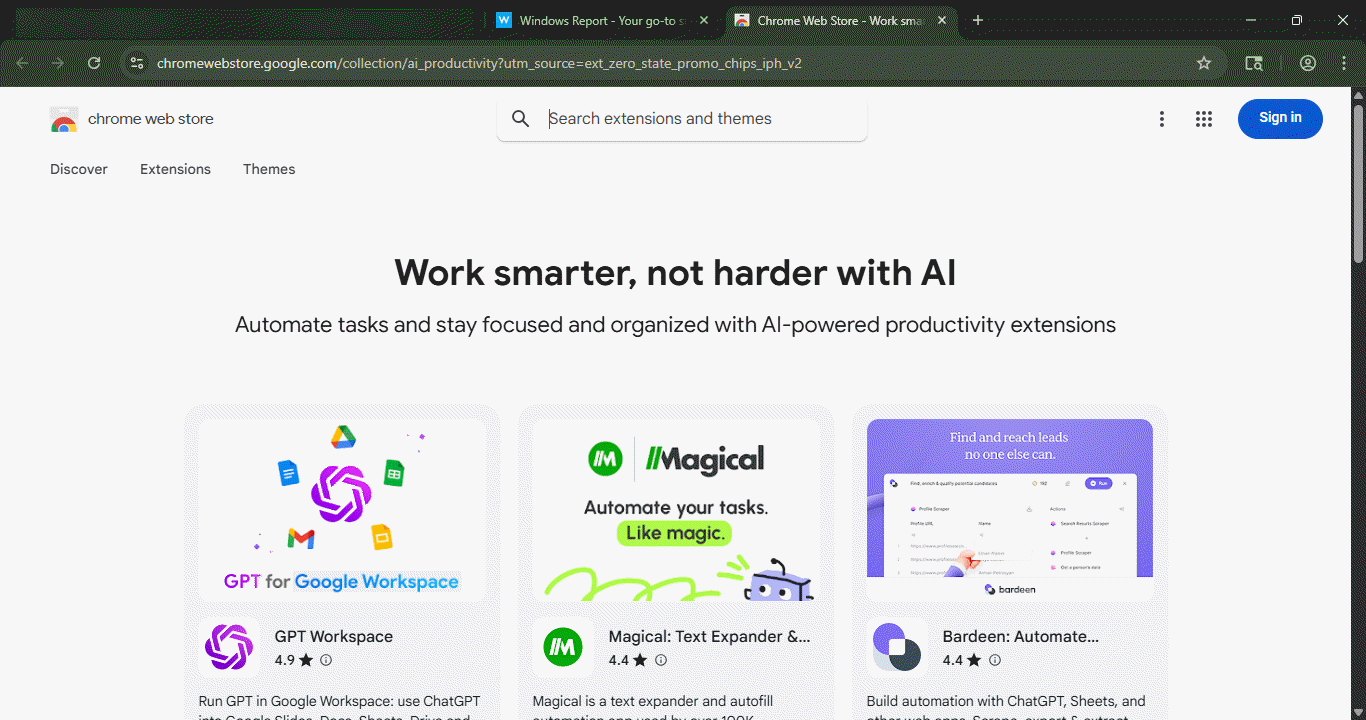
The Chrome Web Store offers thousands of extensions across categories such as AI, productivity, and shopping. For users who have just installed Chrome and have not added any extensions yet, this popup acts as an introduction to what add-ons can do. It also points users to themes, which let them change how Chrome looks.


Read our disclosure page to find out how can you help Windows Report sustain the editorial team. Read more



Improve this guide

User forum
0 messages