
Chrome on Windows Could Soon Show Gemini Notifications Even When You’re Not Using It
Gemini already does this on Android. Now Google is testing something similar on desktop Chrome.


 3 min. read
  Published on
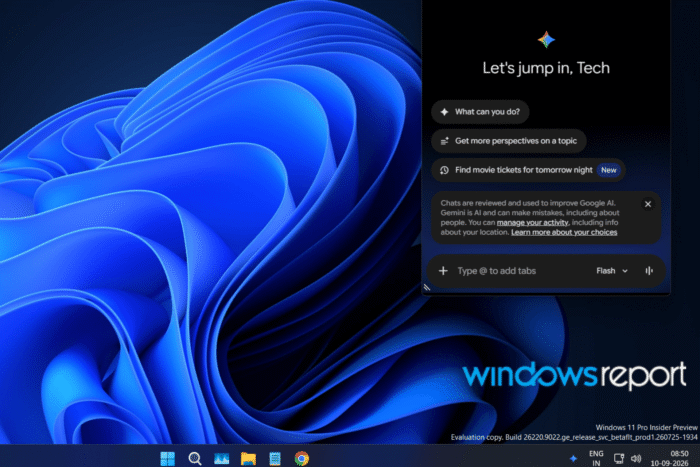
Google is testing OS-level notifications for Gemini in Chrome on desktop, letting Gemini alert you when it starts working on a task while you aren’t actively using the browser.
Gemini already uses persistent system notifications on Android for tasks that continue running in the background. Google is now testing a similar experience on desktop Chrome.
The change, first spotted in Chrome’s code by Windows Report, is tied to Gemini’s experimental triggering tasks. These are more automated tasks that can start running without you actively watching the browser.
The flag description sums up the change: “Enables OS-level system notifications for Glic experimental triggering task starts when no browser window is active.”
Instead of relying only on a message inside Chrome, the browser could show a normal desktop notification such as:
Working on your task
“Task name]: Working on your Gemini App task in Chrome. Check Chrome for more updates.
The notification can include the task name when one is available. If there’s no task title, Chrome can use a shorter version of the message instead.
Clicking the notification would take you back to the Chrome tab where Gemini is working. The notification would disappear when the task finishes or is canceled.
Bringing an Android feature to desktop
This isn’t a new feature for Gemini. As stated in the commit, Android already has persistent OS notifications for these tasks, and the new Chrome code specifically leaves Android out of the change because that notification system is already in place.
The desktop version is aimed at a different situation: Gemini can start working while you aren’t looking at Chrome. If a Chrome window is already active, the browser will continue using its existing in-Chrome messaging instead of showing a separate system notification.
Gemini is already present on the desktop
Gemini in Chrome already has a presence on desktop platforms, including Windows, where a Gemini icon can appear in the system tray near the clock. Clicking it gives you quick access to Gemini even when Chrome isn’t in the foreground.
The new work takes that desktop integration a step further. Chrome could use the system notification area to let you know when Gemini has started working on a task, rather than requiring you to keep checking Chrome.
The change is currently hidden behind a Chrome flag called “Glic Experimental Triggering OS Notification.” Glic is the name Google uses for its Gemini-powered assistant work inside Chrome.
Google is still working on it, and the flag isn’t available to test in Chrome Canary yet. There’s no guarantee it will make it to a stable release.


Read our disclosure page to find out how can you help Windows Report sustain the editorial team. Read more



Improve this guide



User forum
0 messages