
Chrome tests Gemini integration for its automated password change feature
Chrome Canary’s Password Checkup now shows a Gemini-branded “Change it for me” option for compromised passwords, with Glic tied to the sign-in and password-change process.


 3 min. read
  Published on
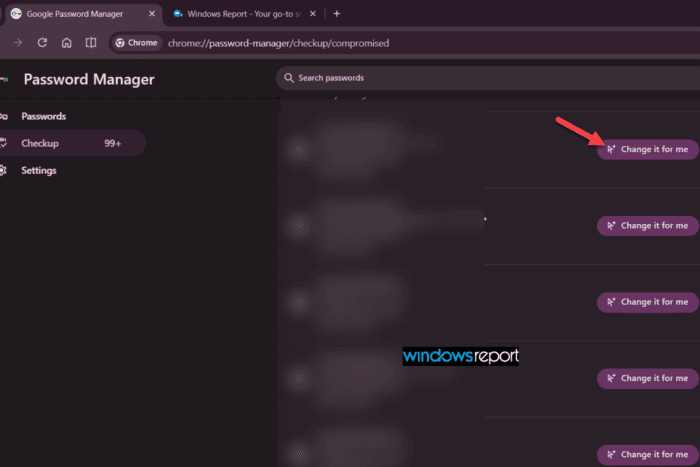
Chrome is testing a Gemini-powered password-change flow for compromised credentials in Canary, with Glic now tied directly to the automated password-change system.
In current Canary builds, Password Checkup shows a “Change it for me” button next to compromised passwords. The button carries the Gemini sparkle icon. After clicking it, Chrome changes the status to “Attempting sign-in . . ., also with Gemini branding.
In our tests, the password change did not complete, but Chrome reached the sign-in stage as part of the automated process.
How we triggered it
To test the new experience, we enabled two Chrome Canary flags: “Password change with Glic” and “Mark all credentials as leaked”.

Password change with Glic connects Glic to Chrome’s password-change process, while Mark all credentials as leaked makes Chrome treat credentials as compromised. This lets us trigger the password-change flow without waiting for a real data-breach match.

With both flags enabled, Password Checkup showed the “Change it for me” button next to affected passwords, complete with the Gemini sparkle. After clicking it, Chrome moved to “Attempting sign-in . . .” with the Gemini indicator still visible.
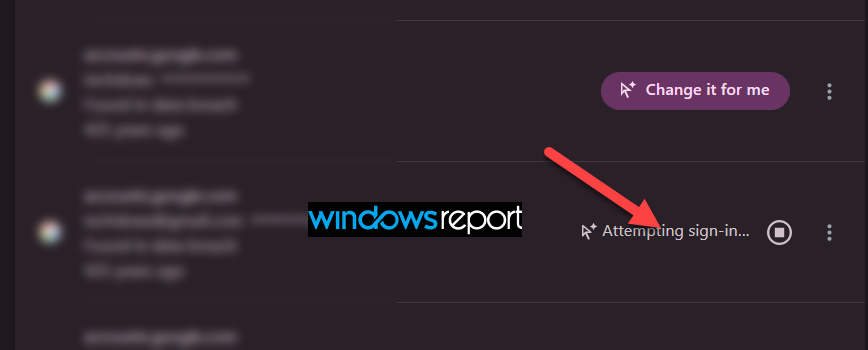
The password change did not complete in our test. Google says the automated password-change experience works on supported websites, so the full process may not work on every site.
Glic is now part of the password-change flow
The latest Chromium work adds a direct connection between Glic and Chrome’s password-change system, including a Glic password-change component that can be used from both the regular password-change flow and the flow that starts from Password Checkup.
In practical terms, Chrome can call on Glic when it needs to handle the website part of changing a compromised password.
The flow has separate stages for signing in, changing the password and checking whether the password change succeeded.
This has been a long-running Chrome project
Google first introduced automatic password changes in Chrome on supported websites in 2021. We reported the desktop version in February 2025, when the feature was tied to the Improved password change service and Mark all credential as leaked flags.
Google then publicly announced a newer AI-driven version in September 2025, showing it working with sites including Coursera, Spotify, Duolingo and H&M.
The current Canary test brings the pieces together. Password Checkup can show “Change it for me” for a compromised password, the action carries Gemini branding, and Chrome can hand the password-change task to Glic.
Chrome already knows when a saved password has been compromised. Google is now testing whether Glic can handle more of the work that comes after that warning, including signing in and changing the password for the user.


Read our disclosure page to find out how can you help Windows Report sustain the editorial team. Read more



Improve this guide




User forum
0 messages