
Dell Releases Fix for SupportAssist BSOD Issue While HP Investigates BitLocker Boot Loops


 3 min. read
  Published on
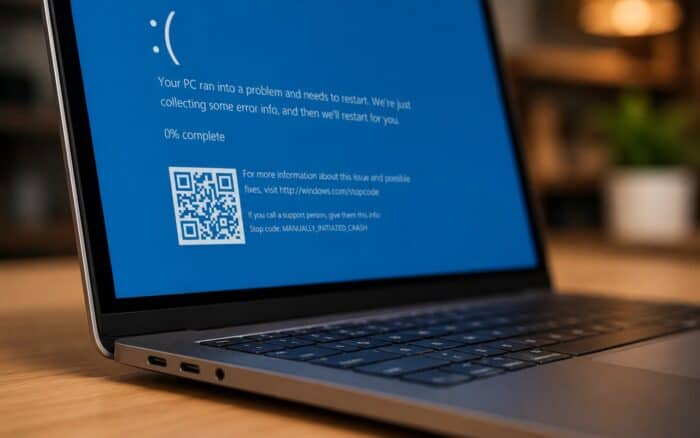
Dell has confirmed that a recent wave of blue screen crashes affecting some of its PCs is not caused by Windows itself, but by a faulty version of the company’s own SupportAssist Remediation software.
Dell Identifies Faulty SupportAssist Component as Cause of BSODs
According to Dell, systems running SupportAssist Remediation version 5.5.16.0 may experience unexpected Blue Screen of Death (BSOD) errors, sudden restarts, and system instability. The issue also affects Alienware devices because Alienware SupportAssist Remediation relies on the same underlying remediation component.
Dell stressed that users should not remove the main SupportAssist application. The crashes stem from the separate SupportAssist Remediation service, which is included with SupportAssist OS Recovery Tools rather than the primary SupportAssist software.
To resolve the issue, Dell has released SupportAssist Remediation version 5.5.16.1. Users can check whether they are affected by opening Windows Settings, navigating to Installed Apps, and verifying the installed version of SupportAssist Remediation.
Dell recommends installing the updated package through the SupportAssist “Update Software” feature or via Dell Command Update. The company also advises customers to back up important files before proceeding with the update and to keep their devices connected to a power source throughout the installation process.
HP Dealing With Separate Windows Recovery Problem
While Dell works to address its SupportAssist issue, HP is tackling a different problem that has surfaced after recent Windows 11 updates.
Some HP systems may repeatedly prompt users for their BitLocker recovery key after installing April 2026 Windows 11 updates. In affected cases, devices can become trapped in a recovery loop despite the operating system remaining otherwise functional.
HP says the behavior appears linked to UEFI Secure Boot CA 2023 certificates. If the certificates are not applied correctly, the system may fail Secure Boot validation checks and repeatedly trigger BitLocker recovery during startup.
The company recommends updating affected systems to the latest BIOS version and confirming that the required Secure Boot certificates are properly configured before installing the latest Windows security updates. Systems already experiencing the problem may require BIOS-level configuration changes to restore normal boot operation.
Ultimately, the issues affecting Dell and HP systems underscore the complexity of modern PC ecosystems, where software utilities, firmware settings, and security mechanisms can be just as likely as Windows updates to trigger unexpected problems.
As vendors work to deliver fixes, users are encouraged to keep their systems updated, follow manufacturer guidance, and verify recovery options such as backups and BitLocker keys to minimize disruption when issues arise.
Via Neowin

Read our disclosure page to find out how can you help Windows Report sustain the editorial team. Read more



Improve this guide



User forum
0 messages