
Early first look: Firefox’s Smart Window brings memory, models, and a dedicated AI workspace
Smart Window runs as a separate AI browsing mode in Firefox Nightly, with account-based access, memory controls, and a full-page workspace that goes beyond a sidebar assistant.


 3 min. read
  Published on

Mozilla is quietly turning Firefox Nightly into an AI-focused browsing mode through its “AI Window”, now labeled “Smart Window” inside Firefox’s interface. This is not a sidebar or a page overlay. It runs as a parallel browsing mode with its own window, UI, controls, and first-run setup.
Firefox’s Smart Window runs as a separate AI browsing mode
Access to Smart Window requires signing in to a Mozilla account, similar to how Chrome ties Gemini and AI Mode to a Google login. That also allows your AI setup to follow you across devices.
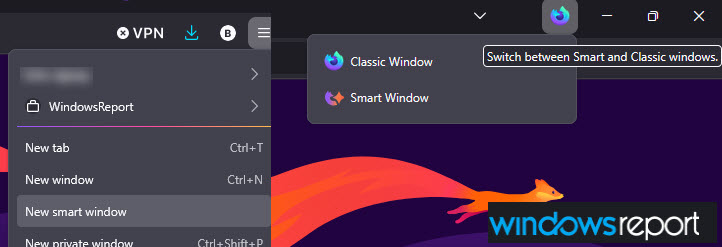
Once signed in, Firefox adds a menu option to open Smart Window, along with a Firefox logo button inside the AI window that switches back to the classic browsing view.
Personalization and memories
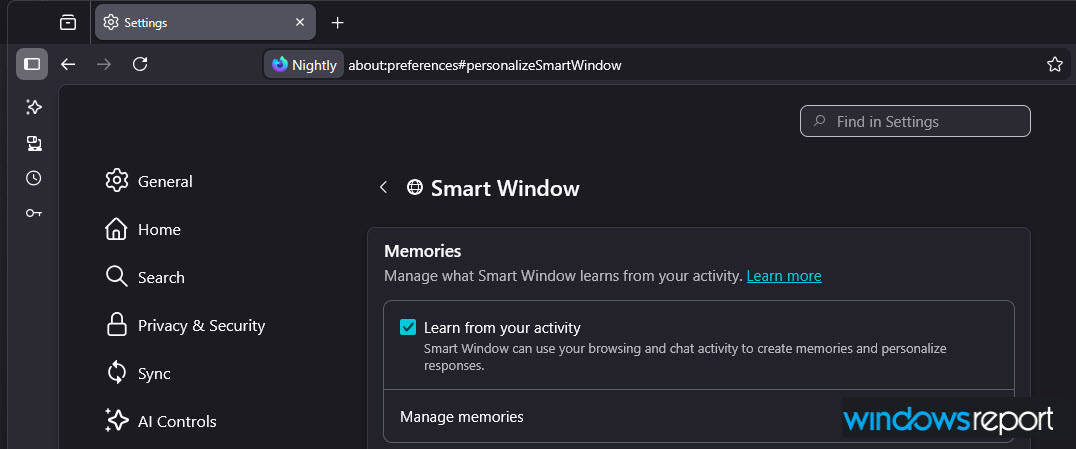
Smart Window appears under Settings > AI Controls, where Mozilla explains how it can learn from your activity. An option labeled “Learn from your activity” lets Smart Window create memories based on browsing and chat interactions to tailor responses over time.
There is also a “Manage memories” section where stored data can be reviewed or deleted. The memory list is currently empty, but the full control panel is already present.
A dedicated AI workspace
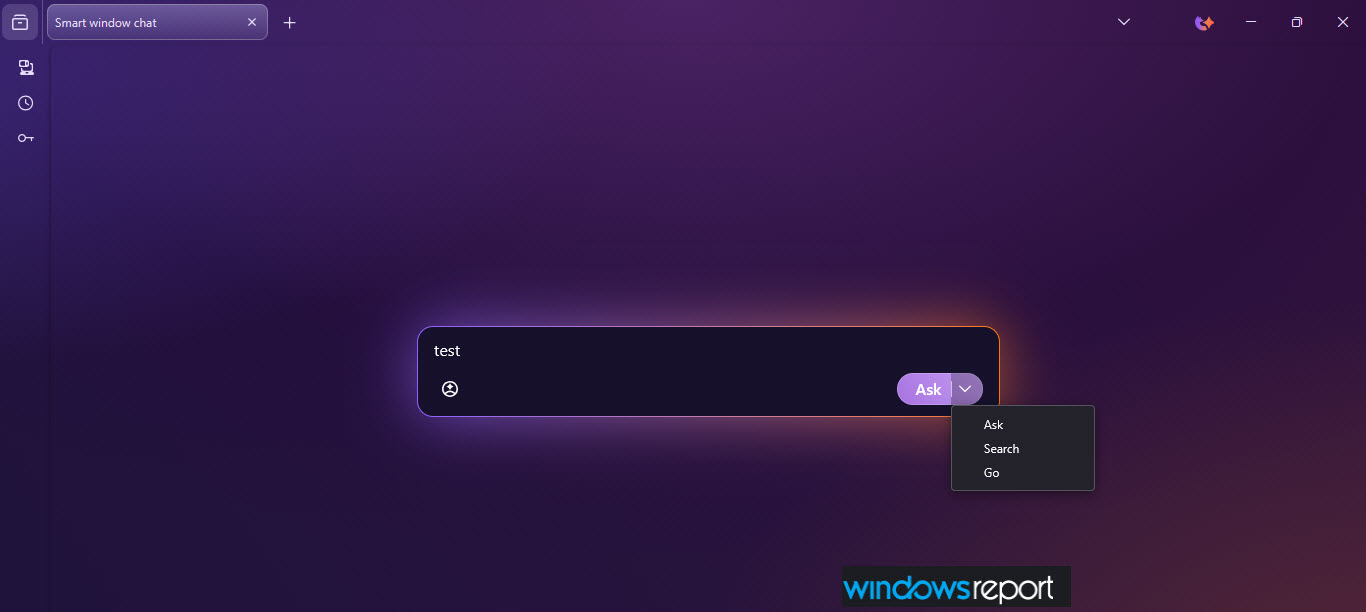
Opening Smart Window launches a Nightly-themed, full-page workspace with a single input box at the center that reads:
Ask, search, or type a URL
A person icon inside the input box toggles memory behavior in Smart Window. Separately, a Smart/Classic window switch next to the window controls marks Smart Window as a separate browsing mode.
After entering a query, Firefox offers three actions: “Ask” for AI chat, “Search”, which opens Google results in a new tab, and “Go” for direct navigation. At this stage, only Search works. Ask and Go are visible but inactive, which makes it clear the interface is in place while deeper AI behavior is still being built.
Model selection during the first-run experience
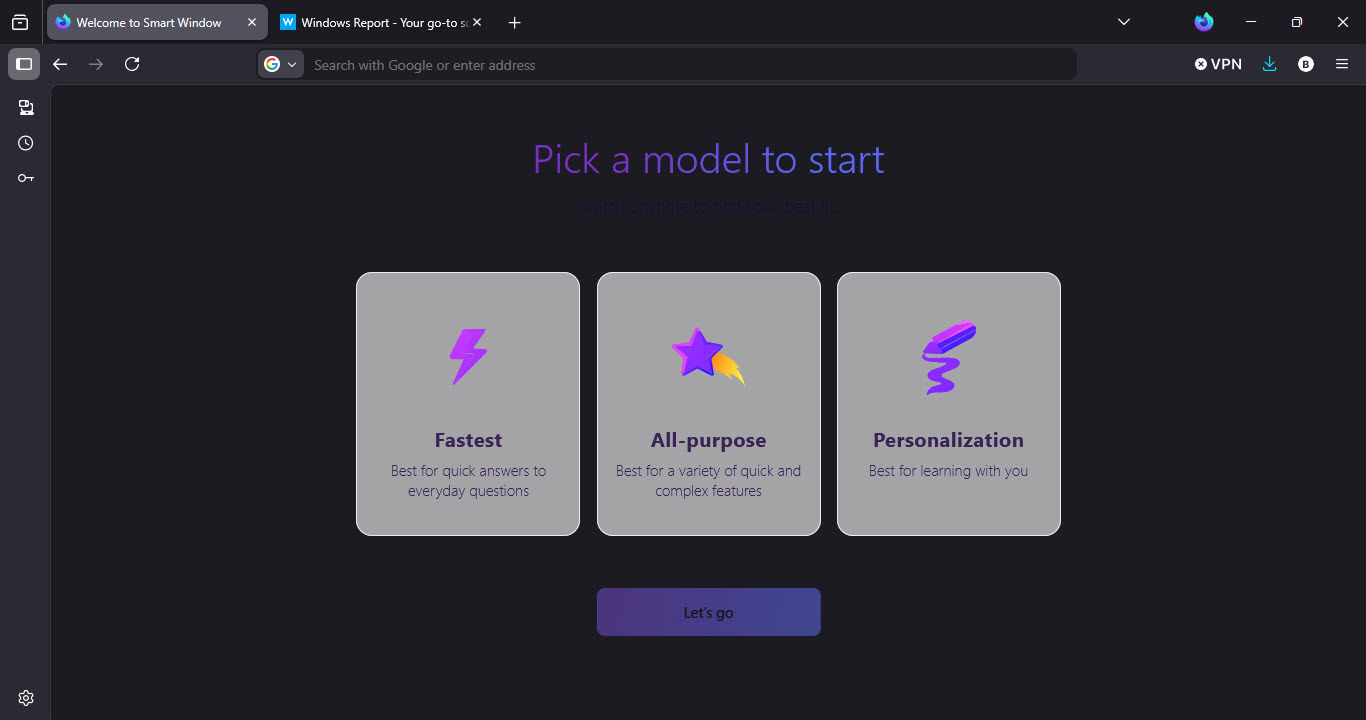
On first launch, Smart Window asks users to choose an AI model through a model selection screen focused on speed, versatility, or personalization. Mozilla also notes that models can be changed later. That level of choice gives users more control than browsers that rely on a single default model.
Even in its current Nightly form, Smart Window feels less like an added feature and more like a separate browsing environment inside Firefox. Account sign-in, memory controls, model selection, and a dedicated interface are already in place.
Mozilla recently announced Firefox AI Controls, which many users see as a kill switch for AI features. Those same settings also include controls for Smart Window, as shown above.


Read our disclosure page to find out how can you help Windows Report sustain the editorial team. Read more



Improve this guide


User forum
0 messages