
Firefox 144 Brings the Profile Manager You’ve Been Waiting For


 2 min. read
  Published on

Managing multiple profiles in Firefox has always been tricky, with no built-in option to switch between them easily. Mozilla is finally fixing this in the upcoming update, so here’s what you should know.
Firefox Finally Makes Multiple Profiles Easy
Firefox 144 to Bring Built-In Profile Management
Until now, users had to rely on the about:profiles page or launch the browser with the firefox -P command, neither of which offered a friendly experience.
The company is rolling out a new, native profile management feature that will make it easy to add, remove, and switch between profiles right inside Firefox.
Meanwhile, Chrome is testing a feature that lets websites detect your device’s power level, highlighting how differently each browser approaches user optimization.
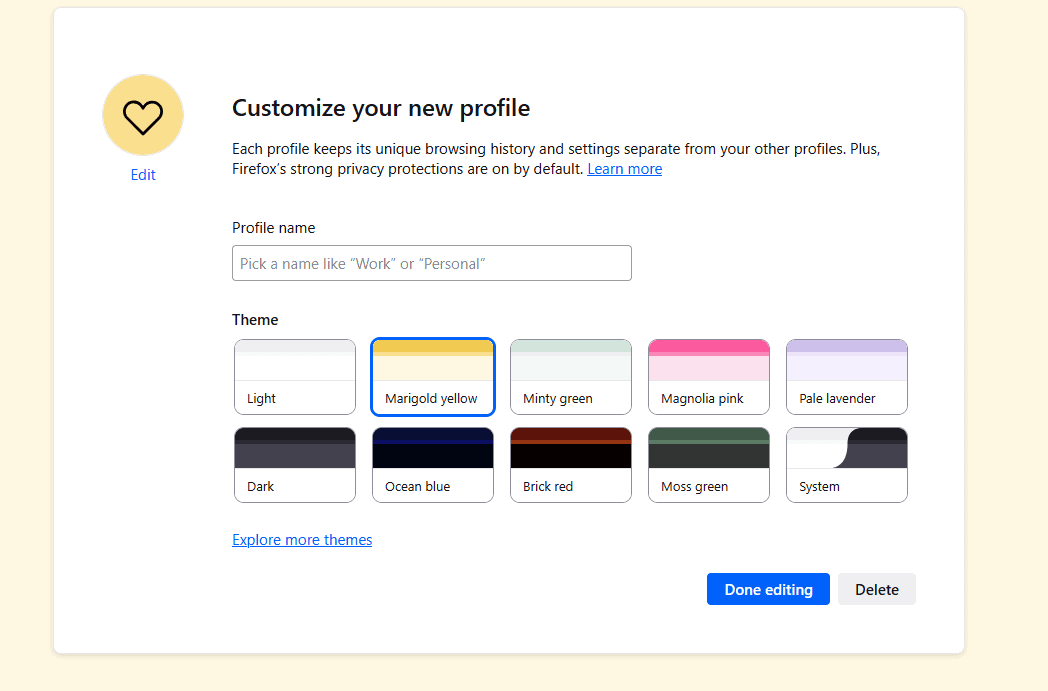
The update is set to arrive with Firefox 144 on October 14, introducing the feature to a limited group of users first. This marks one of Mozilla’s most user-requested quality-of-life improvements in years.
Firefox also recently refreshed its tab design to better match Windows 11’s rounded aesthetic, showing Mozilla’s commitment to modernizing the browser experience.
Speaking of browsers, Chrome’s next update may also introduce smarter AI-powered features for new tabs, showing that major browsers are racing to enhance usability.
Try Firefox’s Hidden Profile Manager Today
If you do not want to wait for the official release, you can test the feature right now, as it has been hidden since Firefox 138.
Here’s how to enable it:
- Open Firefox and type about:config in the address bar.
- Search for browser.profiles.enabled.

- Set the value to true.
Once enabled, you will be able to manage profiles directly from within Firefox, without any command-line shortcuts.

This long-awaited addition should make life much easier for users who juggle personal and work profiles or test environments.
Are you excited to try it out? Let us know in the comments below!

Read our disclosure page to find out how can you help Windows Report sustain the editorial team. Read more



Improve this guide




User forum
0 messages