
Firefox's Address Bar to Soon Help You Skip Search Pages & Jump Straight to Answers
Web searches will get faster, more private, and less dependent on Google


 2 min. read
  Published on

Mozilla is taking on other search engines with a new Firefox feature that displays direct results in the address bar. The company says this feature will help users skip the traditional search results page entirely.
The update, still in testing, could make finding information faster and more private. Today, when you type in your browser’s address bar, your search engine (like Google or Bing) suggests terms in real time. But those suggestions always lead to a full search results page.
Mozilla thinks that’s one step too many, and not always in the user’s best interest. With the new feature, Firefox will show answers right in the address bar. Those answers could range from flight updates, website links, or even local business info, all without leaving the page.

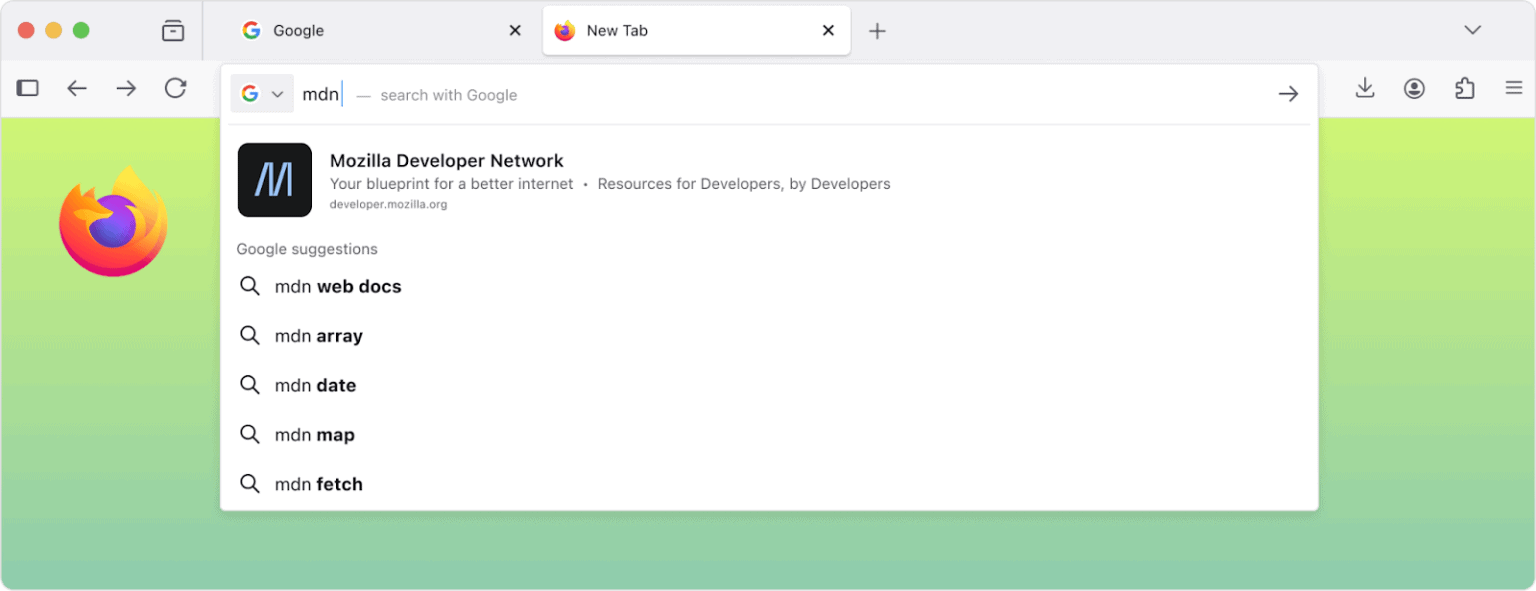

For example, typing a flight number might instantly show its status, or typing “MDN” could display a direct link to Mozilla Developer Network. Mozilla says the idea is to make the address bar more than just a search engine shortcut. The company emphasizes:
While search engines are useful, a single centralized source for finding everything online is not how we want the web to work.
Firefox’s direct results use a new protocol called Oblivious HTTP, which splits your search query and IP address between Mozilla and a third-party relay (operated by Fastly). In other words, Mozilla “can see the text, but not who it came from.”
Mozilla also plans to support the feature through sponsored results, but stresses that they’ll only appear when relevant. That too, without tracking individual users.
The company will roll out first in the United States next year, expanding later based on user feedback and performance. If you prefer traditional searches, you’ll still have the option to disable the feature in settings.

Read our disclosure page to find out how can you help Windows Report sustain the editorial team. Read more



Improve this guide




User forum
0 messages