
Flashing Scrollbars Return to Chrome, Minus the Distractions
Chrome will now flash only child scrollbars on hover or when they first appear, leaving the main viewport scrollbar untouched.


 2 min. read
  Published on
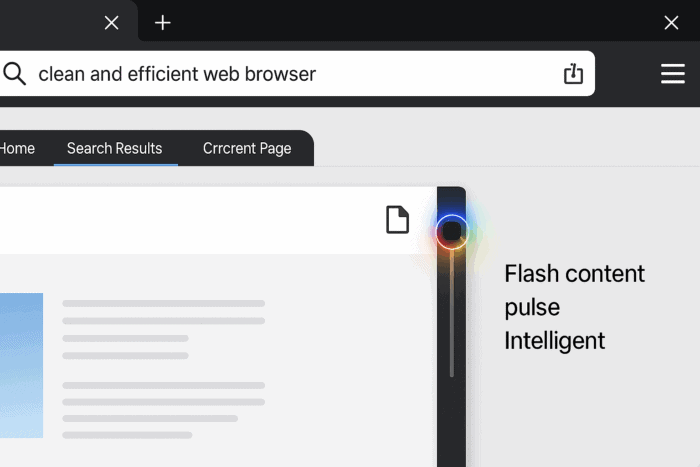
After making scrollbar colors match the browser theme, Google is implementing a new feature in Chrome Canary that makes overlay scrollbars flash when the mouse hovers over them or when they first become visible. The update is designed to provide clearer visual feedback and improve user clarity.
Until now, Chrome’s overlay scrollbars would flash during every scroll update, regardless of which part of the page the user was interacting with.
This “flash all scrollbars” behavior often felt distracting, especially on Chromebooks and other devices with trackpads. A bug report noted that scrolling the main article text could also trigger scrollbars in unrelated areas, such as a side menu, leading to confusion.
Intelligent Flashing
Chrome’s updated system makes scrollbar flashing more deliberate. They will now flash only in two cases:
- When they first become visible in the user’s viewport.
- When the mouse hovers over a scrollbar.
This isn’t the first time Chrome has tested the feature. It was originally implemented years ago but was later removed when its experimental flag expired.
Google is now re-implementing it with an adjustment: only child scrollbars flash, while the main viewport scrollbar stays untouched. This prevents constant flickering when moving between sections.
The feature is currently being tested in Chrome Canary under the following flag:
- Flag name: Flash Overlay Scrollbars When Mouse Enter
- Flag description: “Flash Overlay Scrollbars When Mouse Enter a scrollable area. You must also enable Overlay Scrollbars”
- Requires: Overlay Scrollbars enabled (Windows, Linux, ChromeOS)

With this update, Chrome aims to make scrollbars less noisy and more intuitive, offering visual cues only when they’re actually useful.
Google is not stopping there. Chrome will soon add an option in the Tab Group menu to turn a group into a bookmark folder. The browser is also getting new AI-powered security rules and may introduce an option to set Chrome as the default and pin it to the Windows 11 taskbar in one step.


Read our disclosure page to find out how can you help Windows Report sustain the editorial team. Read more



Improve this guide




User forum
0 messages