
Google Quietly Sets New AI Security Rules in Chrome
A newly live section in Chrome’s Security FAQ shows how Google will treat AI missteps versus real security threats.


 3 min. read
  Published on
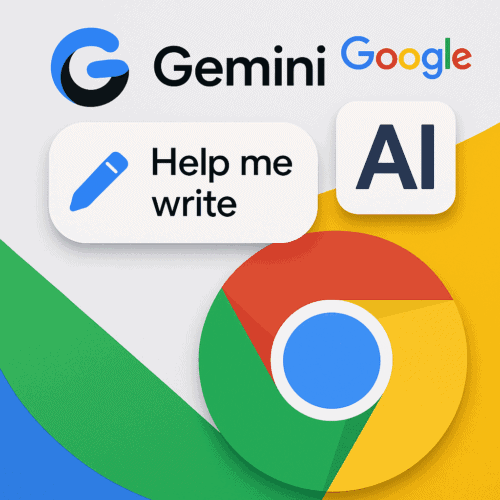
After adding Gemini, Help me write, and other AI features in Chrome, Google is now preparing for the security questions that come with them. I spotted a change in Chromium Gerrit that added an entirely new AI section to Chrome’s security documentation. That update is now live in the Chrome Security FAQ, marking the first time Google has published dedicated security rules for AI in its browser.
Here’s the takeaway: a strange or wrong answer from the AI isn’t a security issue, but if the AI does something harmful, Google treats it very seriously.
When an AI “Mistake” Isn’t a Security Bug
If Chrome’s AI gives you an odd, incorrect, or inappropriate response, Google says that’s not a security issue. It’s just the AI behaving unexpectedly. You should report these issues using the “thumbs-up/thumbs-down” or “Send feedback” buttons in Chrome. This helps Google improve the AI, but it won’t be treated as a security threat.
When AI Actions become Serious
A security issue arises when a website tricks Chrome’s AI into doing something it shouldn’t. This is called an “indirect prompt injection,” where hidden instructions on a webpage make the AI:
Do an action you didn’t ask for, or reveal information that you shouldn’t.
If you find this, Google wants you to report it. You’ll need to provide proof, like a video recording, the files used, and details about the AI session to help them investigate.
What About AI-Generated Code?
If the AI helps you write code that contains a security flaw (like cross-site scripting), that can also be considered a real security risk. Google will need a clear demonstration of the problem to fix it.
Why This Matters
While most people won’t read the full security FAQ, this new section is very important. It shows that Google is now thinking about AI as a potential target for attackers. By clearly defining the difference between a simple AI mistake and a dangerous action, Google is building the groundwork to keep its new, smart browser features safe for everyone.
Until now, Chrome’s security documentation didn’t include “AI Features” FAQs at all. A Wayback snapshot from late August shows the page without this section. Google has now made the Chrome AI FAQs live.
It’s a quiet addition, but an important one. It shows Google is drawing the first lines on how AI in Chrome will be judged: quirky outputs aren’t bugs, but harmful actions are a different story.
That’s not all. Google is preparing a new ‘Make default’ button in Chrome that not only sets it as the main browser on Windows but also pins it to the taskbar. Additionally, Chrome will soon let you access recent Tab Groups from the New Tab Page and may integrate AI Mode into Google Lens.


Read our disclosure page to find out how can you help Windows Report sustain the editorial team. Read more



Improve this guide


User forum
0 messages