
Google tests new desktop Search app for Windows featuring AI Mode and Lens
Google Search on Windows in a new way


 2 min. read
  Published on
It’s no secret that Google experiments a lot around its apps and services to offer the best experience it can. Now, the tech giant is taking search to Windows in a new way.
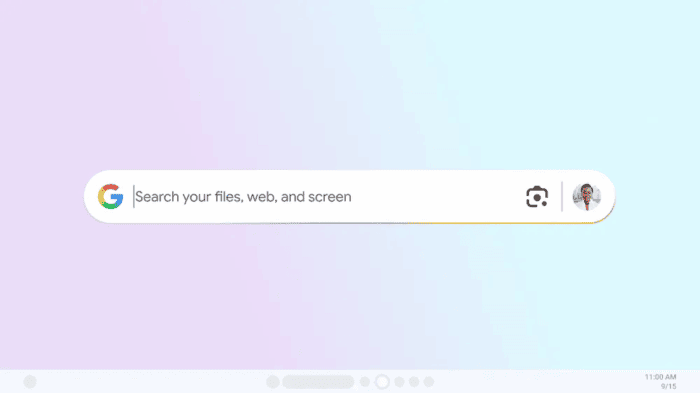
Google, in its The Keyword blogpost, announced the launch of a test version of its search app for Windows PCs. And it’s currently available for personal accounts via Google Search Labs.
The app brings more than just a typical search bar. Once installed, a floating search bar appears on your desktop, which you can drag anywhere and resize to fit your workflow. You can simply hit Alt + Space to minimize or open the app instantly.
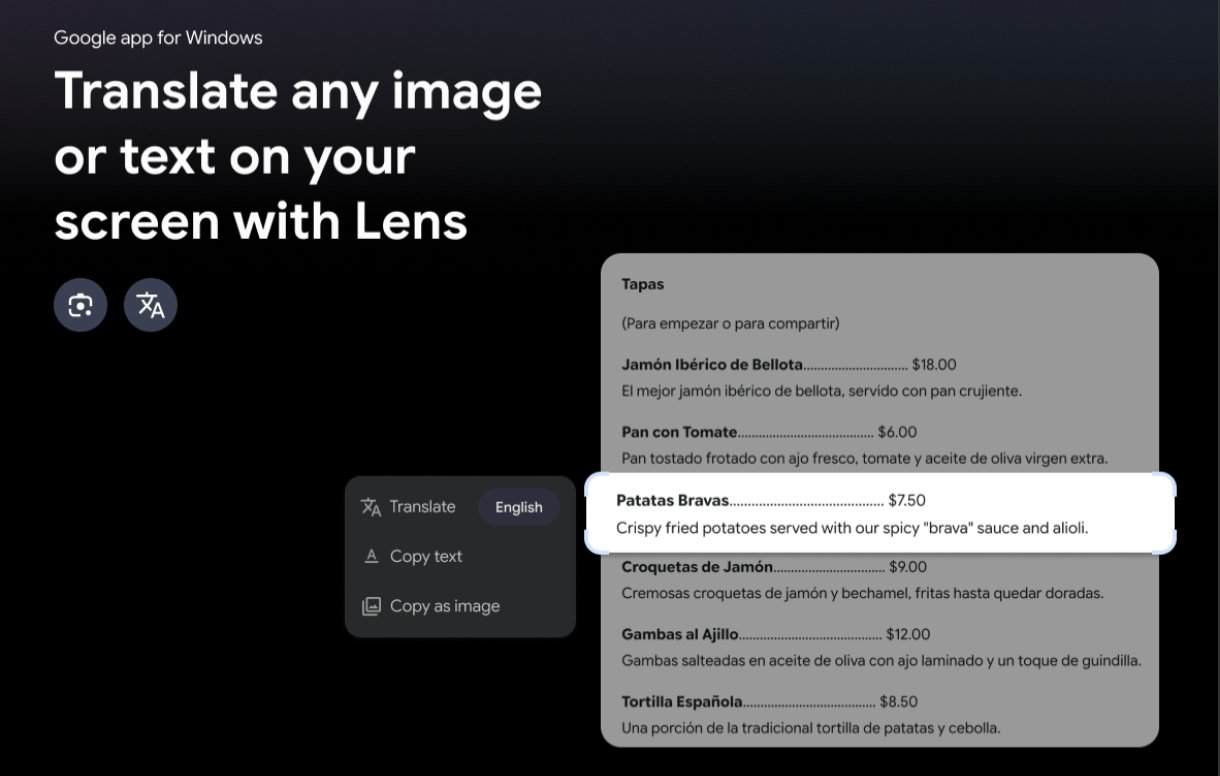
Google’s new Windows app isn’t limited to the web. You can search your local files, Google Drive, and the web, all from one place. What’s interesting is that the app also includes Lens, Google’s visual search tool. It lets you select images on your screen, translate text, or even highlight a math problem in homework and use AI Mode to find answers instantly.
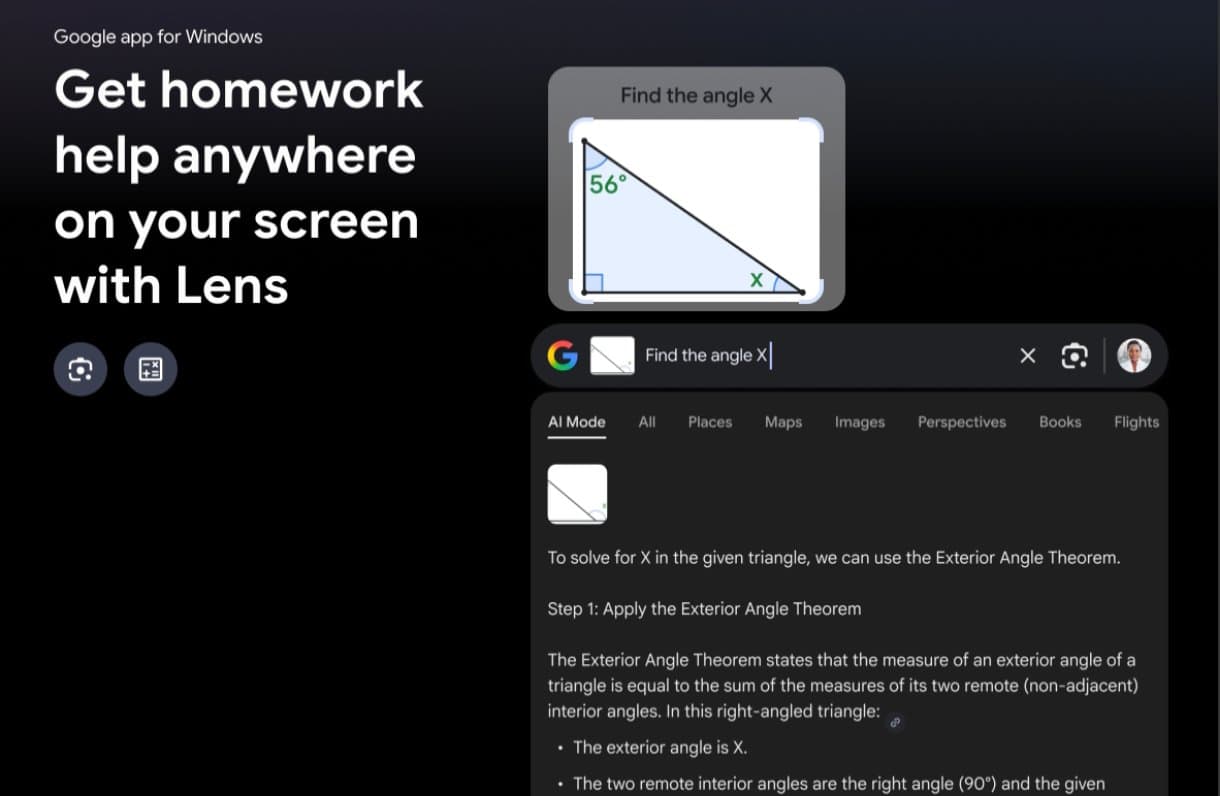
Well, switching between result types is equally easy. As on the web version, you can toggle between AI Mode, Images, Shopping, Videos, and standard search results. You can further switch between light and dark mode for a more comfortable visual experience. If you’ve thought of Mac’s Spotlight, well it’s kindof… but Google’s approach integrates AI and visual search from the start.
Google has built in customization options as well. You can enable or disable AI Mode entirely and even change the shortcut for opening the app by going to your profile picture and selecting Configurations. The app’s Chrome-like installation makes setup simple, requiring a sign-in to your Google account.
As of now, this experiment is limited to English language and U.S. users, running on Windows 10 or newer. If you are eligible, you can enable it on Google Search Labs to try it out today itself.

Read our disclosure page to find out how can you help Windows Report sustain the editorial team. Read more



Improve this guide
User forum
0 messages