
Here’s What Was Added to Microsoft 365 Copilot in September


 4 min. read
  Published on

Microsoft expanded Microsoft 365 Copilot in September with new Copilot Chat features, deeper agent integration, improved search, and additional controls for IT administrators.
The company detailed the changes in its Microsoft 365 Copilot September 2026 update, which also includes improvements across Teams, Outlook, Word, PowerPoint, Excel, SharePoint, and OneDrive.
Copilot Chat gets closer to Microsoft’s other Copilot experiences
Microsoft has redesigned the Copilot experience in Teams and Outlook to make it more consistent with the standalone Copilot app.
The company is also preparing an upgraded Copilot new tab page for Microsoft Edge, which is expected to arrive next month.
One of the more notable Copilot Chat changes allows users to invoke agents directly from their prompts. Instead of switching between separate tools or interfaces, users can call supported agents while continuing their conversation inside Copilot Chat.
Microsoft has also improved Copilot Search so it can better match queries against scanned PDF documents. This should make information stored inside scanned files easier to discover through Microsoft 365 search workflows.
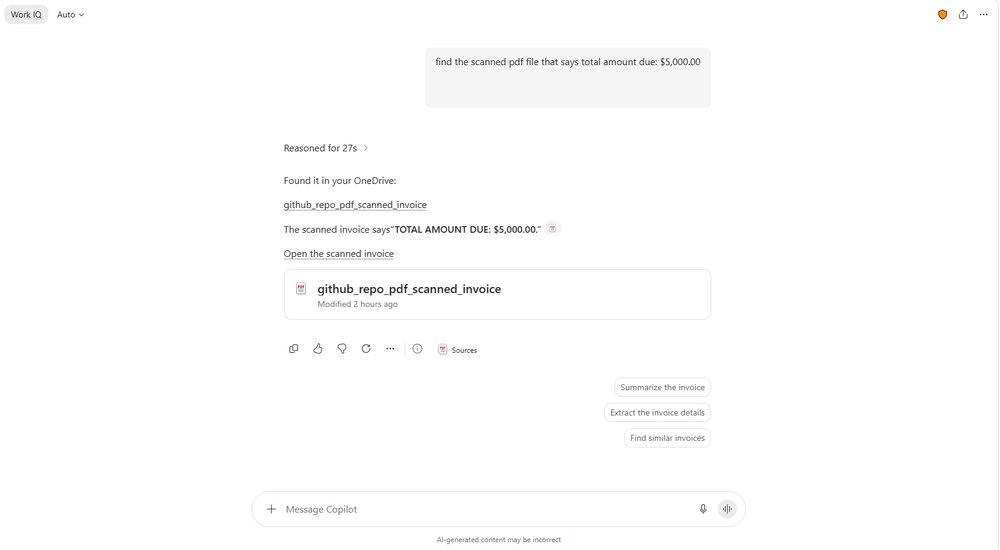
On mobile devices, Copilot-powered editing has expanded to Word, PowerPoint, and Excel for Android.
Microsoft adds more plugins, connectors, and Copilot apps
Microsoft is expanding the systems that organizations can connect to Copilot.
The company introduced new plugins and connectors designed for industrial data, alongside a unified plugin registry intended to simplify how organizations manage and discover integrations.
SharePoint Framework apps can also now appear directly inside Copilot Chat as interactive experiences. This gives developers another way to bring existing business applications and workflows into Microsoft’s AI interface.
Microsoft has also expanded the Record feature in the Copilot mobile app. Record can capture in-person conversations or voice notes and convert the information into actionable items.
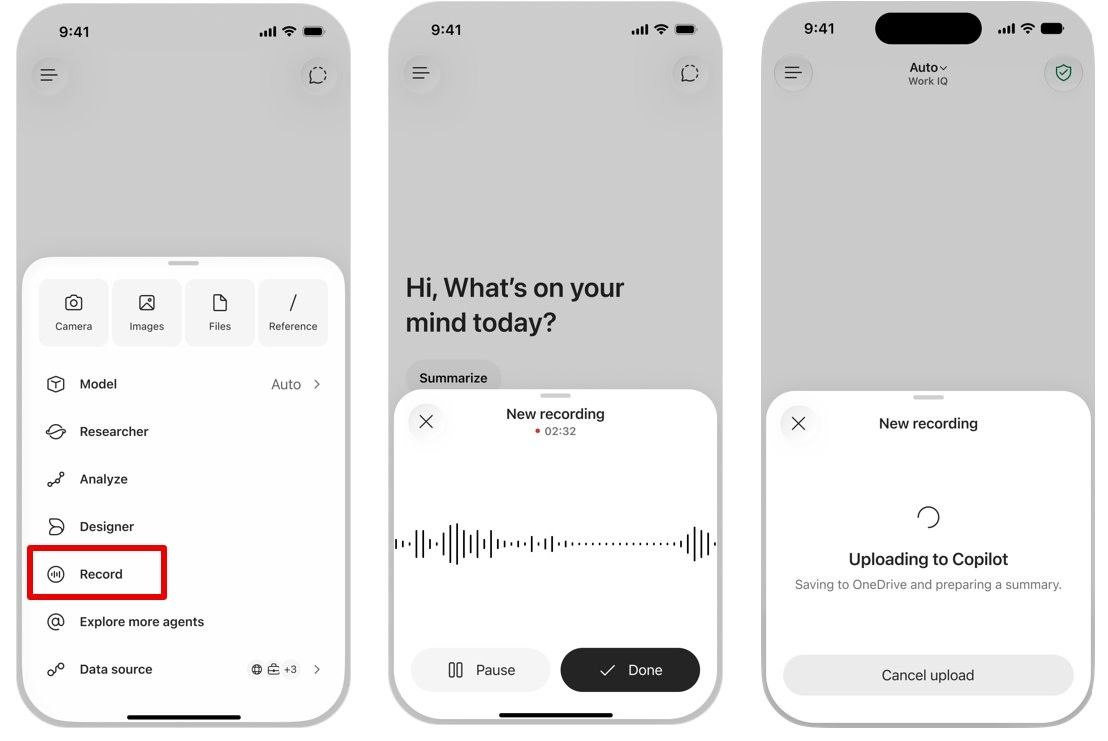
The feature could help users turn meetings, discussions, and spoken notes into tasks without manually rewriting the information afterward.
Copilot expands across Teams, Word, PowerPoint, and SharePoint
Several Microsoft 365 apps received their own Copilot improvements.
Microsoft introduced a Teams Phone agent for Copilot in Teams Phone, extending agent-based capabilities to calling workflows.
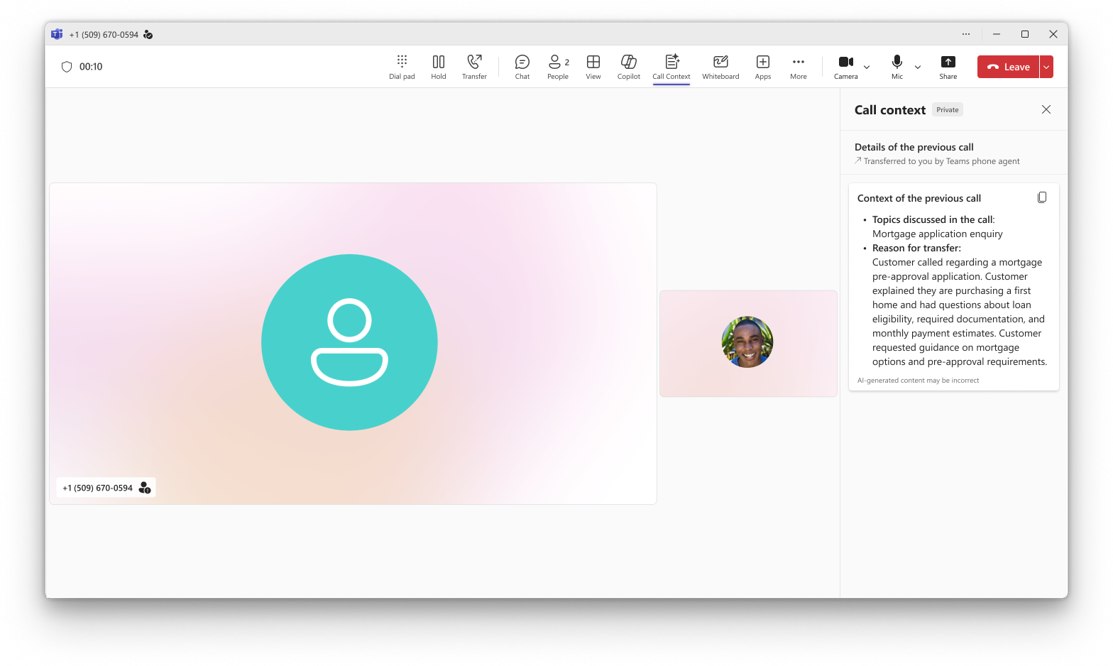
Copilot in Word now supports citations and image modification capabilities, while PowerPoint has gained additional skills and connectors.
Microsoft has also moved Copilot in SharePoint to general availability, making the feature available more broadly after its earlier testing and rollout stages.
Copilot in OneDrive has reached general availability as well.
Together, these changes continue Microsoft’s effort to make Copilot available across more parts of the Microsoft 365 ecosystem rather than treating it as a separate AI assistant.
IT admins can choose authoritative sources for Copilot Search
Microsoft is also giving administrators greater control over which information Copilot Search should prioritize.
IT administrators can now designate as many as 100 SharePoint sites as authoritative sources through the Microsoft 365 admin center.
Admins can view existing authoritative sources, add or remove individual sites, and bulk import or export source lists.
The option could prove useful for organizations that maintain large SharePoint environments but want Copilot to prioritize information from specific internal sites, such as official documentation, company policies, or centralized knowledge bases.
Microsoft adds Copilot adoption surveys
Microsoft is also introducing new tools for measuring Copilot adoption inside organizations.
IT administrators can create targeted Pulse surveys using dynamic survey lists and Copilot. Organizations can use the surveys to collect feedback from specific groups and track how employees are using Copilot.
The feature gives administrators another way to measure adoption beyond usage statistics and determine how employees perceive Microsoft’s AI tools.
Microsoft has been making several broader changes to Copilot at the same time. The company recently officially announced its new Copilot “Super App”, while another upcoming feature will bring tabbed web browsing directly into Copilot.
Microsoft is also changing how Copilot appears inside Teams. The company plans to remove Copilot from the Teams chat list, although the Copilot app itself will remain accessible from the Teams app bar.

Read our disclosure page to find out how can you help Windows Report sustain the editorial team. Read more



Improve this guide


User forum
0 messages