
EA FC26 Clubs Matchmaking Not Working? Try These Fixes


 3 min. read
  Published on
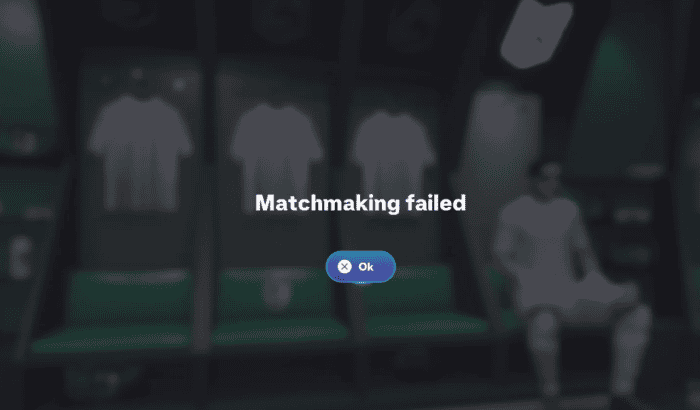
If EA Sports FC 26 Clubs suddenly refuses to find matches or keeps throwing lobby errors, you’re not alone. Following the latest game update, a growing number of players have flooded the EA Forums and Reddit with reports of failed matchmaking, failed lobby joins, and endless matchmaking queues. EA has yet to confirm a widespread outage, but community reports suggest the issue is affecting players across multiple platforms.
Before assuming the servers are down, work through the fixes below. In many cases, players have managed to get Clubs working again without waiting for a patch.
How to Fix EA FC26 Clubs Not Working – Tried & Tested Ways
1. Check if FC 26 Clubs servers are having issues
The first thing to do is verify whether the problem is on EA’s end. Recent posts on the EA Forums mention Clubs matchmaking failing after the latest update, while Reddit users have also reported being unable to find matches despite other online modes working normally.
If multiple players are reporting the same issue, your only option may be to wait until EA deploys a server-side fix.
2. Restart your Club lobby
Many players have reported temporary success by:
- Leaving the current Club.
- Creating a fresh lobby.
- Having every squad member rejoin.
- Letting a different captain search for the match.
This won’t fix every issue, but it can clear matchmaking glitches after updates.
3. Make sure everyone is on the same game version
If even one teammate hasn’t installed the latest FC 26 update, matchmaking can fail or display lobby errors.
Double-check that everyone has:
- Installed the newest game update.
- Restarted the game after updating.
- Restarted their console or PC.
Version mismatches remain one of the most common reasons Clubs lobbies fail to launch.
4. Toggle Cross-Play
Several players have found that disabling Cross-Play, restarting the game, and then enabling it again refreshes matchmaking.
You can also try searching with Cross-Play disabled if everyone is using the same platform.
5. PC players should update EA AntiCheat
If you’re on PC, reinstalling or updating EA AntiCheat has helped some users restore Clubs access after updates.
The basic process is:
- Open the FC 26 installation folder.
- Launch the EA AntiCheat installer.
- Select FC 26.
- Run the Update option.
- Restart your PC before launching the game again.
Community members report mixed success, but it’s worth trying if Clubs only fails on PC.
6. Check your internet connection
Basic network troubleshooting can also help:
- Restart your router.
- Use a wired Ethernet connection if possible.
- Disable VPNs.
- Ensure NAT Type is Open.
- Close downloads running in the background.
These steps reduce connection conflicts during matchmaking.
7. Wait for an EA fix if nothing works
If none of the above resolves the problem, chances are you’re dealing with an ongoing server or matchmaking bug. EA’s technical forums continue to receive fresh reports from players experiencing Clubs connection issues after the latest update, suggesting the problem isn’t isolated.
Until EA releases another server update or patch, keeping an eye on the official EA Forums is the best way to track new developments.

Read our disclosure page to find out how can you help Windows Report sustain the editorial team. Read more



Improve this guide


User forum
0 messages