
Is Instagram Sound Not Working? Try These 3 Fixes


 3 min. read
  Published on
If Instagram is not working for you, the cause is usually a muted media setting, audio routing problem, app glitch, or a missing permission. Users on r/Instagram have recently reported similar cases, including sound failing in specific videos while everything else works normally.
What can I do if the Instagram sound is not working?
1. Check volume, mute and Bluetooth
Before changing Instagram settings, rule out the simple audio problems.
- Turn up media volume, not just ringtone volume.
- Tap the speaker icon on the Reel or video to unmute it.
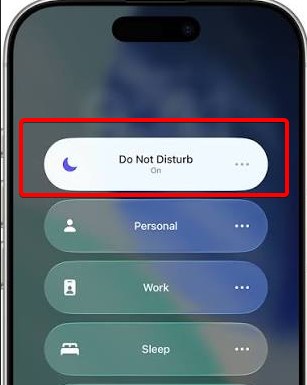
- Turn off Silent Mode or Do Not Disturb.
- Disconnect Bluetooth earbuds or speakers and test again.
- Play a video in another app to confirm your phone’s speakers work.
2. Restart and update Instagram
A temporary Instagram bug can leave Reels, Stories, or video audio stuck after an update or failed session.
- Force-close Instagram completely.
- Restart your phone.
- Open Instagram and test several different videos.
- Update Instagram through the App Store or Google Play.
3. Clear cache or reinstall Instagram
Corrupted temporary files can interfere with media playback.
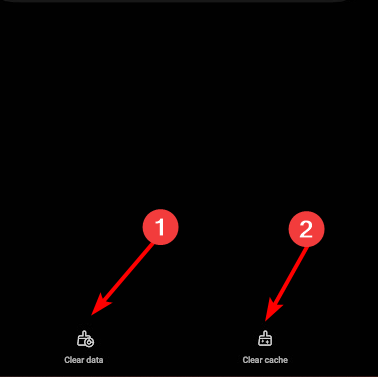
- Android: Settings > Apps > Instagram > Storage > Clear cache.
- iPhone: Offload Instagram or delete and reinstall it.
- Sign back in and test Reels and Stories.
This isn’t the only issue, and for some Instagram feed is not working at all. This isn’t the only problem, and users also reported that Instagram app is not working, but there’s a way to fix that.
Why is the Instagram sound not working?
Common causes include muted media volume, Bluetooth audio being routed elsewhere, corrupted cache, outdated app builds, temporary Instagram bugs, or audio licensing restrictions. Recent community reports also show that some sound problems affect only particular content or features.
FAQs related to Instagram sound issues
Is Instagram currently down, or is it just me?
If every video is silent, check Instagram’s status and test Instagram in a browser or on another device.
Will reinstalling Instagram delete my account?
No. Your account remains intact, although unsaved local data may be removed.
Why does sound work on Wi-Fi but not cellular data?
Network restrictions, DNS problems, or temporary routing issues may interfere with media delivery.
How long do server-side audio bugs take to fix?
There is no fixed timeline. Widespread Instagram audio glitches can disappear after a server-side correction.
What if none of these fixes work?
Report the problem through Instagram’s Help options and mention whether Reels, Stories, DMs, or all videos are affected.

Read our disclosure page to find out how can you help Windows Report sustain the editorial team. Read more



Improve this guide


User forum
0 messages