
Latest Windows 11 Beta (26H1) Build Reduces Monthly Reboots, Adds Taskbar Repositioning & More
Windows 11 Insider Preview Build 28020.2623 is out in the Beta (26H1) Channel


 2 min. read
  Published on
If you’ve ever delayed a Windows update because another restart sounded exhausting, Microsoft may finally have good news. Microsoft has released Windows 11 Insider Preview Build 28020.2623 for the Beta Channel (26H1).
Microsoft is finally reducing Windows 11 restart fatigue with Beta (26H1) Build 28020.2623
As part of the new build, the company is starting a unified update experience designed to reduce how often Windows asks users to restart their PCs. Rather than installing driver, .NET, and firmware updates separately, Windows will gradually bundle them alongside the monthly quality update whenever possible. That means many users should only need one monthly restart instead of multiple reboots spread across the month.
Microsoft is also making update pauses more flexible. Users can now extend paused updates as many times as needed instead of hitting a fixed limit.
The Beta (26H1) Build 28020.2623 also expands Microsoft’s recent taskbar improvements. Users can move the taskbar to the top, left, or right side of the screen. A new Smaller Taskbar option also reduces the height and icon size to free additional screen space. The similar taskbar customization feature has been rolled out via Windows 11 Beta Preview Build 26220.9022.
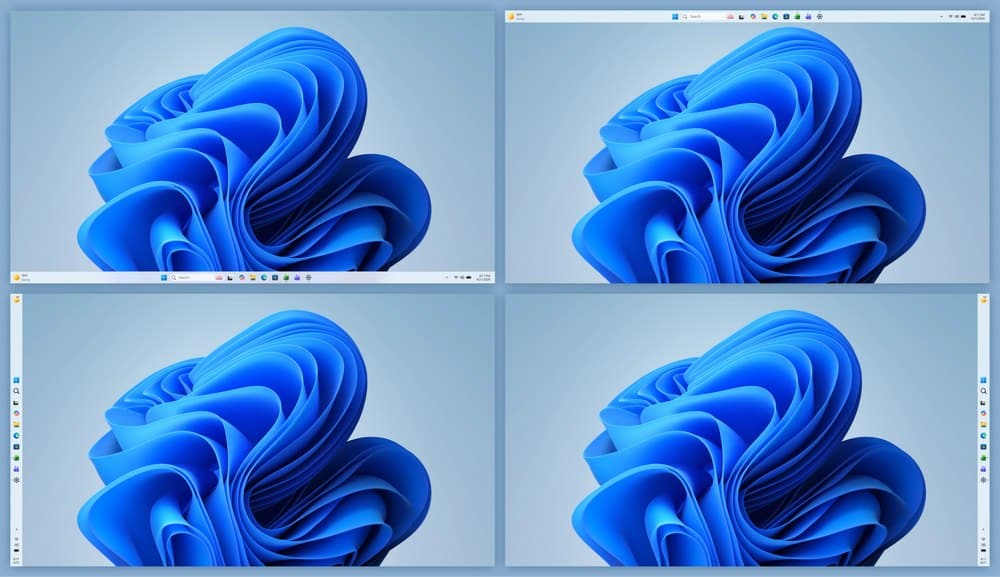
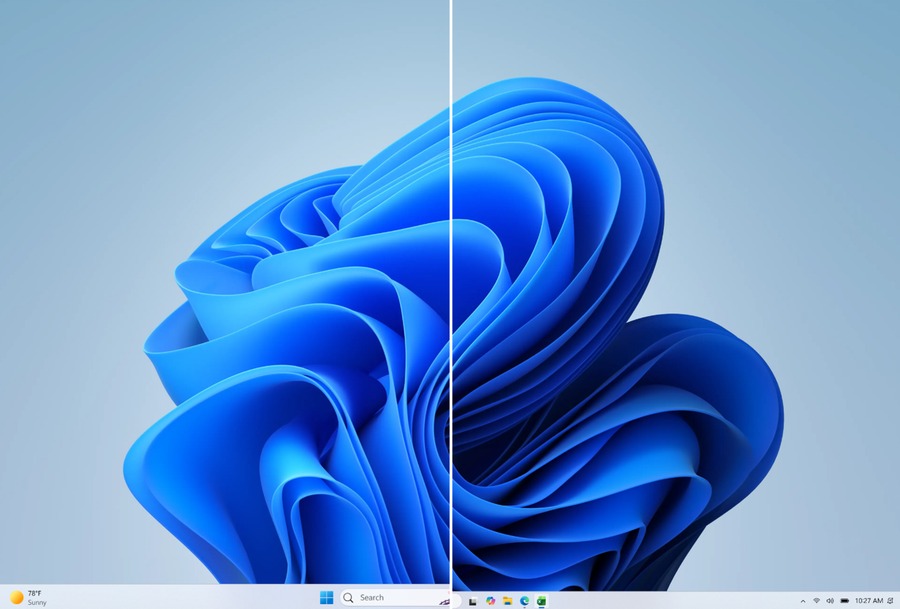
Image credit: Microsoft
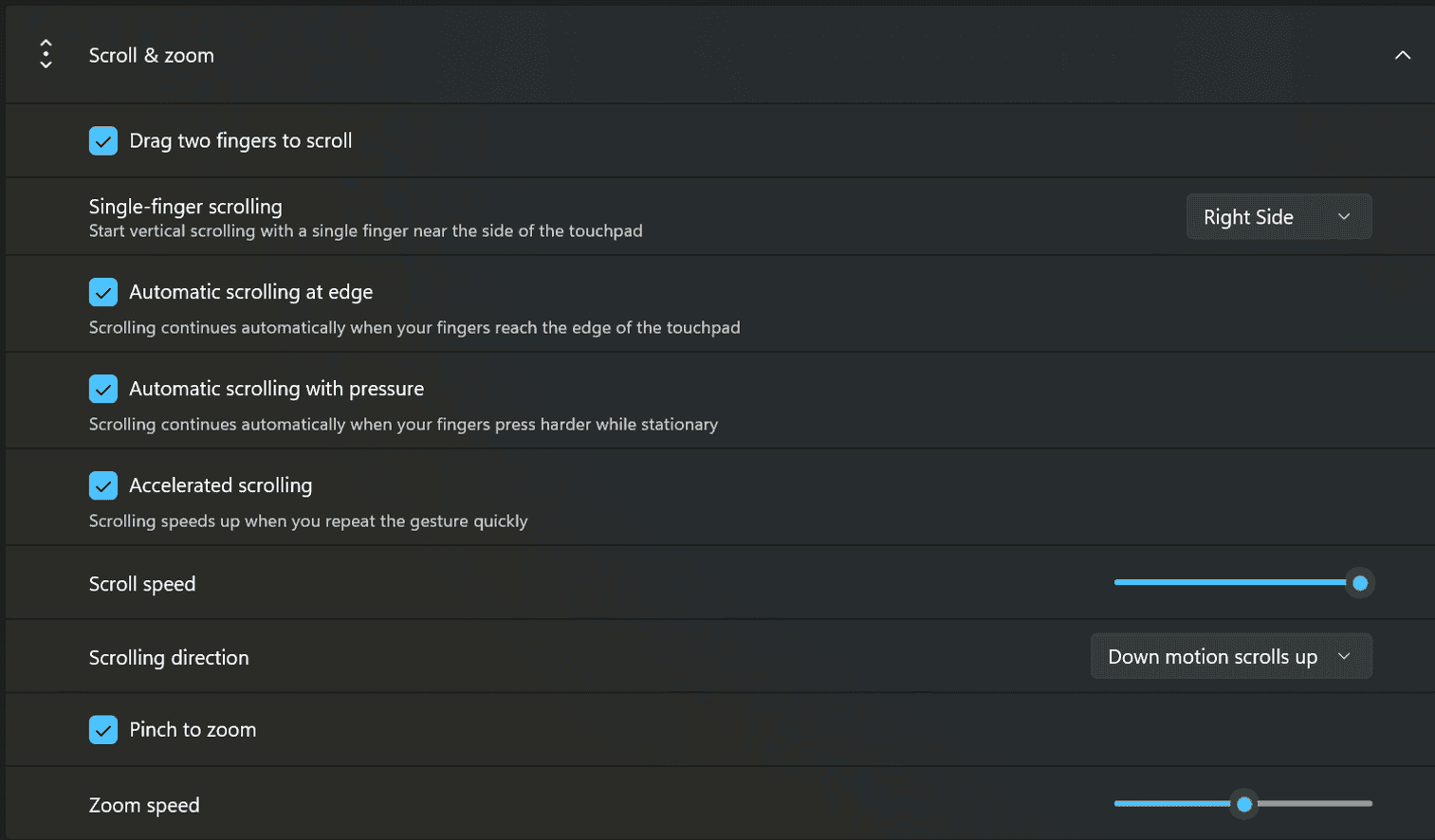
Speaking of usability, Microsoft has added several new precision touchpad features. Users can now adjust scrolling and zoom speeds, enable accelerated scrolling, and use optional single-finger scrolling across supported applications.
In addition to these new features, the update renews the Windows Insider flight certificate, which expires on August 11, 2026. Installing this or a newer build ensures Insider devices continue receiving preview updates. Microsoft also fixed a File History bug that falsely reported invalid SMB credentials during network backups.
Last but not least, File Explorer no longer incorrectly treats files from DFS mapped drives as internet downloads after reconnecting to a network, preventing unnecessary security warnings and unexpected Mark of the Web flags.

Read our disclosure page to find out how can you help Windows Report sustain the editorial team. Read more



Improve this guide




User forum
0 messages