
Logitech G HUB Is Finally Supported On Windows On Snapdragon PCs


 2 min. read
  Published on
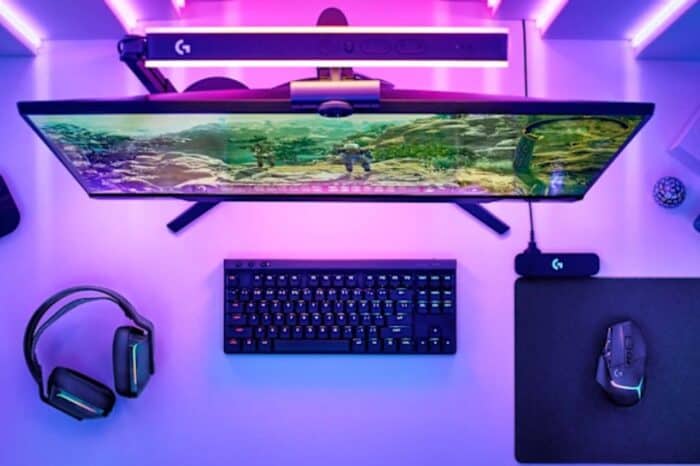
If you own a Windows PC powered by a Snapdragon chip, you can now customize your gaming gear. Logitech recently updated its G HUB software so it runs on ARM-based processors. This change means you can finally map keyboard buttons, change mouse sensitivity, and tweak headset settings without running into software errors.
The update opens up a lot of options for people who want to game or simply sync their lighting effects on newer devices. Qualcomm’s Senior Product Marketing Manager for Snapdragon X Series recently highlighted the change (via Windows Central) in the r/snapdragon subreddit.
What you can do with the app
The G HUB app acts as a central control panel for Logitech accessories. Once you download it, you can set custom macros for specific games and manage your different profiles. While the software runs through emulation instead of a native version, it still gives you full control over supported devices.
Qualcomm highlighted that gaming hardware is getting better support on its platforms. Some tested devices include the Logitech G603 and G304 mice, along with the G430 headset. Since that list is short, you will likely find that other Logitech gear works too.
Snapdragon laptops now deliver better gaming
These computers were not originally built just for gaming. However, new Snapdragon chips handle games much better than older models. Qualcomm recently improved its support for anti-cheat software, which lets popular titles like Fortnite run properly. Being able to use Logitech gear adds another layer of usefulness to these machines.
If you want to try the software, you can download the standard Windows installer directly from the Logitech website. It will handle the emulation automatically.


Read our disclosure page to find out how can you help Windows Report sustain the editorial team. Read more



Improve this guide

User forum
0 messages