
Microsoft 365 Copilot’s Researcher Agent Gets "Computer Use" to Access Secured Data
AI takes safe, human-like actions in a sandboxed Windows 365 VM


 2 min. read
  Published on
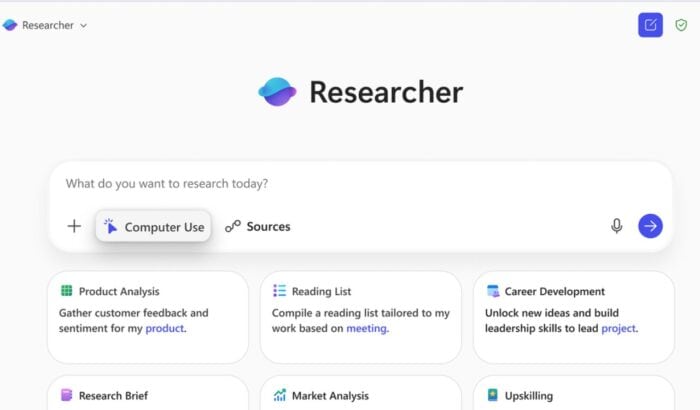
Microsoft is expanding what its Researcher agent in Microsoft 365 Copilot can do. The company announced a new Computer Use feature that allows Researcher to perform hands-on tasks inside a secure Windows 365 virtual machine, giving it the ability to navigate websites, log in to restricted sources, and pull verified insights from premium databases.
That means if you need a report based on, say, Gartner or Forrester data, Researcher can now safely access those gated portals, with your consent, and include those insights in its output. This bridges a critical gap between AI reasoning and real-world web interaction, something Microsoft calls “trusted, controlled autonomy.”
When you enable Computer Use, Copilot spins up a temporary, isolated virtual environment, a cloud-based computer that exists only for the session. Inside this sandbox, Researcher has a visual browser, text browser, and terminal to read content, execute commands, and analyze data. Each action it takes is screened by network safety classifiers that block unsafe or unrelated activity before it happens.
What’s interesting is that users can actually watch the AI’s process unfold. Through a live “Visual Chain of Thought,” Researcher shows each step in real time. And if the task requires a password or manual input, you can securely take control of the virtual desktop to complete the step.
Microsoft says the feature is now rolling out to Microsoft 365 Copilot Frontier program customers, with enterprise-level safeguards baked in by default. It’s another sign that Copilot’s agents are moving closer to functioning like real digital co-workers.

Read our disclosure page to find out how can you help Windows Report sustain the editorial team. Read more



Improve this guide




User forum
0 messages