
Microsoft Confirms New Outlook Bug Breaks Images in Emails, Newsletters & Signatures
The company is investigating the issue as of now


 2 min. read
  Published on

If images inside your Outlook emails, newsletters, or even signatures have suddenly started disappearing, you are definitely not alone. Microsoft has now confirmed a new bug in classic Outlook that causes embedded images to completely fail loading in certain emails.
The bug reportedly started showing up after Version 2604 Build 19929.20164+, and it can leave users staring at blank image spaces, broken placeholders, or the classic red “X” error icon. In some cases, Outlook also throws an error message saying the linked image can’t be displayed because the file may have been moved, renamed, or deleted.
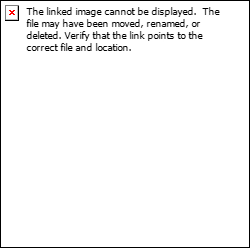
According to Microsoft, the problem usually affects emails using specific image wrapping formatting. More specifically, images configured with “Top and Bottom” text wrapping appear to trigger the rendering issue.
What makes this even more frustrating is that the images are technically still inside the message source. Microsoft says users can actually verify the bug by opening the affected email, heading into “View Source,” and checking for image tags tied to CID references like:
That being said, the bigger concern is what happens afterward. Microsoft warns that while original emails should display correctly once a fix arrives, replies and forwarded versions may permanently lose those missing images entirely because the content never properly attaches in the first place.
As of now, Microsoft says the Outlook team is actively investigating the issue. There is currently no permanent fix available yet. For the time being, the company recommends avoiding image layouts that use “Wrap Text: Top and Bottom” inside emails or signatures. That workaround apparently prevents the rendering issue from happening altogether. While you wait for official fix, you can also check our guide to fix the issue.
via: Neowin

Read our disclosure page to find out how can you help Windows Report sustain the editorial team. Read more



Improve this guide


User forum
1 messages