
Microsoft Edge tests AI-powered browser troubleshooting with new “Fix an issue” feature
Edge Canary reveals hidden “Fix an issue” page and AI diagnostic toggle.


 3 min. read
  Published on

Microsoft Edge is testing a new, undocumented settings entry in the Canary build that points to a different way of handling browser problems, with Copilot apparently doing the diagnosing.
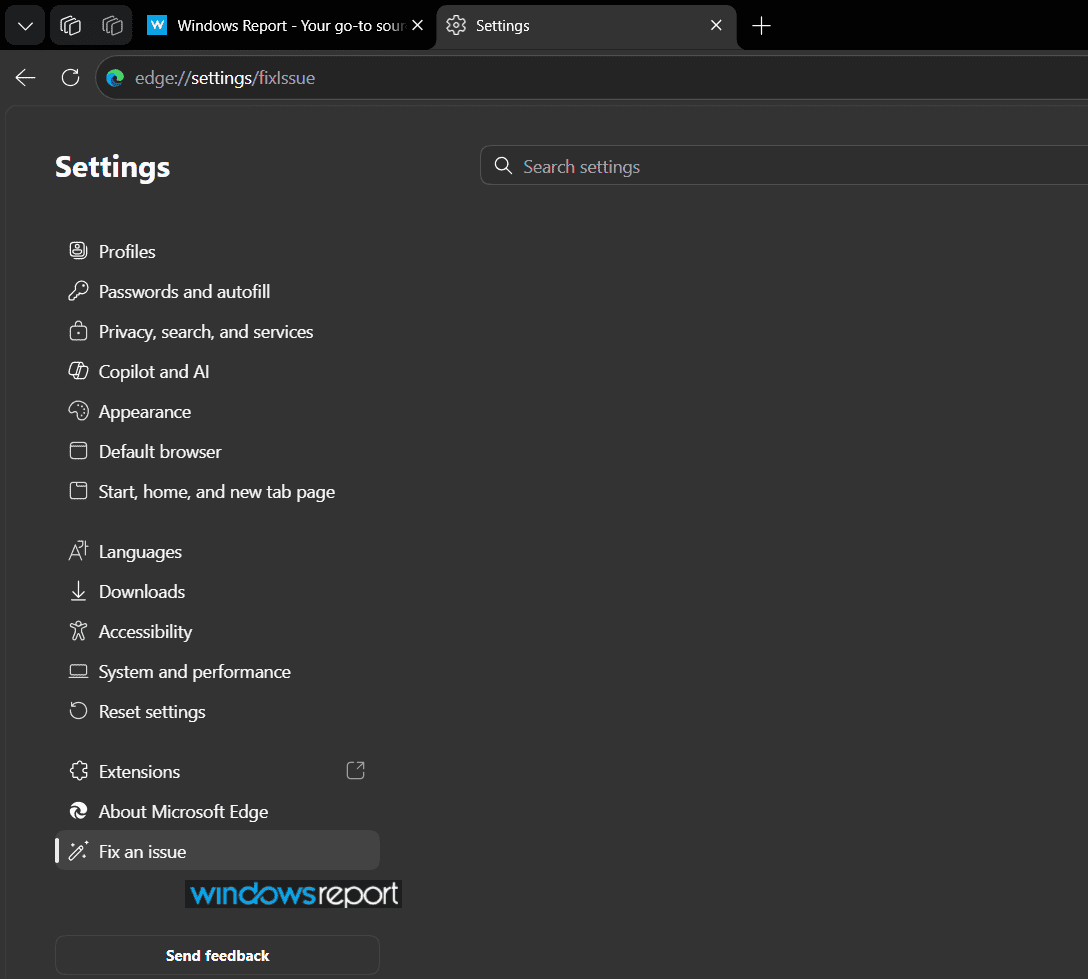
Fix an issue appears in Edge Settings
Right now, the page does not do much. It loads, but there is no visible diagnostic flow, checklist, or suggestions.
A Copilot setting behind “Fix an issue”
The more interesting find is buried elsewhere in Settings, under “Copilot and AI,” in a section labeled “AI Enhancements.” The fact that this toggle lives on the Copilot and AI page, rather than under Privacy or System and performance, suggests Microsoft is building “Fix an issue” around Copilot from the start.
The toggle itself reads: “Use diagnostic data in ‘Fix an issue’ feature”. It is off by default, and the description says:
“When you use ‘Fix an issue’ in Edge settings, allow AI to analyze relevant diagnostic and settings data to identify and suggest solutions for browser problems.”
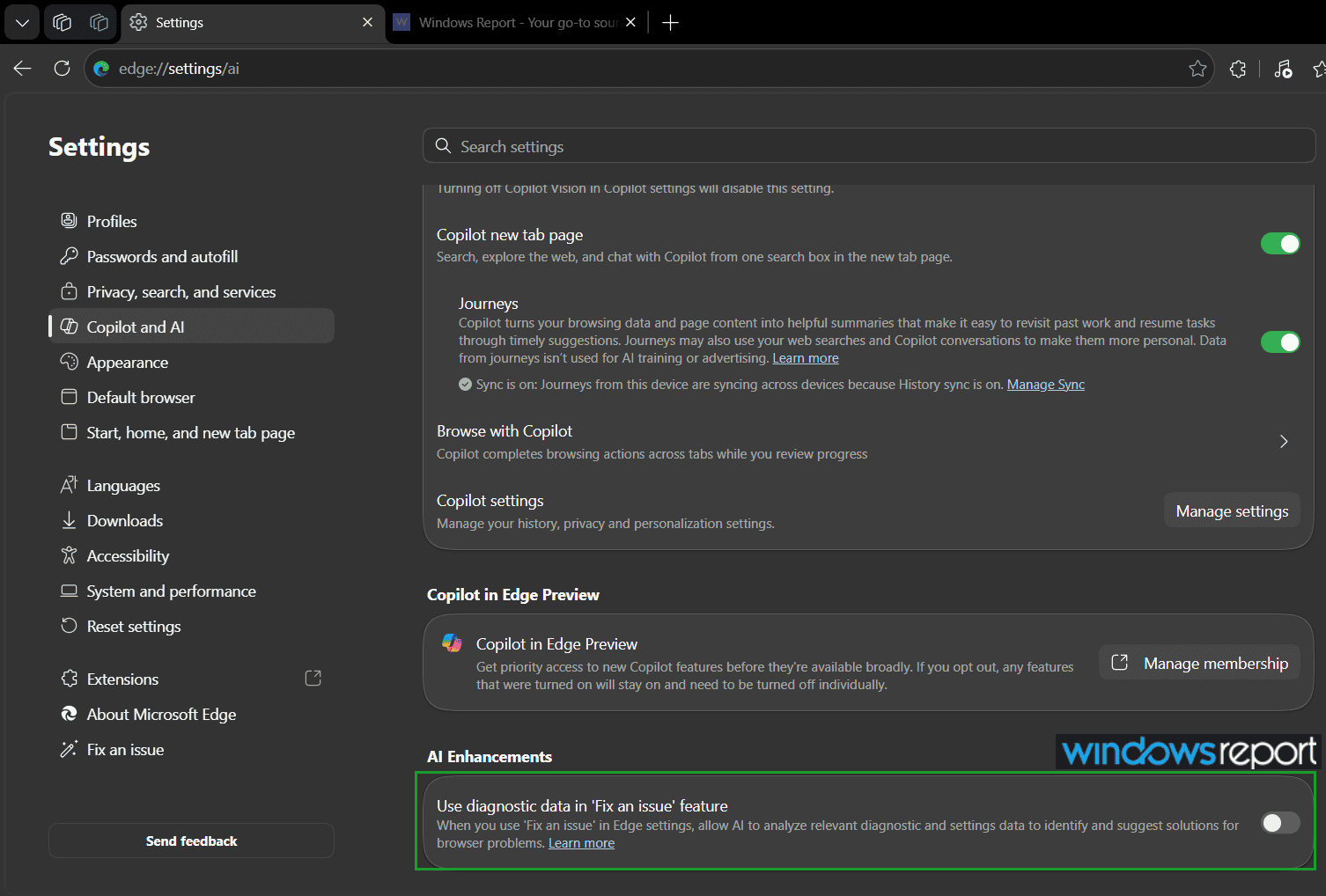
That suggests Microsoft wants Copilot to look at browser settings, configuration, and diagnostic data, then offer fixes when something goes wrong.
Turning the toggle on and returning to edge://settings/fixIssue did not change anything. The page stayed blank, with no analysis, no suggestions, and nothing to show that the toggle had any effect.
That is not unusual for Canary. Features often show up before the backend is ready, especially when they are behind a server-side flag. The fact that both the page and the toggle exist suggests Microsoft has started building this out, even if it is not active yet.
Microsoft has tried this before
“Fix an issue” looks like the next step in that progression. Instead of scattering Copilot prompts across Settings or rerouting a help shortcut, Microsoft seems to be building a single place for browser troubleshooting inside Edge.
If the feature develops as its name suggests, “Fix an issue” could become a one-stop troubleshooting tool inside Edge Settings for when the browser itself is acting up. Copilot could analyze settings, policies, extensions, and diagnostic data, then point to the likely cause and suggest a fix instead of making users work through a reset or cache-clearing checklist on their own.
Microsoft has also listed a separate website-compatibility feature on the Microsoft 365 Roadmap, which focuses on prompts for broken websites. It is not clear whether that feature and this settings page are connected or entirely separate, but both point in the same direction: Microsoft is leaning on Copilot to do more of the troubleshooting work inside Edge.
For now, neither the “Fix an issue” page nor the toggle appears to do anything yet. We will keep an eye on future builds for more clues.
Microsoft also recently announced that Edge will move to a two-week release cycle for major Stable versions, starting with Edge 152 in August, bringing it closer to Chrome’s new two-week cadence, which begins in September.


Read our disclosure page to find out how can you help Windows Report sustain the editorial team. Read more



Improve this guide



User forum
0 messages