
Microsoft Edge updates the InPrivate disclaimer to clarify tracking prevention in private windows
The revised InPrivate notice explains that tracking prevention matches normal browsing unless Strict is enabled.


 2 min. read
  Published on

Microsoft Edge has updated the text on its InPrivate page to better explain how tracking prevention works during private browsing. The message states that InPrivate uses the same tracking level as a normal window unless you switch it to Strict, and it points to the toggle that controls this choice. The revised wording is now visible in the latest Edge release.
When you open an InPrivate window in Edge, a notice at the top explains what private browsing does. This update does not add new privacy controls. The option to always use Strict tracking prevention in InPrivate has been available in Edge’s settings for some time and continues to work the same way. Edge keeps the existing tracking level as the default unless Strict is chosen for private windows.
Recently, we reported that Edge’s InPrivate mode uses the same tracking prevention setting as normal windows. The updated InPrivate notice now explains this behavior more clearly.
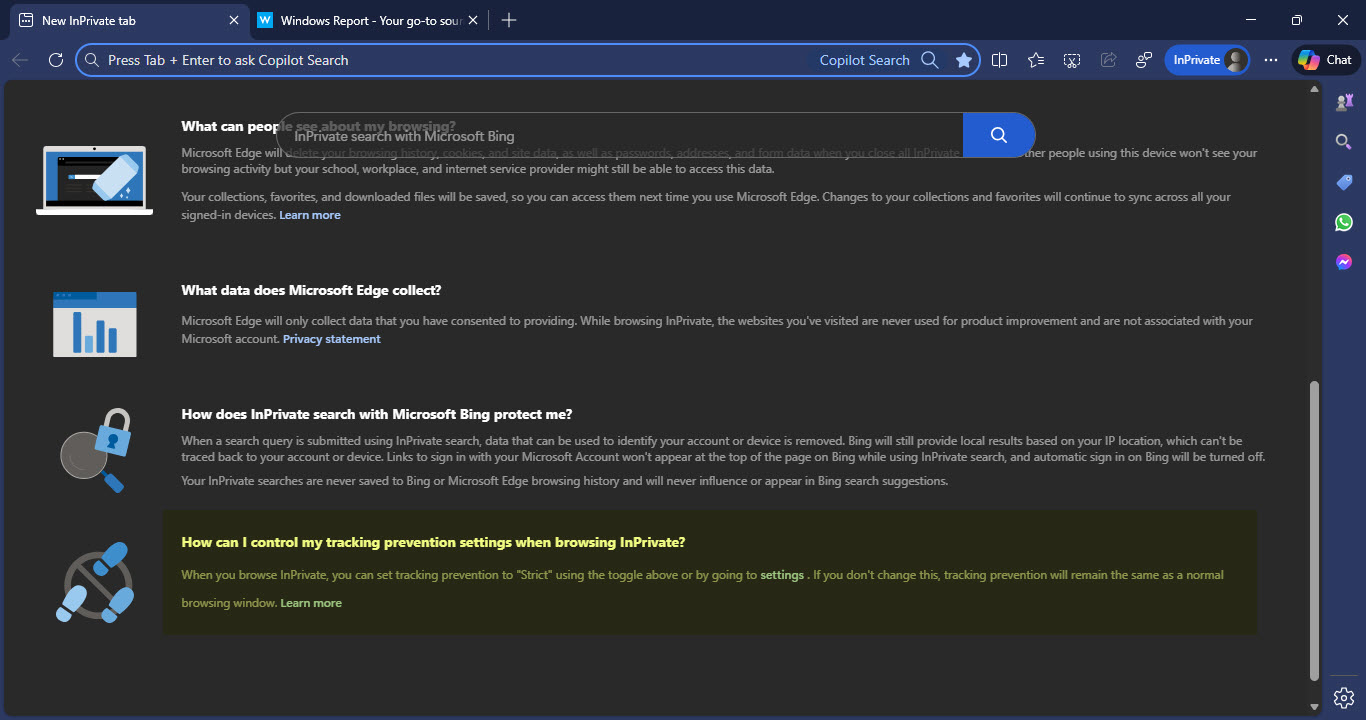
The notice shown inside the InPrivate window now states:
How can I control my tracking prevention settings when browsing InPrivate?
When you browse InPrivate, you can set tracking prevention to “Strict” using the toggle above or by going to settings . If you don’t change this, tracking prevention will remain the same as a normal browsing window. Learn more
The only change is the explanation shown inside the InPrivate window. The revised wording makes clear that tracking prevention can match the regular browsing level when Strict is not selected. This clarification helps avoid confusion about where InPrivate protection begins and ends.
InPrivate browsing still deletes local data such as history, cookies, and site data after all private windows close. Network-level and website tracking behavior continue to follow the tracking prevention level configured by the user.
This revision focuses on clarity rather than new functionality. Edge’s privacy behavior does not change, but the description on the InPrivate page now explains private browsing more clearly.


Read our disclosure page to find out how can you help Windows Report sustain the editorial team. Read more



Improve this guide




User forum
0 messages