
Microsoft Fixes Windows Server 2025 BitLocker Recovery Issue in June 2026 Updates


 3 min. read
  Published on
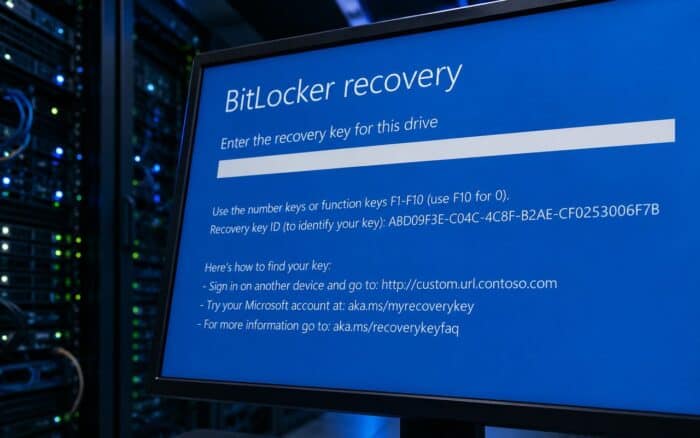
Microsoft has released a fix for a known issue that caused some Windows Server 2025 systems to unexpectedly enter BitLocker recovery mode after installing the April 2026 security updates, according to reports from BleepingComputer.
The problem was first acknowledged following the April 2026 Patch Tuesday release, when administrators began reporting that affected devices were prompting users to enter their BitLocker recovery keys during the first reboot after the update was installed.
Issue Limited to Specific Configurations
Microsoft said the bug only affected devices configured with a particular combination of BitLocker, TPM, and Secure Boot settings.
To be impacted, a system needed to have BitLocker enabled on the operating system drive and the Group Policy setting “Configure TPM platform validation profile for native UEFI firmware configurations” enabled.
The issue could occur when PCR7 was included in the TPM validation profile or when the equivalent registry configuration had been manually applied.
Additionally, affected devices had to report “Secure Boot State PCR7 Binding” as “Not Possible” in the System Information utility.
Another requirement was the presence of the Windows UEFI CA 2023 certificate in the Secure Boot Signature Database. This certificate makes a device eligible to transition to the newer 2023-signed Windows Boot Manager. However, the issue only occurred if the system had not yet switched to that boot manager.
June 2026 Updates Deliver the Fix
Microsoft resolved the problem with the June 2026 Patch Tuesday updates, with the fix included in KB5094125 for Windows Server 2025 and KB5093998 for Windows 11 version 23H2.
According to Microsoft, the updates address BitLocker recovery prompts caused by boot file updates on systems using certain TPM validation settings.
To prevent future incidents, Microsoft has implemented safeguards that block devices with incompatible Group Policy configurations from automatically installing the 2023-signed Windows Boot Manager.
Administrators managing affected systems may also notice Event ID 1032 entries in the System event log during Windows Update installations.
Guidance for IT Administrators
Organizations that cannot immediately deploy the June updates have several mitigation options available.
Microsoft recommends removing the problematic Group Policy configuration before installing KB5082063 or any later updates. The company also advises ensuring that BitLocker bindings use the PCR7 profile whenever possible.
For environments where removing the Group Policy setting is not feasible before deployment, administrators can use a Known Issue Rollback (KIR).
The KIR prevents the automatic transition to the 2023-signed Windows Boot Manager, which is the change that triggers the unexpected BitLocker recovery prompt.
The June 2026 Patch Tuesday release included fixes for more than 200 security vulnerabilities across Windows.
However, some administrators have reported that KB5094127, a June update for Windows 10, may also be triggering BitLocker recovery prompts on certain systems. Microsoft has not yet confirmed whether these reports are related to the Windows Server 2025 issue or represent a separate bug.
Organizations experiencing BitLocker recovery prompts after installing recent updates are advised to review Microsoft’s guidance and deploy the latest patches where possible.

Read our disclosure page to find out how can you help Windows Report sustain the editorial team. Read more



Improve this guide




User forum
0 messages