
Microsoft Recaps All New Excel Features Added in June 2026


 3 min. read
  Published on

Microsoft has detailed the latest Excel updates released across Windows, Mac, and the web during June 2026.
The update cycle was larger than usual, with several Copilot-focused additions arriving alongside smaller usability improvements. The biggest changes include Copilot personalization rules, broader work data grounding, support for more file types, and a cleaner way to handle blocked PivotTable expansion.
Excel Copilot Gets More Personal
Excel now supports Copilot personalization rules, allowing responses to better match user preferences.
This means Copilot can respond in a way that more closely reflects how a user wants to work in Excel. For example, users may be able to guide Copilot toward preferred explanation styles, formatting habits, or workbook-specific expectations.
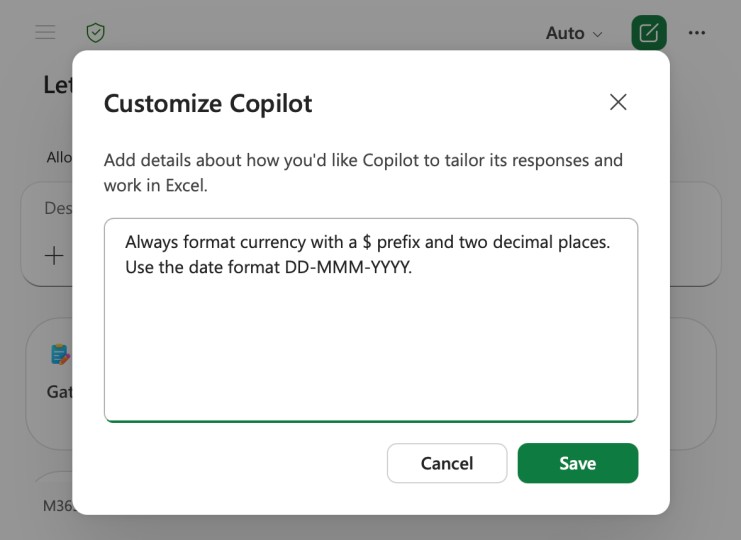
Microsoft is also expanding how commercial customers can ground Copilot responses in work data.
Through the file picker, Copilot in Excel can now use more business context from sources such as people, emails, meetings, channels, the web, Loop, and other connected work data. This should help Copilot provide answers that better match the user’s actual workplace content instead of relying only on the current spreadsheet.
Copilot in Excel Now Supports More File Types
Copilot in Excel also gained support for analysis across more than 30 additional file types.
The newly supported formats include JSON, XML, GIF, BMP, SVG, SQL, ASPX, and more. This expands the range of files users can bring into Excel-related Copilot workflows.
PivotTables Get a Cleaner #SPILL! Error
Microsoft also improved how Excel handles blocked PivotTable expansion.
Previously, when a PivotTable could not expand because another cell, object, or value was blocking it, the issue could be harder to diagnose. Excel now collapses the blocked PivotTable expansion into a single #SPILL! error cell.
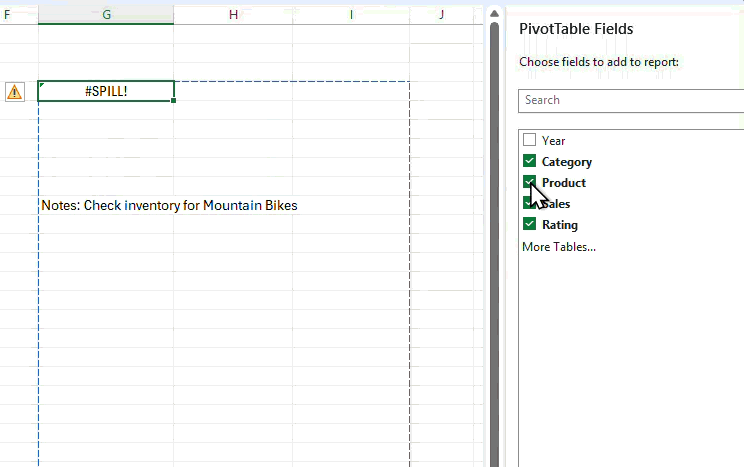
This should make the problem easier to spot and fix. Users can click the error and identify what blocks the PivotTable from expanding.
Copilot Chat Adds Navigable Links
Copilot Chat in Excel now includes navigable links.
When Copilot mentions specific changes in a workbook, users can jump directly to those changes from the chat response. This should make Copilot easier to use in larger spreadsheets where edits, formulas, or recommendations may sit across different sheets and cell ranges.
The feature also makes Copilot’s responses more practical because users do not have to manually search for every referenced change.
Excel for Windows and Mac Gets Insider Copilot Features
Excel for Windows and Mac also received new Copilot features, though some remain limited to Insiders for now.
Custom Copilot skills are now available to Excel Insiders on Windows and Mac. These skills allow organizations or advanced users to extend Copilot with more specialized capabilities.
Microsoft also introduced workbook rules for Copilot. These rules can be documented in a separate .Rules sheet, giving users a way to define instructions that Copilot should follow inside a workbook.
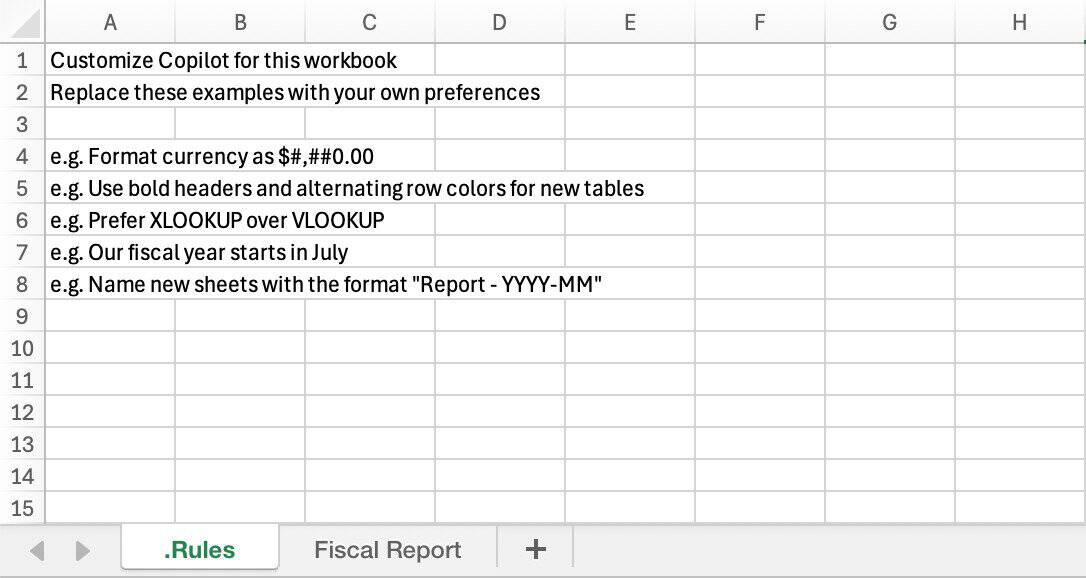
This could help teams keep Copilot aligned with internal spreadsheet standards, naming rules, formatting preferences, or business-specific requirements.
June’s Excel update stands out as one of the more exciting releases in recent months, especially with the growing focus on Copilot features. From personalization rules and expanded file support to improved work data grounding and workbook rules, the update highlights how quickly Excel’s AI capabilities are evolving.
Alongside these additions, practical improvements like the PivotTable #SPILL! fix and navigable Copilot Chat links make everyday tasks smoother. With this level of progress in June, it will be interesting to see what new features and refinements arrive in July.

Read our disclosure page to find out how can you help Windows Report sustain the editorial team. Read more



Improve this guide



User forum
0 messages