
Microsoft Store Web Now Lets You Install Multiple Windows Apps at Once
One-click install packs make setting up new PCs easier than ever


 2 min. read
  Published on
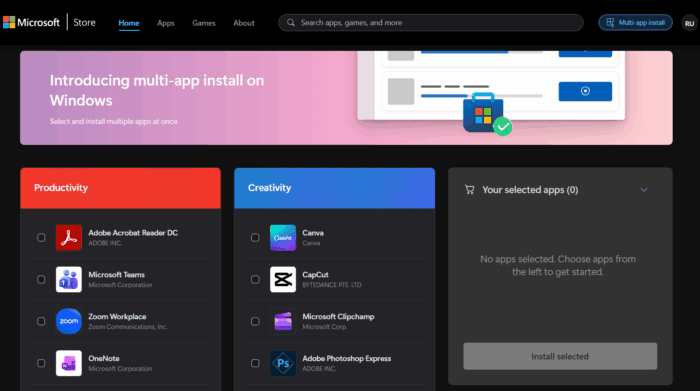
If you’ve ever wished that could install all your favorite Windows apps in one go, that wish just came true. First spotted by Zac Bowden at Windows Central, Microsoft has quietly added a new multi-app install feature to the Microsoft Store website.
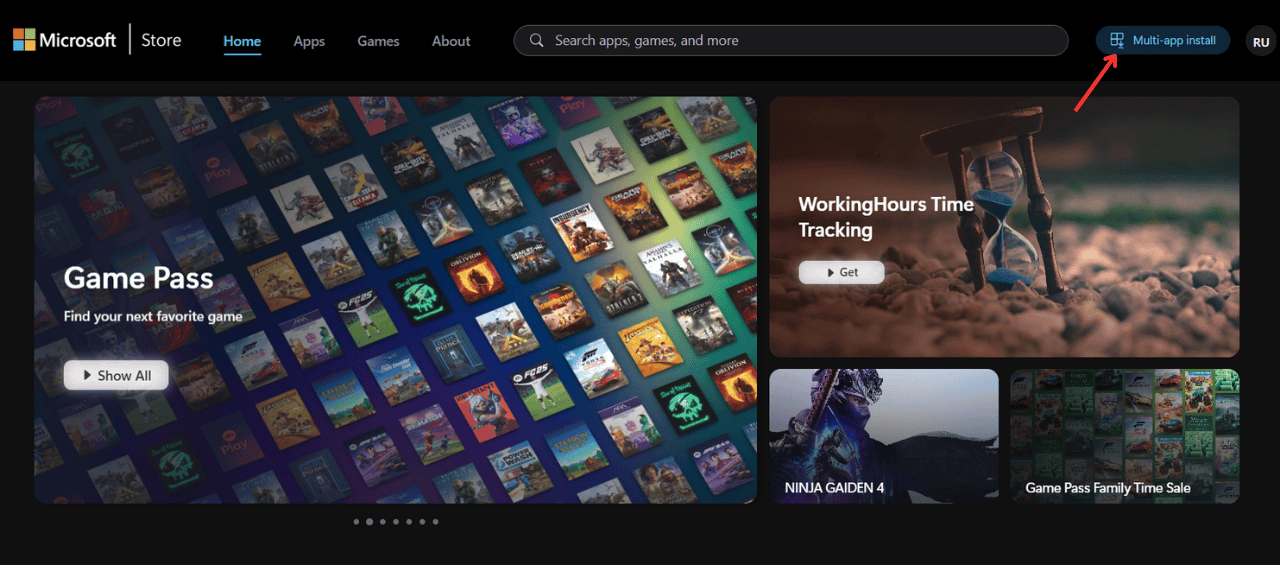
With the new feature, you can select multiple apps at once using “Multi-app Install” button and bundle them into a single installer. Once you download the generated .exe file, Microsoft Store automatically takes over. And next thing that happens is the installation of every selected app. That too, without requiring you to click through extra menus or permissions.
Zac, in the report, notes that the process is fast and seamless. The downloaded installer runs and almost instantly, the Microsoft Store begins installing all your chosen apps. There’s one caveat, though.
You can’t choose all the apps you want, as the multi-app install page only lists 48 popular apps, including Netflix, Instagram, Apple Music, Spotify, and more. However, we expect to see more adds added to that list in the coming days. The list of currently available app on the said page is as follow:
| Productivity | Creativity | Social | Entertainment | Tools & Utilities | Personalization |
|---|---|---|---|---|---|
| Adobe Acrobat Reader DC | Canva | Spotify | PotPlayer | Lively Wallpaper | |
| Microsoft Teams | CapCut | Discord | Netflix | Speedtest by Ookla | f.lux |
| Zoom Workplace | Microsoft Clipchamp | Apple Music | NVIDIA Control Panel | TranslucentTB | |
| OneNote | Adobe Photoshop Express | TikTok | iTunes | BreeZip: RAR & ZIP Extractor | Bing Wallpaper |
| Goodnotes: Notes, docs, PDF | Adobe Photoshop | Telegram Desktop | Prime Video for Windows | Rufus | backiee – Wallpaper Studio 10 |
| ChatGPT | ibis Paint | Hulu | Sysinternals Suite | Live Wallpapers + | |
| iCloud | OBS Studio | Snapchat | Disney+ | EarTrumpet | Dynamic Theme |
| Dropbox | Audacity | Apple TV | Wintoys | Wallpaper· |
For now, you’ll need to use the web version of the Microsoft Store to create these install packs. The desktop app doesn’t support the feature at the time of writing this.

Read our disclosure page to find out how can you help Windows Report sustain the editorial team. Read more



Improve this guide



User forum
0 messages