
Microsoft Teams Now Lets All Paid M365 Users Record Meetings & Calls
Teams has to be updated to the latest version


 2 min. read
  Published on

If you’re subscribed to any of the Microsoft 365 plans, the company is letting you access one of the most important features within Teams. Microsoft has rolled out the Teams meeting and call recording features to all Microsoft 365 Personal, Family, and Premium subscribers.
Thanks to this rollout, you’ll be able to record, store, and share conversations more easily than you used to. Whether you’re a music teacher saving piano lessons, a creator recording podcast interviews, or a volunteer keeping track of planning calls, recordings now let you revisit key moments and share them with your team.
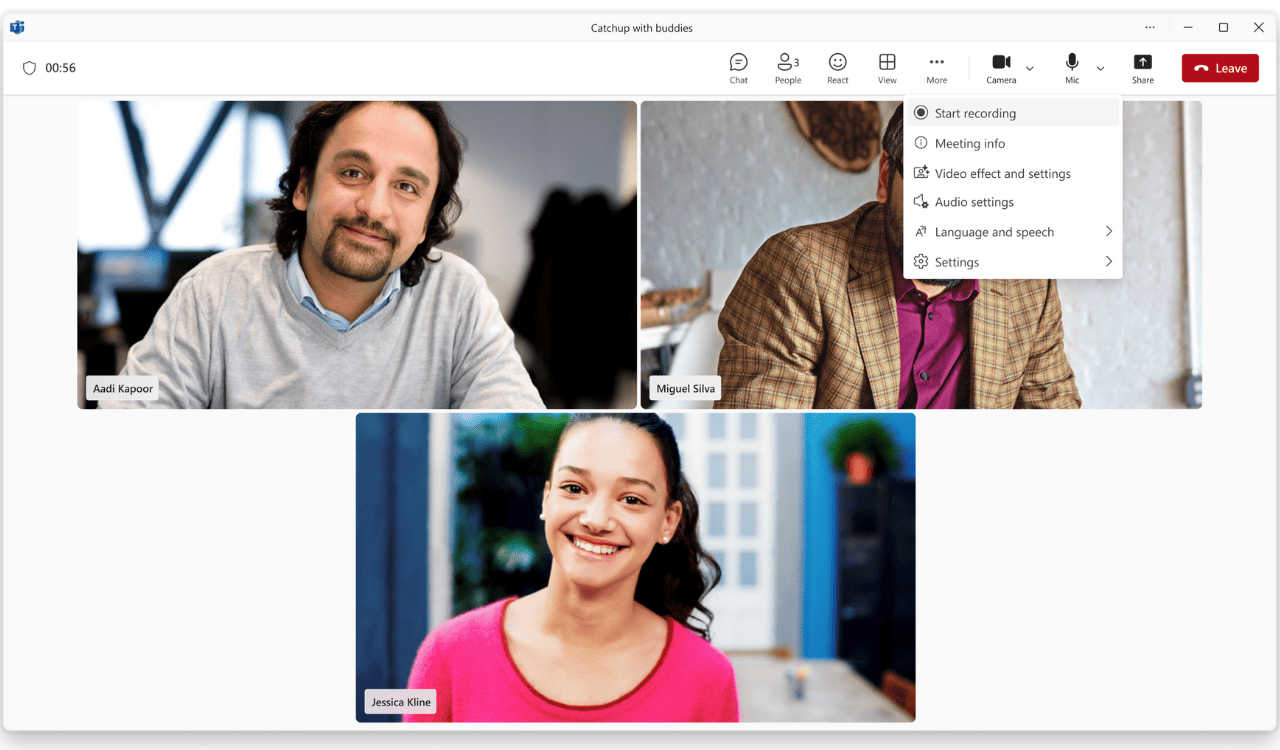
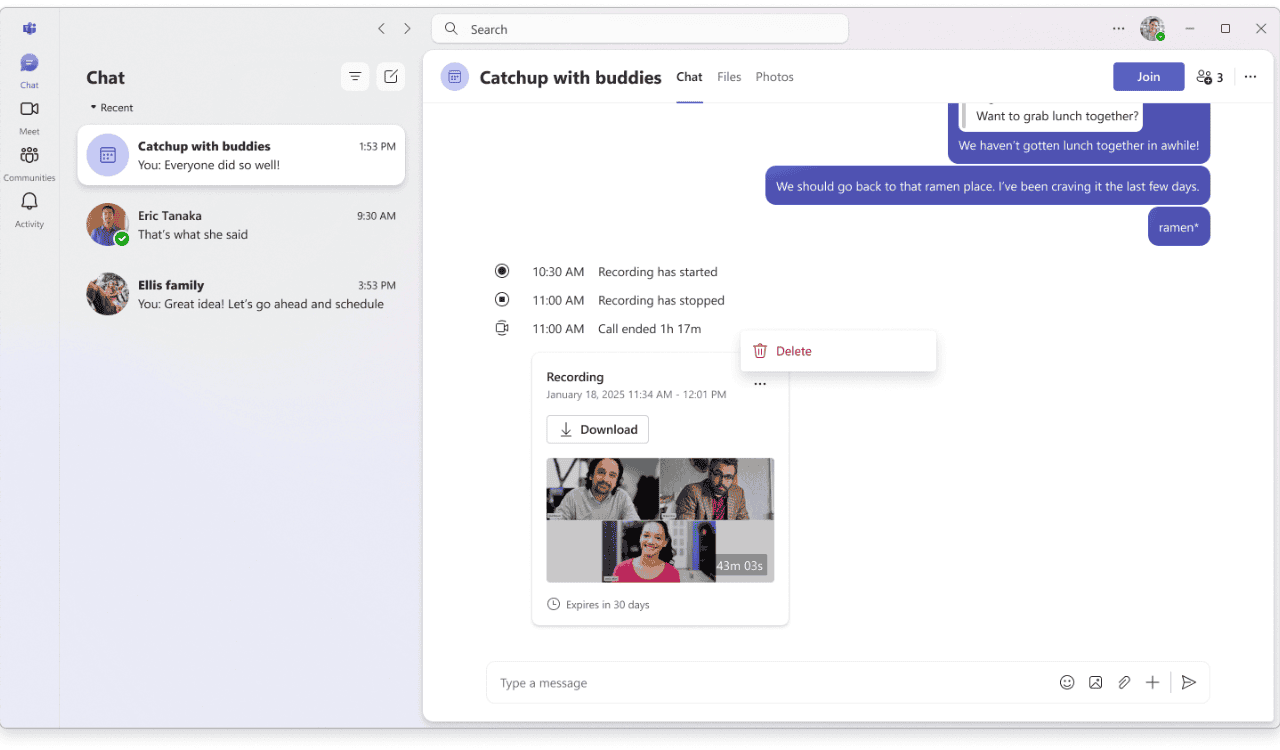
Microsoft says it wants to help people do more, share more, and bring their ideas to life faster. Here’s what M365 Teams users can do:
- Record meetings or calls with a single click via the More options (…) menu.
- Access recordings securely in the cloud for up to 30 days after the meeting ends.
- Watch and replay recordings directly in Teams from the meeting chat. Everyone who joined can view them.
- Download recordings for offline use.
To start recording, first make sure you have an active Microsoft 365 subscription. Additionally, you should ensure that Teams is updated to the latest version. It’s worth noting that all your recordings will appear in the chat and are available for 30 days.
This update also keeps it simple for Teams users on all platforms, ensuring that capturing moments no longer requires complex setup or extra tools.
Are you planning to use Teams recordings for work, learning, or creative projects? Which type of meetings would you record first?

Read our disclosure page to find out how can you help Windows Report sustain the editorial team. Read more



Improve this guide




User forum
0 messages