
Microsoft Updates Notepad With Markdown & AI Upgrades, Paint App Gets AI Coloring Book


 2 min. read
  Published on
Apart from dropping Windows 11 Dev channel update KB5074157 for Insiders, Microsoft has quietly updated popular apps. As you may have guessed, they are Notepad and Paint. Starting today, new updates for Notepad and Paint are rolling out to Windows Insiders in the Canary and Dev Channels on Windows 11.
Notepad gets Markdown upgrades and faster AI responses
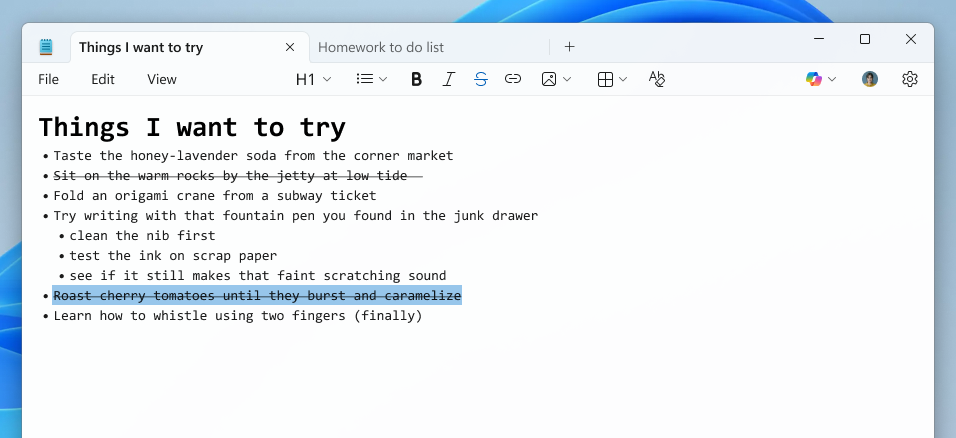
Notepad updated version 11.2512.10.0 focuses on making the app more useful without losing its lightweight structure. Microsoft is expanding its Markdown support with strikethrough formatting and nested lists, which will allow users to organize notes in a more efficient way. You can access these options through the formatting toolbar, keyboard shortcuts, or by editing Markdown syntax directly.
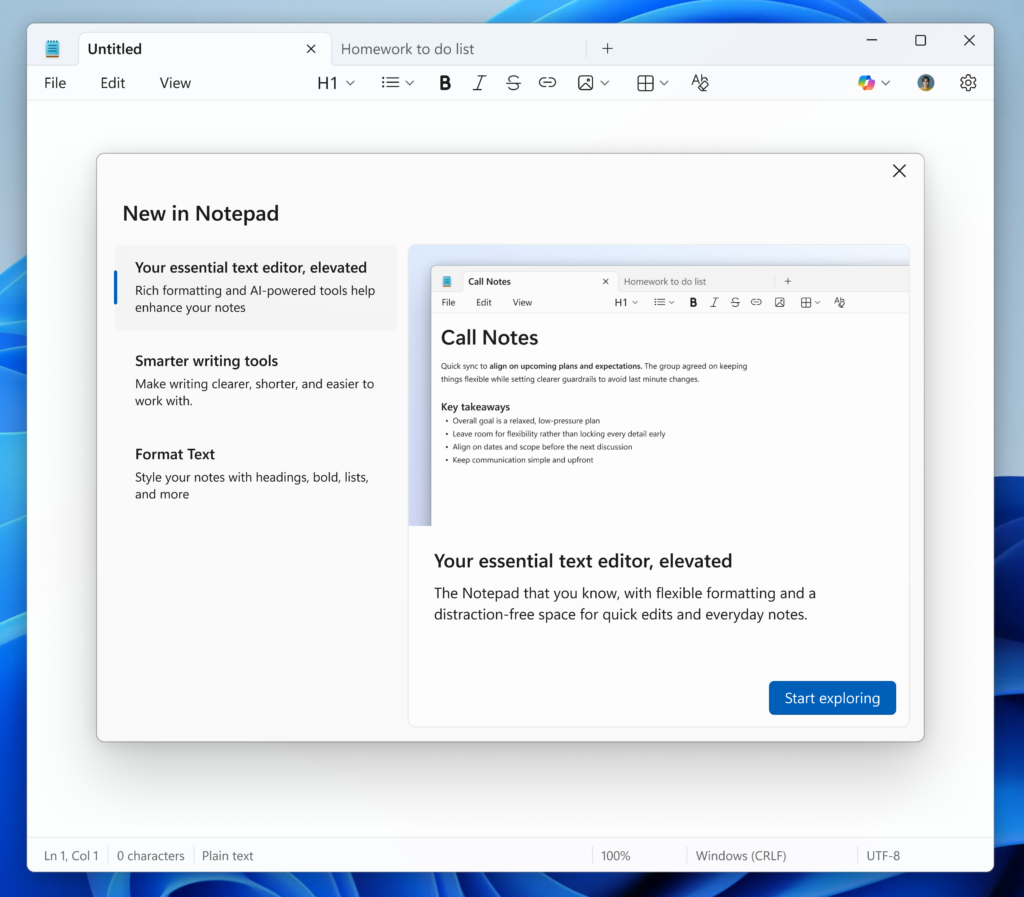
There’s also a new welcome experience designed to surface Notepad’s most useful features. The dialog appears when you launch the app and offers a quick overview of what’s new. You can close it anytime and bring it back later using the megaphone icon in the toolbar.
On the AI front, Notepad’s Write, Rewrite, and Summarize tools now support streaming results. Instead of waiting for a full response, text will begin appearing almost instantly, making these features feel quicker and more interactive. A Microsoft account is required to use these AI-powered tools.
Paint is pushing the narrative of AI creativity
Paint version 11.2512.191.0 introduces two notable updates. The first is Coloring book, which, Microsoft says, is an AI-powered tool that generates printable-style coloring pages from a text prompt. It’s available under the Copilot menu, and allow users to describe scenes like “a fluffy cat on a donut” and instantly generate multiple designs. Coloring book is exclusive to Copilot+ PCs and requires a Microsoft account.
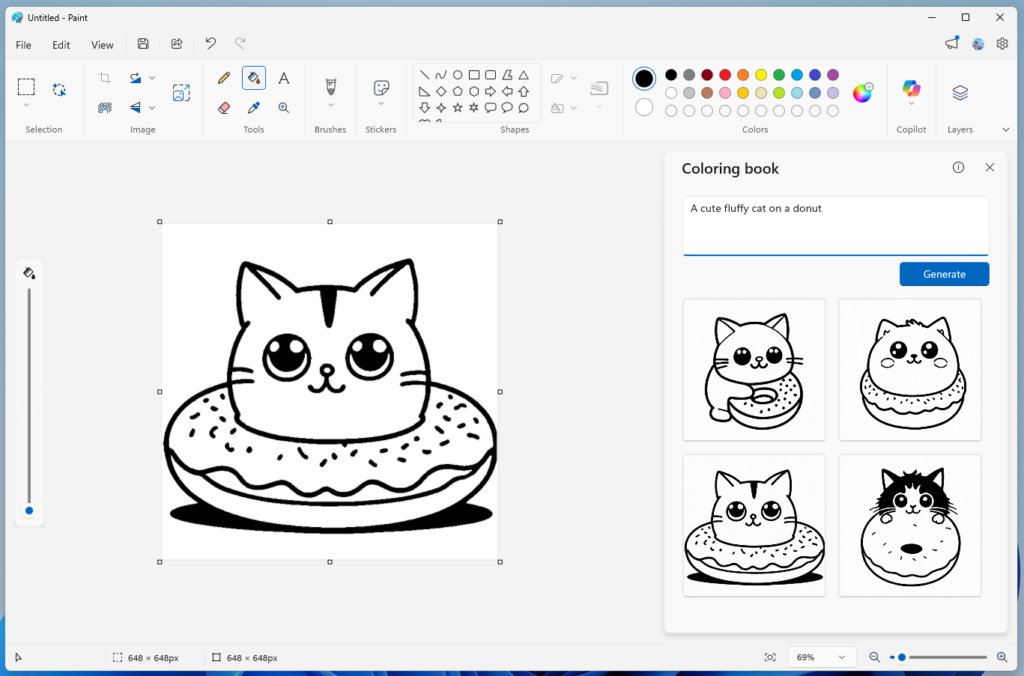
Paint is also getting a fill tolerance slider. Microsoft says this will give users more control over how the Fill tool behaves. You can now adjust how strictly Paint fills areas, making it easier to achieve precise results or more creative effects.
As always, Microsoft is encouraging Insiders to share feedback through the Feedback Hub as these updates continue to roll out.

Read our disclosure page to find out how can you help Windows Report sustain the editorial team. Read more



Improve this guide

User forum
0 messages