
Netspend Login Guide: Sign In on PC or Mobile


 3 min. read
 Published on

You can complete the Netspend login through the official website or mobile app. Sign in with your username and password to check your card balance, review transactions, and manage your money.
How to log in to Netspend online?
1. Use the official website
Follow these steps to access your Netspend account from a computer or mobile browser.
- Visit the official Netspend website.
- Select Log In to open the Online Account Center.
- Enter your Netspend username and password.
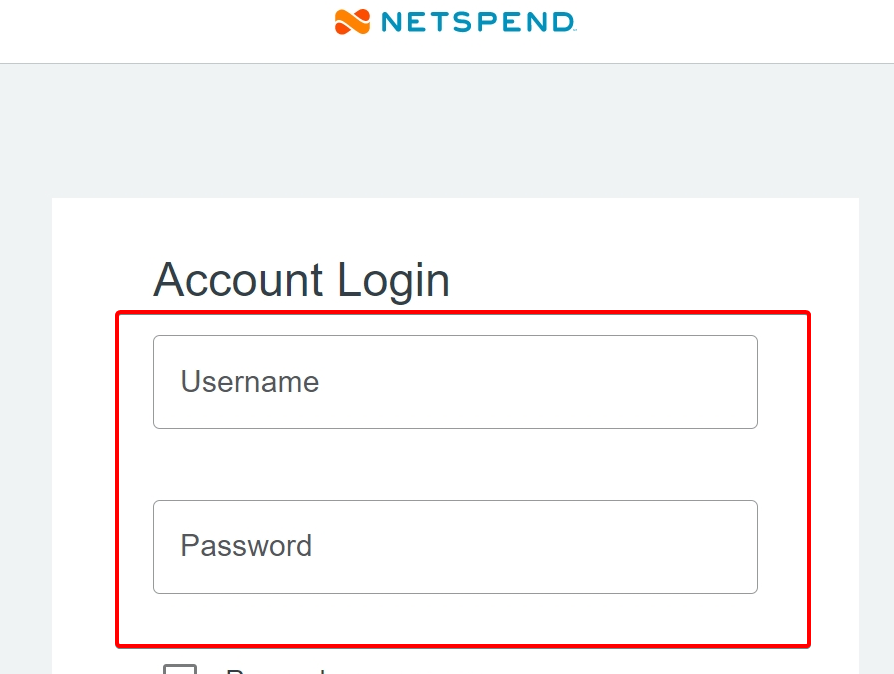
- Click Log In to access your account.
- Complete any additional security verification if prompted.
Once you sign in, you can view your available balance, check recent transactions, manage direct deposits, and access your account settings.
2. Use the Netspend app
You can also access your account from your smartphone using the Netspend mobile app.
- Visit the Netspend app page to find the official app for Android or iOS.
- Download and install the app.
- Open the app and select Log In.
- Enter your existing Netspend username and password.
- Follow any security prompts to access your account.
The app lets you check balances, review transactions, transfer money, manage card settings, and track account activity.
How to fix Netspend login problems
If you cannot access your account, try these solutions.
- Check your credentials – Make sure you entered the correct username and password.
- Reset your password – Use the password recovery option if your credentials no longer work.
- Clear browser data – Delete your browser’s cache and cookies, then try signing in again.
- Try another browser – Open Netspend in Chrome, Edge, Firefox, or Safari.
- Update the mobile app – Install the latest version if you cannot log in from your phone.
- Check your verification method – Make sure you can receive any security codes Netspend requests.
- Contact support – Ask Netspend to help if your account remains inaccessible.
Avoid entering your login information on websites other than Netspend’s official pages.
Netspend login gives you convenient access to your balance, transactions, deposits, and card settings through the official website or mobile app.
If you use other financial services, you can also follow our guides for Capital One Bank login, Bank of America login, and Chase Bank login to access your accounts.
FAQs
Can I log in to Netspend without my card?
Yes. If you have already registered for online access, you can use your username and password to sign in without your physical card.
Can I check my Netspend balance online?
Yes. Log in to the Online Account Center or mobile app to view your available balance, deposits, and transaction history.
Why is my Netspend login not working?
Incorrect credentials, browser problems, outdated app software, or account security restrictions can prevent you from signing in. Try resetting your password or contacting customer support.
Can I use the same login for the Netspend app and website?
Yes. Netspend says you can sign in to its mobile app using your existing online account username and password.

Read our disclosure page to find out how can you help Windows Report sustain the editorial team. Read more


Improve this guide



User forum
0 messages