
Outlook Adds Seamless iCloud Integration Across Windows, Mac, and Mobile
No more app-specific passwords, just sign in with your Apple ID


 2 min. read
  Published on
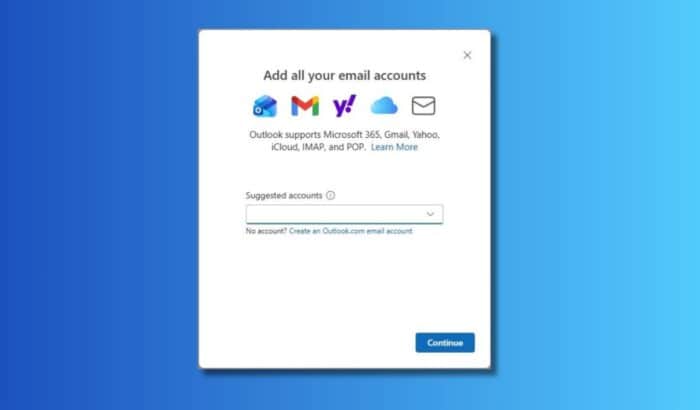
Microsoft is making life easier for Apple users who rely on Outlook. The company has rolled out a major update that enables native iCloud integration in the new Outlook for Windows, Mac, iOS, and Android. And, it eliminates the need for app-specific passwords altogether.
Instead of juggling around extra credentials, users can now sign in directly with their Apple ID using OAuth 2.0, Apple’s modern authentication protocol. Once signed in, Outlook will automatically sync your iCloud Mail, Calendar, and Contacts, bringing everything under one unified experience.
This change ensures smoother cross-platform connectivity. Whether you’re scheduling meetings from your iPhone or checking mail from your Windows PC, Outlook now ensures your iCloud data stays seamlessly connected and secure.
How to Access iCloud in Outlook
Here’s to access iCloud in Outlook:
- Open Outlook on your Windows, Mac, or mobile device.
- Navigate to Settings > Add Account > iCloud.
- When prompted, sign in with your Apple ID.
- A browser window will open for OAuth authentication and follow the on-screen instructions.
- Grant Outlook access to your iCloud Mail, Calendar, and Contacts.
- Once confirmed, Outlook will automatically sync your iCloud data.
If you already had iCloud set up previously, Outlook will soon prompt you to re-sign in using the new OAuth 2.0 flow for added security.
Availability
The new iCloud authentication experience is now rolling out globally across Outlook for Windows, Mac, iOS, and Android. If you still see the old Basic Authentication screen asking for an app-specific password, update to the latest Outlook version and restart the app.
For users on the classic Outlook for Windows, Microsoft recommends switching to the new Outlook for Windows to enjoy full iCloud support without any add-ins or manual setup.

Read our disclosure page to find out how can you help Windows Report sustain the editorial team. Read more



Improve this guide



User forum
0 messages