What is Windows Ink and when does it arrive on Windows 10?

After its reveal earlier today during Microsoft’s Build 2016 conference, a few more details have come to light regarding the new Windows 10 feature, Windows Ink.

What is Windows Ink?

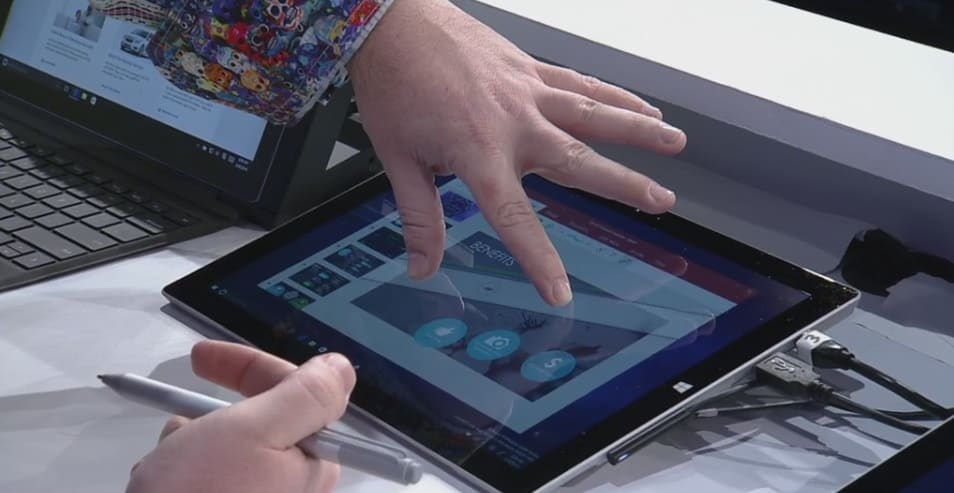
Windows Ink is basically a sort of alternative operating system that runs within Windows 10 that’s designed for navigation with a compatible stylus or pen (such as the Surface Pen). While a pen can be used to navigate both the Desktop and Tablet modes of Windows 10, Windows Ink overlays larger workspaces on top of the Windows 10 Desktop area that are designed exclusively with a stylus in mind.

Windows Ink
Windows Ink

Is Windows Ink a Different Operating System?

Windows Ink is not a separate operating system from Windows 10. It’s simply a new built-in alternative way to use the operating system like the separate Desktop and Tablet modes. From the images previewed, Windows Ink appears to be more along the lines of a newer, more functional Action Center or even the Desktop widgets which were used in older Windows operating systems.

What apps will work with Windows Ink?

Popular apps such as Maps, Photoshop, Microsoft Edge, and Office have been confirmed to work with Windows Ink’s added features and more are expected to be announced soon. It’s important to remember though that even if an app doesn’t support Windows Ink, a Windows 10 compatible pen can still be used on the majority of touch-enabled Windows 10 devices like the Surface Pro and Surface Book in all apps or programs.

When will Windows Ink rollout?

Windows Ink is officially scheduled for public launch sometime in summer 2016 as part of a large Windows 10 update called, Windows 10 Anniversary Update.

How is Wacom involved with Windows Ink?

Microsoft has recently partnered with Wacom to create Windows Ink products for the Windows 10. Both companies have announced that they will be working together to produce a new pen specially designed for Windows Ink. It will be release sometime during the holiday season in 2016.

What would you like to see in Windows Ink? Share the hype with the community in the comments below.

Skype finally gets Cortana integration along with bot messaging

Microsoft has been working hard to integrate some great Cortana features  into Skype in order to provide some great features like that option to chat with a business bot from your local pizzeria, for instance. So, the idea of ordering Pizza Hut right from within Skype while chatting with your loved ones might soon become a reality.

With these improved features, users will be able to interact with Cortana using a chat-like interface to get their tasks and day to day tasks done, making Cortana more functional in the long run. When it comes to being able to chat with business bots, Cortana will automatically be able to detect a service that might be relevant through the context of a Skype chat so you could quickly speak to the bot to do what you want.

Companies like Facebook have been trying to do the same thing with services like Facebook Messenger but until now, only Microsoft has been able to show a functional prototype of such service. In the future, developers will be able to add multimedia bots which will respond to queries in real time. Bots will be launching in an update today itself but Microsoft hasn’t announced which bots will be made available initially.

Microsoft shows off the power of DirectX 12 for Windows 10 (video)

Earlier this month, Microsoft published a video showcasing DirectX 12 and the impact it has on Windows gaming. That video was eventually pulled and republished today during Build 2016, showcasing how Windows 10 is the best Windows ever for gaming — at least according to Microsoft. If you haven’t already seen it, now is your chance to check it out.

In the video, Microsoft showcases how DirectX 12 offers unparalleled graphic fidelity” and “up to 20% increase in GPU performance” as well as “up to 50% improvement in overall CPU usage.” These are definitely some amazing improvements.

“DirectX 12 is a ground-breaking Microsoft technology that gives game developers the ability to harness the full capabilities of a PC’s GPU(s) and raise the bar on graphic fidelity and immersive gameplay,” the video description reads. You can watch the vide below.

For those that did not know, DirecX is a collection of APIs designed to help Windows run multimedia content as efficiently as possible. DirectX 12 is the latest version which improves the quality of media processing, making your gaming experience so much better.

Star Wars: Trials on Tatooine trailer finally puts a lightsaber in our virtual hands

After Star Wars: The Force Awakens’ remarkable success, it’s no surprise to see Star Wars make the leap to VR through the upcoming for HTC Vive. While Star Wars: Trials on Tatooine is a virtual reality experiment and not a new Star Wars game, it still means Star Wars in a compelling virtual reality environment. Who could say no that?

Star Wars: Trials on Tatooine trailer released

With the HTC Vive running Star Wars: Trials on Tatooine, you’ll get the chance to experience Star Wars in virtual reality for the first time. A major plus for this experience is Industrial Light and Magic’s involvement in its development. As the studio famed for its graphical expertise after developing the now legendary special effects for the Star Wars series, we can expect to see an incredibly memorable Star Wars experience.

If you’re interested to see how Star Wars: Trials on Tatooine looks in action, you’ll be pleased to know that trailer for it was recently released. The trailer features icons like the Millennium Falcon, R2-D2, and even Stormtroopers you can fight off using a lightsaber in virtual reality. The trailer looks rather promising and judging by its footage, we expect to have amazing combat sequences in virtual reality.

Star Wars: Trials on Tatooine is our first chance to experience Star Wars in virtual reality, so obviously we’re pretty excited about it. Unfortunately, no information regarding its release is currently available but we expect to see it as a launch title for HTC Vive. As for the trailer, check it out below:

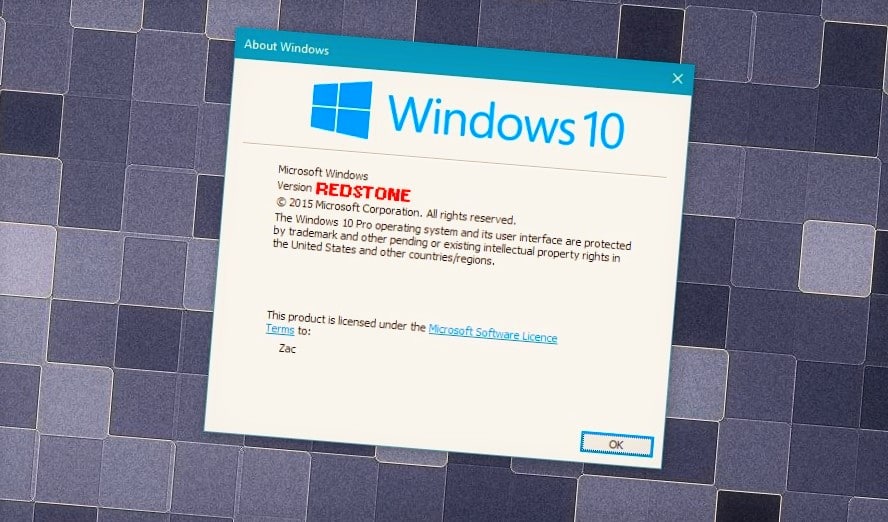
Windows 10 Redstone update wave 1, also known as RS1, slated for the summer

Microsoft has been releasing new Redstone builds to Windows 10 Insiders for quite some time now and we expect that to continue until the commercial release of the Redstone update, the release of which is expected to be in June of this year. But now, new information points to the first wave of the Redstone update possibly arriving in July instead.

Microsoft’s documentation for Xbox developers says the following (the page is now down):

“Xbox runs Windows 10, version 1607, which means that it shares the same core operating system as other devices in the Windows 10 family: desktop, mobile, and HoloLens. But, because this is the first release of the Universal Windows Platform (UWP) on Xbox, there are some feature areas that haven’t reached the same level of support on Xbox as they have on other devices. In this topic are details on some of the feature areas that your UWP app might use that don’t currently function as fully on Xbox. All APIs are callable and will fail gracefully if they’re unsupported. As we flight and service Windows, we’ll continue implementing, testing, and bugfixing until all of the Universal device family API surface is fully operational on Xbox.”

If Microsoft sticks with its policy of assigning version numbers to its major updates for Windows 10 — and we believe it will — “1607” should point to a  July 2016 release because the version number represents the year and the month in which the update is released. For example, the November update, also known as Threshold 2, was released in November last year and featured a version number of 1511.

windows 10 redstone july 2016 update

A lot of Redstone news yet to come

Although Windows 10 Preview Redstone builds are already available to Insiders, we can’t be sure about the details related to Microsoft’s upcoming major update for Windows 10. We do know that it will arrive in two waves, just like the Threshold update did (the RTM release of Windows 10 in July and the November update after), but release dates of both waves are still uncertain.

It was widely believed that the first wave would arrive in June but now that is subject to change. Also, people thought the second wave would have been ready by late 2016 but ultimately was pushed to 2017. Until Microsoft confirms anything, we can’t be sure.

As for possible features of the Redstone update, Microsoft released a few of them already with Microsoft Edge extensions the most notable addition so far, but we don’t know what else the company has prepared for us. Microsoft’s annual Build conference is starting today and the company promised it would talk about the Redstone update at the event. So, it’s possible we’ll have more information about the Redstone update and its features after the conference. (If you want to watch the conference live from your browser, you can do so from this link.)

As soon as Microsoft reveals more details about the upcoming Redstone update for Windows 10, we’ll make sure to let you know.

Microsoft shows why and how Windows 10 can run native Linux apps (video)

Earlier today, during Build 2016 Day 1, we learned that Microsoft was bringing the full Bash shell to Windows.  This won’t be a virtual machine but rather native Ubuntu binaries that are able to be used thanks to a subsystem.

In a new video posted on Microsoft’s Channel 9, the company goes over why and how they are enabling Windows 10 to run native Linux apps and tools directly on Windows thanks to Bash. If you are interested, watch the video embedded below for your viewing pleasure.

There are a few things to note about this technology. First, it is a preview of a brand new technology so there will be problems at this stage. Favorite Linux tools work well during testing such as Bash, apt-get, Ruby, git, and Python. Currently, Mysql and Top are not working as well as they should.

Microsoft’s 5 biggest announcements at Build 2016 Day 1

Microsoft just held an event in San Francisco — at the Moscone Centre, specifically — and used the time to talk about Windows, bots, Skype, Cortana, and lots more. Speakers included Satya Nadella, Terry Myerson, and Bryan Roper who wore his trademark fedora.

The company also talked about Tay, the AI that went on a rampage, acknowledging that it failed Microsoft’s own standards for decency. “It’s not going to be about man vs. machine,” Nadella said. “It’s going to be about man with machine.”

Microsoft has been working on some seriously cool things recently and Build was a good opportunity to show them off and, in the process, give some colour to how the company is shaping up under Nadella. Here were the biggest announcements.

Windows has 270 million users

What it means: The last count Microsoft gave for Windows 10 usage was back in early January when the company announced that over 200 million people were actively using the operating system. Now, almost 90 days later, the figure has risen to 270 million.

Why it matters: Windows 10 is free, which means that anyone who has Windows 7, 8, or 8.1 can get it quickly and easily. This is a break from tradition as it means the company makes no money from selling licenses to customers. Instead, Microsoft wants people — as many people as possible — to use its services and buy its software from the Windows Store.

Having the maximum number of people using Windows 10 is key to this goal. In the end, Microsoft wants one billion people to be using the operating system. At the current rate of growth, Windows 10 is on track.

What was missing: Microsoft didn’t talk about what it plans to do when the free trial ends in July. This could be a problem as users would have to pay for Windows 10 which, in turn, would likely have a dampening effect on sales.

Bots are the future

What it means: This announcement was hinted at earlier today and was born out at Build: Bots — pieces of software that automatically do stuff, like order food — are something Microsoft is very, very interested in. “Conversation as a Platform” is the new phrase, which was repeated on stage many times.

Why it matters: Microsoft is taking an idea that has been around for a while — bots — and making a big, bold bet on them. Bots will now work with Skype, Cortana, Windows, and almost every other piece of software that Microsoft makes, sells, or distributes. For end users, this means that some things get easier: mundane tasks are not automated in most Microsoft-made software.

This is also a big deal because Microsoft is one of the first big companies to do something like this — and do something so big. This wasn’t just a small announcement: A big chunk of the time on stage was spent explaining what bots are, why they matter, and where they can be found.

What was missing: While bots could be the future, Microsoft did not totally move past Tay. Unfortunately for Microsoft, the company’s future was preceded by a big — and very public — failure.

Taking on the iPad Pro

What it means: Apple recently revamped the iPad Pro and claimed that many users were coming from Windows. Microsoft spent a sizeable portion of its time on stage at Build demoing Windows Ink, a new piece of software that looks to pull the carpet out from underneath the Pro’s feet.

Essentially, Ink makes Windows more appealing to anyone who uses a stylus by adding new features, like a digital ruler, that could increase productivity.

Why it matters: The iPad Pro is a bit of a threat to Microsoft’s Surface tablets — although, perhaps not as much as some people think — and the new features are clearly a shot across the bows for Apple. Microsoft has long positioned the Surface as the perfect note taking device, a pitch that is especially appealing to students, and that continues.

Scribbling on a glass surface can, for some, feel like a strange experience but software tools can help reduce the weirdness and get stuff done which, incidentally, is what Microsoft wants. Smart features, like the virtual rule, help this and position the company as the go-to provider paper-like productivity software.

What was missing: Ink is cool, but this is an area that Apple does have more experience in having catered to creatives since 1984, when the original Macintosh was introduced. The iPad was not directly addressed — which is unsurprising — but it would have been nice to see a new version of the Surface Pen, to prove the commitment is there.

HoloLens is now shipping

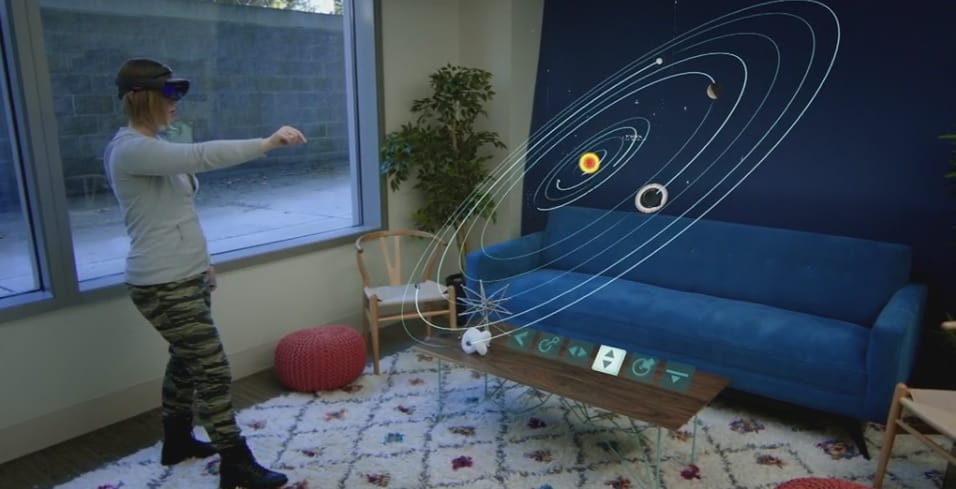
What it means: People who paid $3,000 to get a pre-release version of HoloLens are, from today, going to start receiving their orders. The box, shown off onstage, looks cool and the device appears to work well — although Microsoft stressed that it was not to be considered as the final hardware.

Why it matters: HoloLens is one of the most exciting things Microsoft is doing, especially as no other company — not Apple, not Google, not Amazon, not Facebook — has anything like it. The applications for businesses, who are also Microsoft’s biggest clients, are enormous and the list of current partners includes some other giant companies, like Audi and NASA.

What was missing: The demos, while cool, were still a bit pie-in-the-sky and some of the real issues, like depth of field, were largely ignored. There was also nothing particularly new shown off on stage and the only reason it was there at all was because the units are shipping today.

Microsoft welcomes Xbox into the Windows family

What it means: Xbox, which runs Windows 10, is now much more closely associated with the brand and Microsoft as a whole. Apps are now going to be shared across both — which, it’s worth noting, isn’t a new decision — and the two App Stores are going to be combined into one.

Why it matters: Windows users in aggregate are going to get a better gaming experience while Xbox will benefit from Windows apps. This, Microsoft hopes, will make everybody happy and is the best embodiment of how well the Universal Windows Platform strategy can work.

What was missing: Very little. Microsoft did a good job of summarising why it matters and this is a decision that has been in the works over the past 6 months.

Microsoft Cognitive Services to help give apps “a human side”

Microsoft spoke at length at Build 2016 about its vision for the future of communicative computing. Microsoft CEO Satya Nadella expressed his belief that the next leap in consumer interactions with platforms will move beyond the traditional confinements of everyday operating system navigation to a more predictive artificial intelligence presence in people’s lives.

However, before Nadella’s utopian science fiction fantasy becomes an everyday reality for the average consumer, Microsoft along with the rest of the industry will need to refine the API’s, natural language frameworks, and machine learning of the bots that will be communicating with people.
Enter Microsoft’s Cognitive Services.

Shortly after Build 2016, Microsoft Cognitive Services page surfaced on the internet to help developers enable natural and contextual interactions between their services and the customers they link to. Specifically, the new service is described as:

Microsoft Cognitive Services let you build apps with robust algorithms using just a few lines of code. They work across devices and platforms such as iOS, Android, and Windows, keep improving, and are easy to set up.

Interested developers are free to get started using Microsoft’s list of open APIs, peruse background documentation, and explore “some of today’s most innovative apps” using machine intelligence API’s.

On top of exploring other significant innovations using Microsoft’s Cognitive Services, developers can also take a peek into Microsoft’s digital assistant, Cortana’s Intelligence Suite, as a marker for what’s possible using the framework.

For those interested in harnessing machine learning, predictive cloud intelligence or beefing up an app or service with powerful AI algorithms, head over to the Microsoft Cognitive Services page for a metric-ton of free information.

Microsoft Build 2016 live blog: everything you need to know

We’re just a few hours before Microsoft kickstarts its most important event of the year – Build 2016. Microsoft is expected to talk about Windows 10, Windows 10 Mobile, Xbox, HoloLens and many other products and services under its portfolio.

The event kicks off at 11:30AM ET / 8:30AM PT, and you will be available to follow it live. But if you don’t have time to watch the stream live, or you’re at work and must watch it muted, then we invite you to bookmark this page and rest assured that we will be as timely as possible.

Follow our liveblog of Build 2016 event

The Redstone update for Windows 10 is another big focus point of the event, and maybe other topics such as Ubuntu integration in Windows 10, talks about recent acquisitions and expansions.

Build 2016 live stream hours

build 2016 microsoft live

Our live blog are is further down the page, so make sure to scroll down in order to find. Our readers are from all over the world, so here are the hours at which the build starts:

  • United Kingdom – 16:30
  • India – 21:00
  • Brazil (Brasilia) – 12:30
  • Netherlands – 17:30
  • Italy – 17:30
  • Poland – 17:30
  • France – 17:30
  • Germany – 17:30
  • Spain – 17:30
  • Pakistan – 20:30
  • Bangladesh – 21:30
  • New York – 11:30
  • China – 23:30
  • Australia (Canberra) – 01:30
  • Japan – 00:30
  • Canada (Ottawa) – 11:30
  • Mexico (Mexico City) – 10:30
  • Bulgaria – 18:30
  • Romania – 18:30
  • New Zealand (Wellington) – 03:30
  • Russia (Moscow) – 18:30
  • Dubai – 19:30
  • Thailand – 23:30

We remind you that Build 2016 tickets sold out in just one minute (which explains why we aren’t there) so there’s huge interest this year. And before you’re asking, no, Microsoft won’t be announcing Windows 11, but what could surprise us all could be some sort of VR capability for the Xbox, considering all the fuss around the subject. And, who knows, maybe there’s a chance to see the Surface phone, as well?

Microsoft Build 2016 live blog

Free Killer Instinct Season 3 comes to Windows 10 users, requires 30GB of storage space

After a lot of hearsay and rumors, Killer Instinct Season 3 is now finally available on the Windows Store as a free download. Of course, the game has its own in-app purchases, nd if you want to get a bundle with more content, pricing starts at $20.

If you already pre-ordered the game, then you know there are some nice goodies that you should have received by now. Here are the main features of the game on Windows 10:

-Fight for Free! Play all game modes with a free fighter, including online multiplayer! Fighters are available for individual purchase or get the whole cast in a bundle.
-Extensive cast of powerful combatants with tons of customization options including Retro Costumes and Accessories.
-20 Stages with intense stage destruction.
-Competitive online matches with state-of-the-art fighting game netcode.
-Test your skill online in Monthly Ranked Leagues.
-Cinematic Story Mode.
-Extensive Dojo tutorial teaches all the core mechanics for Killer Instinct.
-Train an AI combatant and challenge your friends to asynchronous matches in Shadow Lab.
-Free Updates to the base game – all Fighter balance patches are included for free.

Here are its main features for Xbox Live play:

-Online multiplayer Cross Play with Xbox One. Pay attention to the Performance Grading test automatically performed before your first match.
-Play anywhere with Cloud Save between Xbox One and Windows 10.
-Killer Instinct includes rich Xbox Live features like Achievements, Game DVR, Leaderboards, and more.
-To play this game, you’ll need to use your existing account on Xbox Live or the same Microsoft account you used to purchase the game.

killer instinct season 3 windows 10

Here are its minimum PC specifications:

Killer Instinct has been built for Windows 10, but to ensure performance, the following MINIMUM PC specifications are needed: • Operating System: Windows 10 (64-bit) • Processor: Intel Core i5-750 @ 2.67 GHz | AMD Phenom II X4 965 @ 3.4 GHz • Graphics card: NVIDIA GeForce GTX 480 | AMD Radeon HD 5850 • RAM: 4 GB • Requires DirectX 11 • Hard Disk Space: 30 GB free (base game) • Supported peripherals: Windows-compatible keyboard, Xbox One Controller for Windows, Xbox 360 Controller for Windows, and Xbox 360 Fight Sticks.* Controller recommended. • Network: Broadband Internet connection

Here’s what are the recommended PC specs:

• Operating System: Windows 10 (64-bit) • Processor: Intel Core i5-4670K @ 3.4GHz | AMD FX-4300 @ 3.8 GHz • Graphics Card: NVIDIA GeForce GTX 670 | AMD Radeon HD 7950 • RAM: 8 GB • DirectX 11 • Hard Disk Space: 30 GB free (base game) • Supported peripherals: Windows-compatible keyboard, Xbox One Controller for Windows, Xbox 360 Controller for Windows, and Xbox 360 Fight Sticks.* Controller recommended. • Network: Broadband Internet connection SUPPORTED OS: Windows 10 (64-bit version only) with Windows 10 November update installed (Windows Version 1511).

Microsoft is making it clear that you should run the Windows 10 November update if you want to enjoy the most out of the game. Furthermore, Microsoft informs that in order to enable cross-save functionality between Xbox One and Windows 10, you must sign in on the same Microsoft Account associated with your Gamertag on Xbox One. Another important thing to take into account is that Xbox 360 Fight Sticks are supported, as well.

Before downloading the game, though, go ahead and have a look at the official launch trailer below:

Bring your desktop app to the Universal Windows Platform with the Universal App Converter

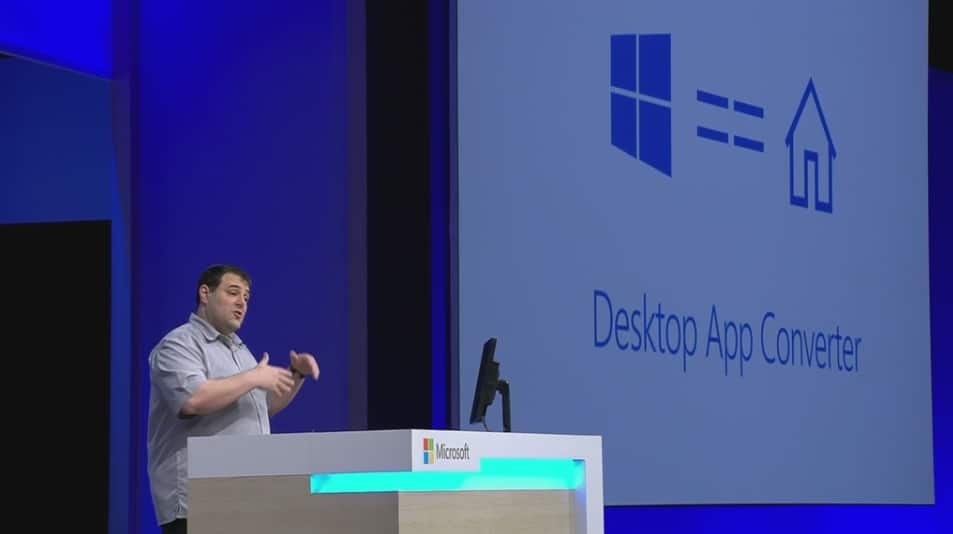
One of the more exciting things announced during Microsoft’s Build 2016 was just how easy it can be for developers to move their desktop Windows (Win32) apps over to the Universal Windows Platform. The Desktop App Converter is Microsoft’s new tool for enabling Live Tiles, notifications, Cortana, and more in Win32 apps while also making those traditional applications available in the Windows Store.

Essentially, the Desktop App Converter serves as a bridging tool between Win32 apps and Universal Windows Apps, in much the same way that Project Islandwood does for iOS apps. Run a Win32 app through the Converter, test it, plug in the additional UWP features and functions, and then push to the Windows Store.

Desktop App Convertor process

Most important, applications that are converted to Universal Windows Apps become available on all Windows 10 devices. That means a Win32 app can make it over to the Xbox (minus some unsupported features, of course) or even a Windows 10 Mobile device. That’s not to say every application will make sense on every device type, but it’s good to see that Microsoft is making it easier to “port” apps over where it makes the most sense.

Here are the key benefits that Microsoft envisions:

  • App model. The converted app has a well-defined app model and a deployment experience that ensures clean install, uninstall, and seamless updates. The behavior and performance (including startup) of users’ systems remain pristine.
  • App identity. A UWP app has an identity, which enables features such as push notifications, Live Tile updates, and in-app product offers for your app.
  • App enhancement. At your own pace, you can add UWP features to your app such as background tasks, app services, and many more. You can use the rich UWP feature set in your app.
  • Reach every Windows device. Once all functionality moves from the full-trust portion of your app and into the app container portion, your app will be able to reach every Windows device.

If you’re a Windows developer, head on over to the Microsoft developer site and get signed up. The sooner you start playing around with the Desktop App Converter, the sooner you’ll be able to help flesh out the growing Windows Store.

Windows 10 Anniversary Update brings Cortana to 13 new countries, adds lockscreen support

For anyone who follows Microsoft, Build is one of the biggest events of the year. The conference serves as a time for developers and consumers alike to get together and listen as Microsoft tells us all of the plans for the future. With HoloLens about to break ground in consumer technology and Microsoft Surface ready to move into its next stages, Build 2016 is shaping up to be an extremely significant event.

Marcus Ash, Group Program Manager for Cortana on Windows, came out on stage to talk about the future of Cortana on Windows 10. While Cortana is already a huge part of the experience of Windows 10 and Windows 10 Mobile, Marcus showed us that the anniversary update is going to be bringing us even more ways that the digital assistant is going to help us in our day to day lives. With the anniversary update, 13 more countries are going to be getting support for Cortana – an expansion of the service that’s going to make the digital assistant much more widespread, making Cortana a more integral part of the Windows 10 experience.

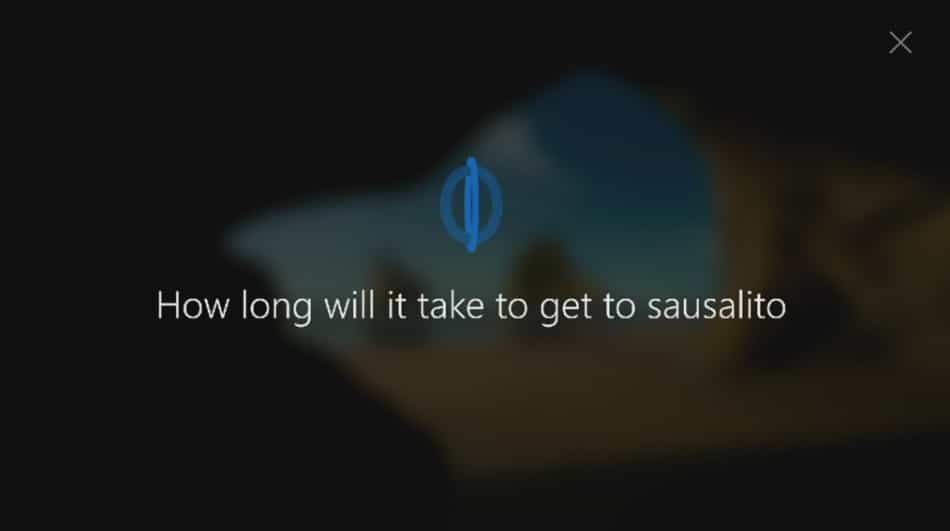
Beyond this expansion of audience, Cortana is also going to be getting support straight from the lock screen. As it stands now, if you want to use Cortana through Windows 10, you need to open up your Windows 10 device and unlock it. When the anniversary update hits, however, you’re going to be able to use many Cortana features straight from the lock screen, before you input any login information. The example shown in the demo on stage showed Marcus pulling out his device, saying “Hey Cortana” to launch the digital assistant, and asking it “How long will it take to get to Sausalito?” Cortana then immediately showed the map from his location to Sausalito, how far away it was, and how long it was going to take to get there by car.

Universal Windows Store officially announced at Build 2016

The goal of a universal Windows Store that supports Universal Windows 10 apps, Win32 apps, and Xbox games has been a unicorn for some time now. The ability to go to one location to get any app for any Windows 10 device will be a huge asset for the platform, and will allow Microsoft to leapfrog the competition.

We’ve know for some time now that such a Universal Windows Store would be made available eventually. Today at Build 2016, however, Microsoft Xbox chief Phil Spencer made its future official. The new Windows Store will support everything we’ve come to expect in Windows 10 apps, such as season passes, bundles, and other features, only across every device you own.

Developing story…

Microsoft releases HoloLens Galaxy Explorer app and source code

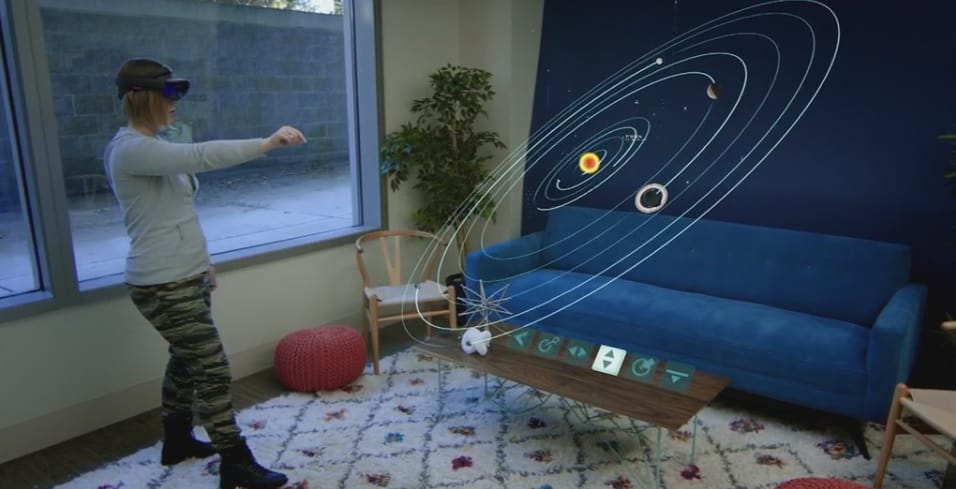
Microsoft’s “Share Your Idea” contest asked the HoloLens community to vote for the best example of what HoloLens can do. The winner was Galaxy Explorer, a space simulation app that takes users through the Milky Way with cool facts and stats about the galaxy. Today at Build 2016, Microsoft announced that the project has reached its completion.

Specifically, the app will be released to the Windows Store shortly. In addition, the source code will be made available so that developers can see just how easy it is to create HoloLens applications.

Developing story…

Microsoft announces Xbox Dev Mode, turns Xbox One into a dev kit

The Universal Windows Platform (UWP) is a great way for developers to make apps for Windows 10 and now it can be used for making apps for Xbox One too. Microsoft had announced a while ago that UWP apps were coming to the Xbox One as well as the planned functionality for the Xbox One to be used as a developer kit and at Build 2016 earlier today, Microsoft fully revealed how apps would work and how developers could use the console to design them.

During the conference, Microsoft’s Ashley Speicher demonstrated how easy it is for developers to transform their Xbox One console into a functional dev kit through a new mode called, Dev Mode. On the Xbox One, game developers can deploy apps made in Visual Studio and preview them on the Xbox One as a UWP app just like they would on other Windows 10 devices.

Developers will be able to incorporate all of the Xbox One’s features such as speech recognition and Microsoft has made it easy to switch in and out of the Xbox One Dev Mode to the new Retail Mode to preview their work, which is essentially the version of the operating system that consumers experience.

For more information on how to activate this new Dev Mode on the Xbox One and get started as an app developer on the console, check out our full guide here.

Microsoft adds new ruler function in Windows 10 Anniversary Update

When Bryan Roper came out on stage today to show off some of the new things that are coming to the Windows 10 Anniversary update, we got something of a surprise: a ruler that you could bring up on the monitor to help you work with a pen. We’ve seen tons of new ways to use a pen or stylus on touch-enabled Windows 10 devices but this new ruler function seems like it’s going to be adding an entirely new layer of depth to how users interact with their Windows 10 device.

As shown during the presentation, when users bring out the ruler, they can move it around with two fingers in any direction that they like. It can be used, as you might imagine, to measure things out to scale on the screen and can also be used to draw accurate lines when you’re drawing with the Surface Pen.

This promises to be very useful for artists who might need help making detailed lines look sharp, or even for people looking to write up a quick graph. Whoever you are, the ruler is going to be a huge asset when it comes to your pen toolkit.

Build is one of the biggest tech events of the year. The conference serves as a time for developers and consumers alike to get together and listen as Microsoft tells us all of the plans for the future. With HoloLens about to break ground in consumer technology and Microsoft Surface ready to move into its next stages, Build 2016 is shaping up to be an extremely significant event.

Windows 10 is the fastest growing Windows ever, and there are 1.2 billion Office users

Microsoft’s Build 2016 kicked off bright and early this morning, and CEO Satya Nadella was first up. He started off talking about optimism and the Microsoft platform’s bright future, and had some interesting numbers and facts to talk about.

First up, he mentioned that there are 1.2 billion Office users who will be able to access the platform from across the cloud. Developers will benefit from these users accessing their applications.

Next, he mentioned that Windows 10 is the fastest growing Windows ever, an important fact for developers and an incentive to get them developing Universal Windows Apps. Over 270 million people are running Windows 10, a significant jump from the previous 200 million metric.

“We’re also going to talk about how in gaming and consumptive applications we’re going to open up both the PC and the console for new opportunities for developers.”

Keep tuned to WinBeta for ongoing Build 2016 news!

Join us immediately after Build for a special WinBeta Podcast

You can join us live on one of the biggest days of the year for Microsoft news. Build conference is highly anticipated every year and with Redstone around the corner, the leaks we’ve seen, and teases from Microsoft there will be plenty to discuss.

Immediately after Build we will have a special WinBeta Podcast. This will be an excellent opportunity to share your thoughts in the live comment stream as well as hear a recap of today’s announcements.

The Podcast is easy to find on our live page so once you’re done watching the event on our stream page hop on over.

The Microsoft keynote at Build starts at 8:30am PST and is scheduled through 11:00 am. We’ll be on air pretty much right after that so stick around.

Microsoft introduces Parse Server on Azure Managed Services

Microsoft has come to the rescue, or is at least trying to help out, the numerous app developers who use the Parse platform. In response to Facebook’s intensions to shutter Parse back in January, Microsoft has today announced Parse Server on Azure Managed Services, an alternative way for Parse developers to continue developing in that format.

Parse Server incorporates Azure App Service and Notification Hubs to support Apache Cordova, Xamarin and native iOS andAndroid development processes, and can also support managed database services such as DocumentDB.

Microsoft’s Sr. Program Manager of Azure App Service Mobile Apps, Adrian Hall, says of the opportunities Microsoft is offering that, “These services provide a best-of-breed experience for your mobile backend going forward. You can easily scale your service to millions of users; just ask the Canadian Broadcasting Corporation about their experience with the scalability and reliability of the platform. You can move towards a DevOps mindset with our continuous deployment tools and staging environments, and get beta distribution, crash analytics and feedback using HockeyApp.”

To help developers migrate to the new Parse Server, Microsoft is offering a special introductory DocumentDB for Parse Service customers that will be free until June. They’re also holding a special Azure promotional campaign that gives new users a one-month free trial of Azure and up to $200 to spend on Azure services.

Adrian Hall has given detailed information for developers on the official Azure blog on how to get their Parse servers running and also on how to migrate their old data. The blog also has several comprehensive guides which provide more detailed walkthroughs on more advanced stages of Parse implementation.

Are you a Parse app developer who has begun to make the transition to Microsoft’s alternate Azure Server solution? Let us know about your experience in the comments below.

R.B.I. Baseball, Gryphon Knight Epic, and Active Soccer 2 DX launching on Xbox One today

After the big launch of The Walking Dead: Michonne Episode 2 and Killer Instinct: Season 3 on Xbox One yesterday comes the release of three more titles for Microsoft’s video game console.

The first is R.B.I. Baseball 16 which is the follow-up to last year’s, R.B.I. Baseball 15 (naturally). This latest entry in the series features Season, Postseason, Exhibition, and Multiplayer modes, the ability to modify teams with either complete MLB rosters or classic R.B.I. Baseball 16-player rosters, future downloadable updates throughout 2016, and improved graphics.

Here’s the official description:

Make the play with your favorite Major League Baseball team and win the World Series! R.B.I. 16 features enhanced lighting and graphics, revamped defensive AI, an improved batting system, and the ability to sim through games in Season mode. Feel the action with new fielding moves like dives, wall catches, pump-fakes and more! Take your skills to the next level and compete online.

Buy R.B.I. Baseball 16 on Xbox One

The second game out today on Xbox One is Gryphon Knight Epic, a new 2D shoot’em up with a medieval twist.

Here’s the official description:

Gryphon Knight Epic is a 2D Medieval Shoot’em up that mixes elements from classical shoot’em ups, exploration and duel-like boss battles. It tells the story of Sir Oliver and Aquila, an accomplished knight and his loyal gryphon that are forced back to adventure once again. Sir Oliver have already defeated a dragon, married a princess and saved the kingdom. But during his quest he will face adversaries he never imagined he would, because… in reality all of them were once friends.

Buy Gryphon Knight Epic on Xbox One

The final game out today is Active Soccer 2 DX, a top-down arcade soccer game which supports up to eight players locally, team and competition editors, weather conditions, and a soundtrack by Chris Huelsbeck.

Here’s the game description:

Active Soccer 2 DX is an exciting top-down arcade football game providing a fast-paced arcade experience, implementing amazing playability and responsive easy-to-learn/hard-to-master controls. With Active Soccer 2 DX you have full control of the game, no scripted goals, no CPU-driven decisions!

Active Soccer 2 DX provides a complete career mode, implementing many international leagues, cups and championships. Imagine being the manager of a 5th division English team – you have a budget and your goal is to be promoted to higher divisions, by purchasing players, creating tactics, managing the team and playing real matches!

Buy Active Soccer 2 DX on Xbox One

Have you picked up any of these titles or are you more interested in the larger games on Xbox One right now? Let us know in the comments below.

FitBit’s Windows 10 app receives graphical redesign and new features in latest update

The official Windows 10 FitBit app has updated with a host of design changes and several completely new features.

The past few updates have seen some visual improvements to the app’s graphics and layout and this one refines things even further by introducing new animated tiles which activate when goals are met, fresh animations throughout the app in other areas, and a new design for the exercise page which is now much more streamlined and uses exercise-specific icons for each activity instead of the generic walking man icon.

Water logging (to keep track of how much water a user drinks throughout the day) has been streamlined and is now much faster than before and stride length can now be edited from within the app.

On the more technical side of things, the FitBit app received several Continuum improvements and bug fixes and has also migrated from OAuth 1.0 to OAuth 2.0. OAuth is a method of providing secure access to services. OAuth 2.0 is the latest version of the protocol and is currently being used by tech companies such as Facebook and Google. Microsoft added OAuth 2.0 experimental support to their APIs in 2011 and the OAuth 2.0 Framework was published in 2012. It’s basically a simpler and more secure way to do what version 1.0 did.

FitBit is one of the more popular fitness tracking companies and has a variety of fitness tracking devices on the market. It has been a strong supporter of Microsoft devices and their users and frequently updates their apps on Windows phones and PCs to make sure they’re as supported as their iOS and Android counterparts.

Do you use a FitBit device or are you more of a Jawbone or Microsoft Band person? Let us know your preference in the comments below.

Fitbit
Fitbit
Developer:
Fitbit
Price:
Free

Two Worlds III for PC in the works, Two Worlds II receives a new DLC

Publisher of the Two Worlds franchise, TopWare Interactive, just announced the third installment of the Two Worlds series. Two Worlds III will be the first Two Worlds game after nearly six years as Two Worlds II was released in 2010. As TopWare stated, the game is still in its earliest development phase, slated to last for at least 36 months, meaning that we should expect the game to hit stores sometime in 2019.

The fact that TopWare Interactive is working on a new addition to the Two Worlds franchise isn’t surprising at all, given that Two Worlds II has sold more than 10 million copies and won multiple awards. Things weren’t so great for the franchise when the first game was released, though. According to many reviews, it was terribly developed and its voice acting is considered one of the worst in RPG games ever. However, the second installment improved greatly and we expect nothing less from the third game when it gets released.

New patches for Two Worlds II are coming soon

To tide players over until at least a demo of the new game is released, TopWare announced a “major engine update” for Two Worlds II. Along with the engine update, Two Worlds II will also receive a new DLC. The DLC will include two single player expansions titled Call of the Tenebrae and Shattered Embrace. Call of Tenebrae is set to be released this year while the release date of Shattered Embrace is still unknown.

Three years is a long period of time, which means that developers can change something about the game. As such, don’t be surprised if the developer and publisher announce some changes during the development phase of the game.

Dimensional Intersection game coming to PC on Steam, PlayStation VR and Oculus this fall

Nowadays, most of the games that can be found on Windows Store and on other similar platforms somehow aim at a particular type of gamer. Regardless the game type you prefer, it’s easy to notice that each piece of software features general aspects that usually bring up battles between mythological or fantasy heroes through which you can test your strategic skills or your real-time-action capabilities. So, the action in each game is trying to be as addictive as possible.

But, what if you choose something more relaxing instead? Maybe you are the type of user who prefers a game that is not that violent, a game that can reveal new perspectives through which you can forget about a stressful day. Maybe you aren’t looking for high-res gameplay in order to test the performance of your Windows 10-powered device. If that’s the case, Dimensional Intersection might be the perfect choice for you.

“Dimensional Intersection is a crazy experience that distills music into the purest form,” said Tyrone Rodriguez, the founder of Nicalis, the publisher introducing Dimensional Intersection to Steam, PlayStation VR, and Oculus this fall.

The game is currently under the development, but the official press release has already been released. Dimensional Intersection is developed by the Swedish studio DNV and as already described, will bring surreal environments and futuristic forms which will continuously change as you make your own path through a unique journey.

If titles like The Binding of Isaac or Cave Story sound familiar for you, then you must know that Dimensional Intersection is produced by the same team. The gameplay is intuitive and yet extremely addictive: your journey will sync with the music and will create a meditative environment where your mind can run freely while you will explore new virtual realities.

If I managed to arouse your curiosity, be on the lookout: Nicalis Inc. will officially release Dimensional Intersection on PlayStation VR, Oculus, and Steam this fall.

Windows 10 “Version 1607” referenced in new developer documents

A few weeks ago, WinBeta revealed that Windows 10 Redstone 2 would be coming in Spring 2017, with Redstone 1 launching in June of this year. Up until recently, June was locked in as the time-frame for official release, but it appears that may have changed, as official developer documents appear to reference version 1607 instead.

Spotted in a recent document regarding the Universal Windows Platform and Xbox, Microsoft references Windows 10 “Version 1607”, which follows the same versioning scheme as the last two Windows 10 releases, version 1511 and version 1507. This versioning means Microsoft is planning to launch Redstone 1 in July rather than June, which would have been version 1606 instead.

reference07
Version 1607 reference

It is often that release dates slip and slide up until the very last minute, so it isn’t all that surprising to see Redstone 1 launching a month later than scheduled. The Redmond-giant always had June or July in mind for Redstone 1, so pushing back to July isn’t really a delay. It’s a good thing, as it means more time to fix last minute bugs!

Of course, since this document was found early, it’s possible the mention of Version 1607 is old and just hasn’t been updated yet. Regardless, we’ll find out soon enough as BUILD is just around the corner.

Google retires Chrome App Launcher for Windows, here’s how to launch Google apps from Desktop

Google announced that it discontinued its Chrome App Launcher for Windows Desktop. The program will also be discontinued from Mac, but it will remain as a standard feature of Google’s own Chrome OS. Google’s precise reason for retiring the Chrome App Launcher from Windows and Mac has to do with users opening apps directly from the browser:

“We’ve found that users on Windows, Mac, and Linux prefer to launch their apps from within Chrome,” Chrome engineering director Marc Pawliger explains in [a new post to the Chromium blog](Marc Pawliger). “With Chrome’s continued emphasis on simplicity and streamlining browser features, the launcher will be removed from those platforms. It will remain unchanged on Chrome OS.”

As Thurrott points out, it is possible that most users are not even aware of the fact that they’re able to run their Google apps directly from the desktop. On the other hand, some users just find it easier to run Google apps within the browser so they don’t have to interrupt their work.

How to run Google apps from Windows Desktop

Although Google retired its Chrome App Launcher, you’re still able to run your favorite Chrome apps from the desktop — you just need to perform a simple trick. To make your Google apps accessible from Desktop, do the following:

  1. Open a Google app within browser (Google Play Music, Gmail Inbox, Google Photos, basically any service you want)
  2. Go to Tools > More tools
  3. Go to Add to Desktop, and the following window will appearchrome apps desktop
  4. Rename your app, and check “Mark as window”
  5. Click OK, and you’re good to go

Once you save your desired app to Desktop, you’ll be able to use it just like you use other apps in Windows. It will open in its own window separately from Google Chrome, but the user experience will be same as in the browser. You can also pin the shortcut to the taskbar or the Start Menu just as you would with any other regular Windows app.


Universal Windows 10 Audible app updated with keyboard shortcuts

The Audible app for Windows 10 just picked up a useful update today that brings keyboard shortcuts to the user experience. Perhaps, not all that handy on a handset, the keyboard shortcuts could be a welcome addition for listeners on tablets or PCs.

  • Added keyboard shortcuts that can save you time and effort as you use Audible on Windows 10. Please see the “Help” section in the app for the list of all available keyboard shortcuts.

Over the past few months, the Audible developers have been seeding the app with a steady stream of performance boosting and feature adding updates that have now bumped the app to version number 10.3.4 in the Windows Store.

The new Audible app for Windows 10 is a welcomed departure from the Windows 8 version in both visual interfacing and functionality. In Windows 8, the Audible app was nothing more than a library for on-device audiobooks chosen from the over 200,000 available selections. The Windows 8 version rarely synced with mobile devices to keep track of where a user left off in a book or even which books had been recently added to the library.

Contrary to the Windows 8 version, the new Universal Windows app version of Audible offers in-app shopping and perusing of books as well as sync and streaming options and sections to view and keep track of reading/listening awards and stats.

Head to the Windows Store today to try out the new Audible experience on Windows 10, or to grab the latest update for the app.

Audiobooks from Audible
Developer:
Audible Inc
Price:
Free+

Left 4 Dead 2 now officially available on the Xbox One via Backward Compatibility

Back in late January, some lucky Xbox One users saw the Xbox 360 title Left 4 Dead 2 show up on their consoles via Backward Compatible. That development was short-lived, however, because whatever voodoo allowed them to see it was quickly squelched by Microsoft. Today, however, Xbox Live’s Major Nelson let us know via Twitter that the title is once again available on the Xbox One, only this time it’s for real.

As always, you can keep up with the complete list of Backward Compatible titles over at Major Nelson’s site. Stay tuned to WinBeta for more news on the growing list of Xbox 360 titles that will run (well or not) on the Xbox One.

Telltale Games releases The Walking Dead: Michonne – Episode 2: Give No Shelter for PC, Xbox One and Xbox 360

If you didn’t play the first episode of the new Telltale Games miniseries ‘The Walking Dead: Michonne’ yet, Telltale Games has just released the second episode of the game “Give No Shelter” today on PC, Xbox One, and Xbox 360. We remind you that this is a three-episode spinoff starring Michonne, a complex character and fan favorite from Robert Kirkman’s best-selling comics series. Here’s a preview of the second episode below along with an action-packed trailer:

In this tense second chapter, a daring escape from the floating colony of Monroe sees Michonne, Pete, and Sam running for their lives. An all too brief reprieve is soon shattered; the leaders of Monroe don’t forgive and don’t forget. With memories of her daughters bleeding ever further into Michonne’s blurred reality, her world is becoming increasingly fractured… just at the point when she’ll need all of her skills to survive.

The third episode of the mini-series ‘What We Deserve’ will arrive later this April. If you already played the first episode, please tell us in the comments if you’re excited by this new episode!

Get the game on your Xbox One (bundle only)

Get the episode on your Xbox 360

Microsoft updates Windows 10 Camera app, Rich Capture becomes Rich HDR

As Microsoft continues to massage the rough edges of Windows 10 Mobile, the camera app until recently seemed to be immune to the update blessings from the Windows team. Perhaps due to Nokia’s utmost attention to detail with the camera module, the Windows team may have felt no real updates needed to be built into their update schedule.

Aside from the addition of slow-motion video and turning high-dynamic-range imaging into the default capture mode for mobile devices, the camera on the Windows 10 Mobile has been left relatively untouched as far as a user interface or additional features are concerned.

However, it looks like the Windows team has managed to sneak in a minor update to the Windows 10 Mobile camera that brings two new additions. Today, Windows 10 Mobile camera users can now use a forced HDR option to capture images as well as pause video capture mid-recording.

wp_ss_20160329_0001
New Forced HRD mode

While the video pause feature was something that came to Windows 10 PC devices earlier this year, the Force Rich HDR option is a new option for Windows 10 Mobile devices only, for now. Microsoft is also clearing up the arguably confusing naming convention for new users to Windows 10 Mobile. Long time users of Lumia’s have grown to know HDR settings as “Rich Capture” on devices, and now Microsoft is labeling the feature as “Rich HDR” as it is more commonly known on other mobile operating systems.

The update is rolling out now, and should be hitting devices throughout the day. Let us know if there are any other items, fixes, or features we missed in our reporting of the update, in the comments below.

Minecraft Pocket Edition and Windows 10 versions to get command blocks soon

Microsoft, thus far, has arguably walked a taut tightrope successfully when it comes to mixing ownership of the beloved Minecraft franchise with company-specific additions that have yet to draw the ire of devoted fans. Since the company purchased the popular open world coding hit two years ago, Microsoft has quietly been adding features to Minecraft while also subtly re-writing the base code the game runs on, from Java to the more Windows 10, Xbox, and PS4 friendly language of C.

With that said, Microsoft is also looking to bring even more of the functionality of the PC versions of Minecraft down to mobile. According to a report from Cnet, fans of Minecraft Pocket Edition, available for iOS, Android, and Windows 10 (Windows 10 Mobile), will soon be blessed with items called command blocks and “mods” to offer more extensive customization to the game on mobile devices.

Jens Bergensten, lead developer on Minecraft, spoke with Cnet recently. Bergensten detailed the changes planned for the mobile versions of Minecraft, including offering a similar level of flexibility PC gamers have been experiencing with Minecraft as portable devices assume more of a “commanding presence in our lives.”

Using command blocks, you can add new Minecraft rules that do things like teleport players to a different part of the virtual world, reward them with a powerful sword, confine them to a jail, summon a flying pig into existence and obliterate all dangerous zombies.”

As Microsoft continues to meld its cloud efforts with its unified experiences across Windows 10, Minecraft stands as the company’s shining example of what could be possible when developers fully realize the company’s efforts. From PC and mobile gaming to holographic and virtual-world interactions with HoloLens and the Oculus Rift, Minecraft is becoming one of Microsoft’s most varied experiences across its many hardware and software initiatives.

Microsoft’s Office 365 is still the most used cloud application by businesses, says Okta

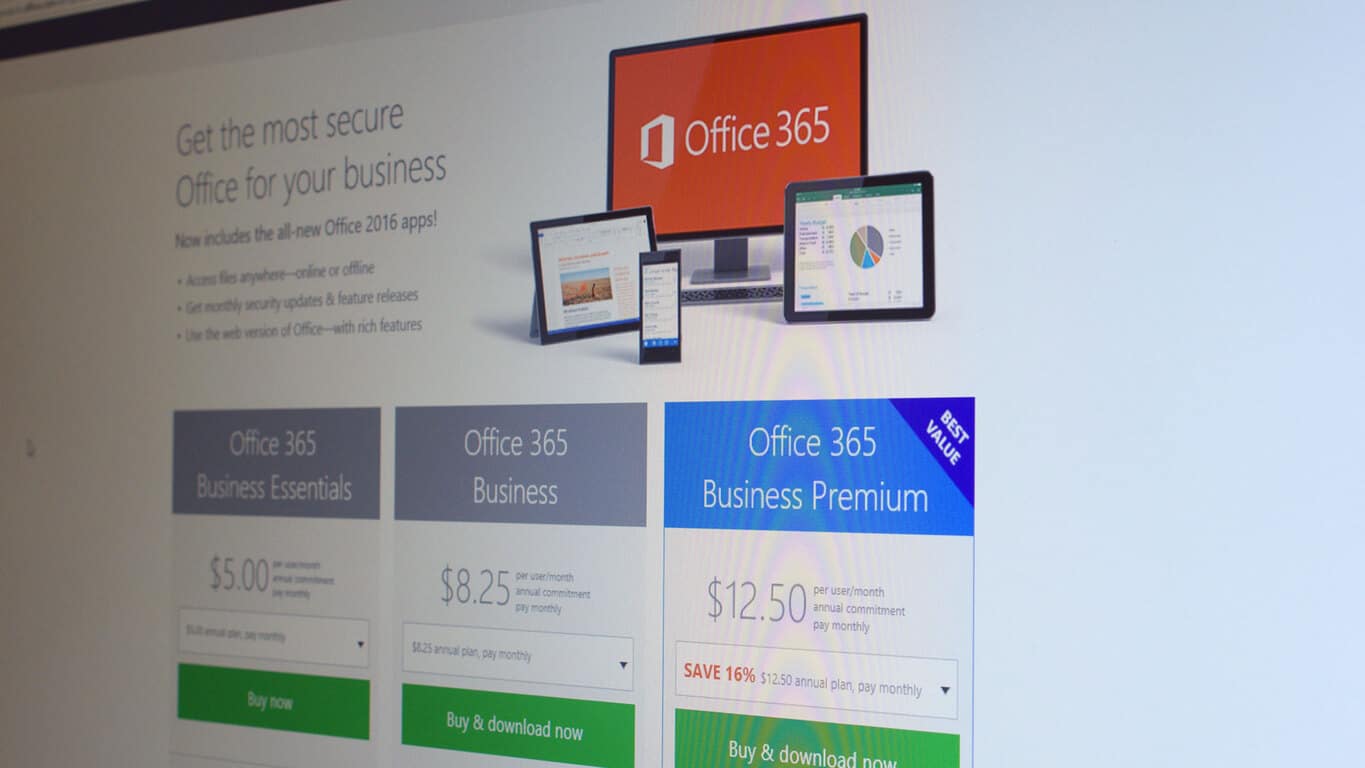
Back in August, we previously wrote that according to a report from Otka, a company that tracks which apps, devices, and services businesses and their people consume every day, Microsoft’s Office 365 was the most widely-used cloud application by businesses. Otka has just released its latest March 2016 Business at Work report, and the new data confirms that Office 365 remained the most popular cloud application among businesses in the second half of 2015, followed by Salesforce, Box, and Google Apps.

Office 365 remains the most popular cloud application among businesses

The report also explains that traditional software companies like Microsoft, Adobe, SAP and Oracle are successfully reinventing themselves in the cloud. In the past year, adoption of Microsoft’s Cloud software (Office 365, Dynamics CRM Online and Azure) by Otka customers grew 116 percent, while Adobe cloud solutions grew even faster at 144 percent.

Traditional on-prem software companies are reinventing themselves in the cloud.

Moreover, although the top four popular cloud apps did not change since Otka’s previous August 2015 report, the company did spot the fast grow of Slack, a company that Microsoft reportedly chose not to buy. According to Otka’s data, Slack has been the fastest growing cloud app among Okta customers in the second half of 2015 with a 77 percent increase in adoption. That growth is pretty impressive as the young company was not in the top 25 apps in Otka’s last report.

Slack was the fastest growing app in second half of 2015.

Finally, the report also found that many companies use both Microsoft Office 365 and Google Apps:

“Our survey data showed that over forty percent of companies using both Google Apps and Office 365 do so because different departments prefer different applications, presumably for online collaboration. Thirty percent of overlapping customers use Office 365 for licensing desktop products (Excel, Word and PowerPoint) only and use Google Apps for day-to-day email and collaboration. As one respondent put it, “The easiest way for us to license Office and keep it updated is via Office 365.”

While Microsoft’s focus on Office 365 is definitely paying off, the rise of Slack makes still us wonder if Microsoft did the right choice to not buy the service and to focus on Skype instead. Please tell us in the comments if you think Microsoft can continue to top enterprise cloud apps in the future.

Slack for Windows PC updated, remembers your most visited teams

Slack’s official app for Windows has just gotten a fresh coat of paint by way of a new update. The update brings the app to version 2.02 overall and also adds in some of the usual bug fixes and some new features.

The full details of the update can be seen below, as well as on Slack’s official website. 

What’s New:

  • Signed into a smorgasbord of teams? We’ll pay attention to which ones you use the most, and load those first when the app is started. A minor courtesy.
  • If you find yourself wedged between a rock and a hard place (or, a bug and our app) we offer you an escape hatch: Help > Reset App Data wipes the slate clean.

Fixed:

  • Context menus were misplaced (and by that we mean, completely absent) for a few unlucky folks. They’re in the right place now.
  • Like a low-budget horror film, a monstrous variety of crashes creeped into the 2.0 update, most of which have been sent back to the swamp.
  • Downloaded files of the same name will no longer overwrite each other.
  • If snapped to the left or right of your screen, Slack would develop a case of acute amnesia and reset position when restarted. Our recollection has improved this time around.
  • The crude white border that would appear around the app the next time it was launched (if you had been zoomed) has been zapped.
  • We’ve made further improvements to prevent false detection by antivirus vendors. Those meddling kids.
  • We offer up a better explanation of why the app stays in your taskbar, if you’ve set the window to Always flash.

So, if you’re currently running Slack, you can update by heading into the app and clicking Help, then check for updates, and then update now. If not, you can download Slack by clicking here. As always, once you do update or download, please comment below and let us know if you notice anything new!

Resident Evil 6 now available for Xbox One

While the Xbox One version of Resident Evil 6 has been available for pre-order since last week, the game is finally available to play on the Xbox One today. If you never played any Resident Evil game before, the franchise is known for having contributed to the shaping of the survival horror game genre. The sixth opus came out in October 2012 on the Xbox 360 and in March 2013 for Windows, but this episode is slightly more focused on epic “Gears-of-War-style” action than pure horror.

Here’s the official description:

Blending action and survival horror, Resident Evil 6 is a dramatic horror experience that cannot be forgotten. Now in high definition, the game offers multiple characters, including fan favorites and new faces, along with solo and co-op modes and new challenges for players, different from any other in the Resident Evil franchise. This edition includes all DLC, along with two costumes per main character, originally exclusively unlockable through Residentevil.net, that are now unlockable through the game itself.

The Xbox One version of the game will cost you $19,99 on the Xbox Store (physical disc versions will also be available in the US), and it comes with all of the extra downloadable content that was released in the months following its initial release. Resident Evil 4 and 5 will also be released on the Xbox One later this year, starting with Resident Evil 5 in the summer. Please tell us in the comments if you plan to get these classic games on your Xbox One.

Buy Resident Evil 6 on Xbox One


Windows 10 Redstone: Card UI coming to Action Center and Cortana

Microsoft is about to bring interactive cards to the Action Center and Cortana in Windows 10 Redstone, sources familiar with the matter say. No longer will the Action Center or Cortana offer static information, instead there will be a new UI internally called “Cards” that will portray information and share said information between both areas of the system.

Internal concept art showcase what Microsoft has in mind for these new Card designs, bringing a sleek and modern interface to the Action Center. It is understood that these new Card user-interfaces will appear in Cortana too, creating a sense of familiarity between both the Action Center and Cortana.

cardconcepts
Internal card UI concepts (not final)

The goal here is that more areas of the system will share a common set of shared actions that can be accessed in more ways than one. Cortana will talk to the Action Center more and vice-versa, offering personalized content cards meaning you’ll never miss an appointment or notification.

Sources also say Microsoft is toying with bringing filters to the Action Center, which would give the user a choice between notifications filtered by insights, for example. This would allow notifications to be grouped under certain app types, making it easy to organize what notifications you want to see. A good example of this would be with Social apps like Twitter and Facebook, the Action Center can group all those notifications under one header, and the user can filter the action center to Social apps only.

actioncenterconcept
Internal action center concepts (not final)

1st and 3rd party apps will be able to tap into the Card UI, offering their own information and actions based on each individual app. For example, the Calendar app will be able to pin birthday reminder cards to the Action Center so you never forget, or another Card can be showcased that detail your meetings for the day, and give you options for rescheduling two meetings that clash.

All the images seen in this article are internal design concepts, meaning it is likely these will look different when they are finally unveiled officially. Hopefully, Microsoft will unveil these changes tomorrow at BUILD, but there is always the possibility that these features could be scheduled for Redstone 2 instead. At any rate, we’re excited to see Microsoft working on additional changes to the Action Center and Cortana, and can’t wait to try them out.

A quick look at Microsoft’s Translator extension for Edge in Windows 10

Microsoft introduced extensions for Microsoft Edge to users of Windows 10 Preview some time ago. But only three extensions are currently available to Insiders, with the company only revealing some basic information about them. Now, the company finally provided some additional information about one of the three available extensions, Microsoft Translator.

“Once installed, the translation icon will appear in the address bar when visiting a foreign-language webpage in Microsoft Edge. You can then click on the icon to instantly translate the webpage to your current Windows language. The extension works with all of the languages supported by Microsoft Translator”, says Microsoft.

This addition should improve the functionality and competitiveness of Microsoft Edge since all rival browsers already have a translating option for web pages. (You can see the list of all of the supported languages here.)

We tried the Microsoft Translator extension and we can tell it works pretty smooth, instantly translates the whole page by pressing the “Translate this page” button next to the search bar. It took the extension just a couple of seconds to translate the entire web page, continuing to translate pages as long as you’re on that website.

microsoft edge translator

Unfortunately, the Translator extension can only translate the page to Windows 10’s default language as you don’t have the ability to choose another language. We hope that Microsoft will change this in the future and that users will have the ability to choose the translation language just like they do in the native Translator app for Windows 10.

More extensions to come soon

As we already pointed out, Microsoft Edge extensions are currently only available to Windows 10 Insiders. Microsoft has started working on support for even more extensions for its latest web browser, but we’re not sure when these extensions will arrive.

One of the ways to bring more extensions to Microsoft Edge is to port them from other browsers, and that’s exactly what Microsoft plans to do. The company is preparing a new tool which will allow developers to easily transfer their existing extensions for Google Chrome to Windows 10’s default browser. Additionally, some developers plan to release extensions for Microsoft Edge on their own, including one of the best password managers in the market, LastPass, and famous ad blocking extension AdBlock Plus.

Extensions for Microsoft Edge should be available to regular Windows 10 users with the release of the next major update for Windows 10, the Redstone update, expected to arrive this June. Until then, we hope that Microsoft and third-party developers will deliver more extensions so we can test them.

Tell us in the comment section below: what extensions you would like to see in Microsoft Edge soon?

Hulu updates its app for Windows 10 users with hidden changes

A few days back, Hulu released an update for its Windows 10 app, bringing Cortana improvements and other features and improvements.

Now we’ve spotted yet another update but this time, Hulu hasn’t provided a detailed changelog.

Hulu updated on Windows 10

The app’s version notes still highlight the changelog released with the previous version, saying the following:

– Provide SW/HW DRM switching option in setting page – Fix the playback stuttering issue by SW DRM solution – App launching speed optimization – Cortana improvement – Bug fixes

hulu app windows 10


Hulu Windows 10 app not working? Don’t panic! Here’s a guide to fix the issue!


As for the update itself, it weighs in at around 6MB and doesn’t bring any noticeable new features — at least not any we could observe. Here are the main features of the app:

Watch current hit TV shows, classic series, and acclaimed movies
Enjoy popular kids shows, including SpongeBob SquarePants, Pokémon and many more, ad-free
View in fullscreen or snap to the side and watch while you work
Pin your favorite shows for instant access from the Start screen
Search for content from the Cortana
Available on TVs and other connected devices in HD for $7.99/month with limited advertising
No Commercial playback capability
SHOWTIME® add-on

If you don’t have Hulu yet running on your Windows 10 device, go ahead and follow this link to download it.

And if you’re running the latest version as well and happened to spot something different about the update, don’t hesitate: let us know by leaving your input below.